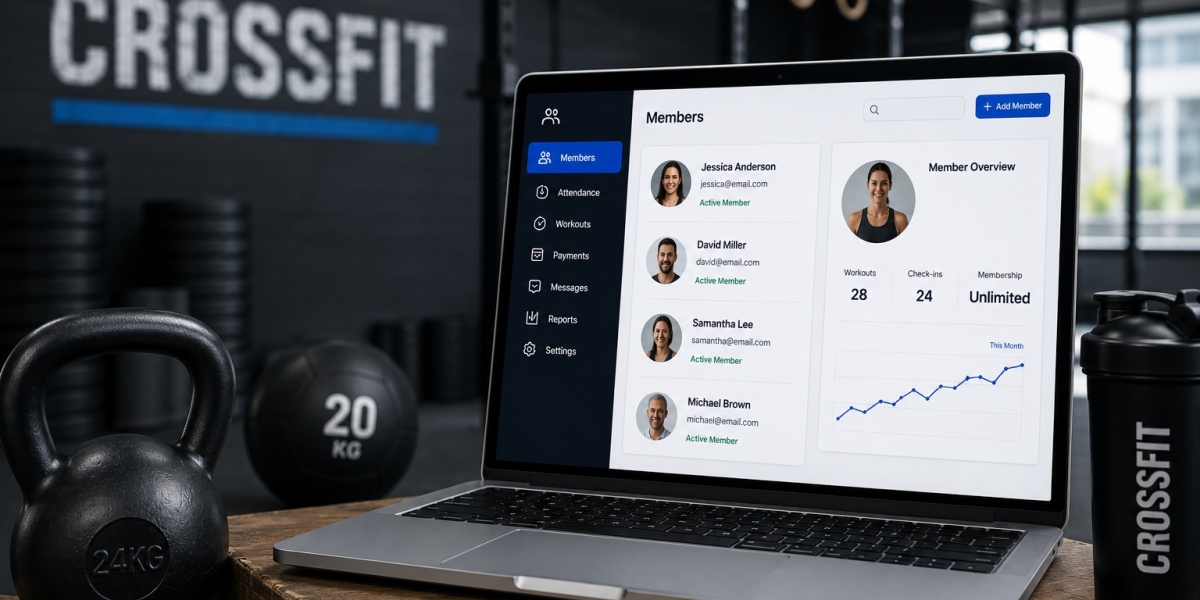

A class can look perfectly organized on the schedule and still become difficult to manage once members start booking, canceling, joining waitlists, and arriving for workouts. For a CrossFit gym, keeping this entire process connected is essential. CrossFit class management software brings class booking, capacity control, attendance tracking, and daily session organization into one digital workflow.
Instead of relying on spreadsheets, messages, or separate tools, gym owners and coaches can use a centralized platform to keep class information accurate and accessible.
What Is CrossFit Class Management Software?
CrossFit class management software is a digital system designed to organize the operational side of group training sessions. It helps gyms manage class schedules, member registrations, attendance, capacity limits, cancellations, and other activities surrounding daily workouts.
Platforms such as GymWyse are built around the needs of fitness businesses that need better visibility across their classes and members. Other established platforms in the fitness management space, including Wodify, PushPress, Zen Planner, and Mindbody, also support different aspects of class and gym operations.
The goal is not simply to publish a timetable. It is to create a connected process from the moment a class becomes available for booking until attendance is recorded.
How the Class Management Process Works
1. Creating and Organizing Classes
The process begins with setting up the gym's class schedule. Owners can define workout sessions, assign timings, establish capacity limits, and organize recurring classes.
A centralized schedule makes it easier for members to see available sessions while giving staff a consistent view of the day's activities.
2. Managing Member Bookings
Once classes are published, members can reserve their preferred sessions through the available booking system. This reduces the need for staff to manually handle every registration.
The system can also provide visibility into how many spots remain. When capacity is reached, members may be directed toward waitlists or alternative sessions, depending on the platform's capabilities.
3. Handling Cancellations and Waitlists
Cancellations are a normal part of gym operations. Without a structured system, an opening can easily go unnoticed.
CrossFit class management software can keep bookings updated when members cancel. Waitlist functionality can also help gyms fill available spaces more efficiently, giving other members an opportunity to attend.
4. Monitoring Class Capacity
Capacity management is particularly important for group-based CrossFit training. Too many people in one session can affect equipment availability, coaching attention, and the overall workout experience.
Software allows staff to monitor registrations against class limits instead of manually counting bookings. This creates a clearer picture of which sessions are filling quickly and which have available space.
Attendance Becomes Easier to Track
Booking a class is only one part of the member journey. The gym also needs to know who actually attended.
Attendance tracking gives owners and coaches a clearer understanding of participation. Staff can record attendance digitally rather than maintaining separate paper sheets or manually updating spreadsheets.
Over time, attendance records can also reveal useful patterns. For example, a gym may identify members who regularly attend certain time slots or notice when a previously active member starts missing sessions.
This information can support better communication and member engagement.
Helping Coaches Stay Prepared
Class management software is also useful from the coach's perspective. Before a session begins, coaches can have better visibility into the expected attendance and class roster.
Knowing how many members are registered can help coaches prepare equipment, understand the expected class size, and organize the session more effectively.
When scheduling and attendance information are connected, coaches spend less time dealing with administrative questions and more time focusing on the workout itself.
Why Centralized Class Management Matters
The biggest advantage of CrossFit class management software is having operational information in one place.
Instead of checking multiple spreadsheets, messages, and booking records, staff can work from a centralized system. This can reduce administrative workload while making information easier to access.
It also creates a smoother experience for members. They can view schedules, reserve classes, manage bookings, and keep track of their participation without depending on staff for every small update.
Choosing the Right Class Management Platform
When evaluating CrossFit class management software, gym owners should consider more than basic scheduling. The platform should fit the way the gym actually operates.
Important areas to evaluate include:
Class scheduling and recurring sessions
Online member bookings
Capacity limits
Waitlist management
Cancellation handling
Attendance tracking
Member profiles
Coach and staff visibility
Reporting and operational insights
Integration with other gym management processes
The right platform should make everyday workflows simpler rather than introduce another complicated administrative layer.
Final Thoughts
From the first booking to the final attendance record, every stage of a CrossFit class contributes to the overall member experience. CrossFit class management software connects these stages so gym owners, coaches, and members can work with more organized information.
For gyms dealing with growing memberships, busy schedules, and multiple daily sessions, moving class operations into a centralized platform can make routine management considerably more efficient.