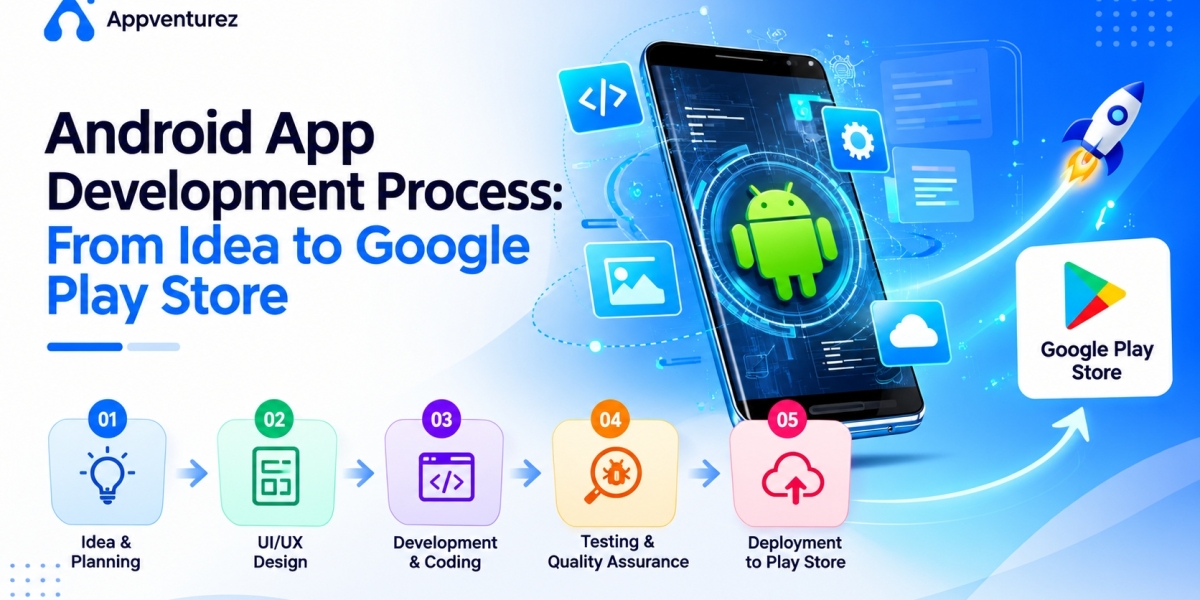

The Android app development process is the structured sequence of stages a team moves through to take an app from a business idea to a live, published product on the Google Play Store. It typically spans discovery and planning, UI and UX design, technical architecture, development, quality assurance, and launch, followed by ongoing post-launch support. Each stage produces specific deliverables that the next stage depends on, which is why skipping or rushing any single stage tends to create problems that surface later, usually at the most expensive and visible possible moment.
Understanding this process matters today because the gap between a well-run development engagement and a poorly run one has grown wider as user expectations have risen. Android users now expect fast performance, polished design, and reliable functionality as a baseline, not a differentiator, and the Google Play Store's review and ranking systems increasingly reward apps with strong technical quality and user engagement signals. A business that treats app development as a loosely sequenced set of tasks, rather than a disciplined process, is more likely to face delays, budget overruns, or a launch that underperforms despite a reasonable underlying idea.
This matters whether a business is building in-house, hiring freelancers, or working with an Android app development company. Knowing what a sound process actually looks like gives founders and product leaders the ability to evaluate progress, ask the right questions at each stage, and recognize early when a project is drifting off track. This guide walks through each stage of the process in practical detail, from the first discovery conversation through to a published, functioning app on the Google Play Store.
Value Proposition: This article gives founders, product managers, and technical leaders a clear, stage-by-stage understanding of how Android apps are actually built, so they can plan realistic timelines, evaluate development partners, and avoid the mistakes that derail projects partway through.
Key takeaways in this section:
The Android development process is a dependent sequence, not a loose checklist.
Rushing early stages like discovery and design creates expensive problems later.
Understanding the process helps non-technical leaders manage development partners effectively.
Stage One: Discovery and Requirements Gathering
Every well-run Android app development process begins with discovery, the stage where the team defines what is actually being built and why, before any design or code work starts. This involves clarifying the core problem the app solves, who the target users are, what success looks like, and which features are essential versus optional. Skipping this stage to save time almost always costs more time later, since development teams end up guessing at requirements that should have been defined upfront, producing rework once assumptions turn out to be wrong.
Discovery also includes competitive research and technical feasibility assessment. Understanding how similar apps solve the same problem helps sharpen differentiation and avoid rebuilding features that users already expect as standard. Technical feasibility assessment identifies early whether any part of the proposed app depends on complex integrations, unusual permissions, or capabilities that might affect timeline or cost significantly, so these risks are known before they become expensive surprises mid-development.
The output of this stage should be a clear, documented set of requirements: a prioritized feature list, defined user roles and permissions, key user flows, and any technical constraints or dependencies. This documentation becomes the reference point for every later stage, and a discovery process that produces only a vague conversation, rather than written documentation, tends to lead to scope disagreements once development is underway and memories of what was discussed start to diverge.
What a strong discovery stage includes:
Clear definition of the core problem and target users
A prioritized feature list separating essential from optional functionality
Competitive research to inform differentiation and feature expectations
Early technical feasibility assessment for complex integrations or permissions
Documented requirements, user flows, and success metrics
Value Proposition: A thorough discovery stage prevents the single most common cause of development delays and budget overruns: building against unclear or constantly shifting requirements.
Stage Two: Planning, Scoping, and Timeline Estimation
Once requirements are documented, the planning stage translates them into a realistic project plan: a defined scope, a development timeline broken into phases or sprints, resource allocation, and a budget. This is also where the team decides on the technical approach, whether native Android development with Kotlin, a cross-platform framework like Flutter, or a hybrid approach, since this decision affects both the timeline and the overall cost structure for the rest of the project.
A critical part of this stage is distinguishing the minimum viable product scope from the full product vision. Many projects run into trouble because planning tries to schedule every desired feature into a single release, producing a timeline that stretches for many months before anything reaches real users. A disciplined planning stage sequences work into phases, with a tightly scoped first release that can reach the Google Play Store faster, followed by subsequent releases that add functionality based on real usage data rather than assumptions made before launch.
Timeline estimation should account for every stage of the process, not only development time, since discovery, design, QA, and launch preparation all take real time that is frequently underestimated or left out of initial estimates entirely. A realistic plan also builds in buffer time for the Google Play review process and for addressing issues found during testing, since treating these as instantaneous steps is one of the more common ways launch dates slip at the very end of a project.
What a sound planning stage produces:
A phased scope separating MVP from future releases
A chosen technical approach: native, cross-platform, or hybrid
A realistic timeline covering every stage, not just development
Resource and team allocation matched to the project's complexity
A budget that accounts for design, QA, and launch preparation, not development alone
Value Proposition: Careful planning turns an ambitious idea into an achievable, sequenced roadmap, reducing the risk of missed deadlines and mid-project budget renegotiation.
Stage Three: UI and UX Design
Design translates the documented requirements into the actual visual and interactive experience users will encounter. This stage typically starts with wireframes, low-fidelity sketches that map out screen layout and navigation flow without visual polish, allowing the team and stakeholders to agree on structure and user flow before investing time in detailed visual design. Skipping wireframes and jumping straight to polished visuals often leads to expensive rework when structural problems are discovered only after significant design effort has already gone into visual details.
Once the structure is agreed upon, the design moves into high-fidelity mockups, where visual identity, color, typography, iconography, and detailed interaction states come together into a complete picture of what each screen will look like. For Android specifically, strong design work follows Material Design principles where appropriate, since this gives users a sense of familiarity with navigation patterns and gestures they already know from other Android apps, reducing friction without sacrificing brand identity.
A design system or component library should also be established during this stage, defining reusable UI elements, such as buttons, form fields, and navigation components, with consistent styling and behavior. This both speeds up development, since engineers can build against defined components rather than interpreting one-off designs, and ensures visual consistency across the app as it grows. Prototyping tools are commonly used at this stage to create clickable mockups that stakeholders and early test users can interact with before any code is written, catching usability issues cheaply and early.
What the design stage delivers:
Wireframes establishing screen structure and navigation flow
High-fidelity mockups covering the complete visual design
A design system or component library for consistency and development speed
Clickable prototypes for stakeholder and early user feedback
Accessibility considerations: contrast, text sizing, and touch target sizing
Value Proposition: Strong UI and UX design work, validated before development begins, reduces costly mid-build redesigns and produces an app that feels trustworthy and familiar to Android users from the first screen.
Stage Four: Technical Architecture and Backend Planning
Before writing application code, an experienced development team defines the technical architecture: how the app's UI, business logic, and data layers will be structured, what architecture pattern will govern that structure, and how the app will communicate with its backend. Modern Android development commonly uses architecture patterns like MVVM alongside Jetpack Compose for the UI layer, creating a clean separation that makes the codebase easier to test, maintain, and extend as the product grows past its initial release.
Backend architecture decisions made at this stage have long-term consequences. Many teams start with a backend-as-a-service platform like Firebase for faster initial development, particularly for MVPs, while others require a custom backend built on cloud infrastructure such as AWS, Google Cloud, or Azure from the outset, typically because of more complex data relationships, specific compliance requirements, or anticipated scale. This decision should be driven by the app's actual requirements rather than familiarity or default habit, since migrating backend architecture later is far more disruptive than choosing correctly at the start.
This stage also defines API contracts, data models, third-party integrations, and security requirements, including how user authentication, data encryption, and permissions will be handled. For apps that process sensitive data or payments, security architecture deserves particular attention here, since retrofitting security controls after development is underway is both more expensive and more error-prone than designing them in from the beginning.
What technical architecture planning covers:
Chosen architecture pattern, such as MVVM, for a clean, maintainable codebase
Backend approach: Firebase, custom cloud backend, or hybrid
Defined API contracts and data models
Third-party integrations: payments, maps, analytics, authentication providers
Security architecture: authentication, encryption, and permission handling
Value Proposition: Solid architecture planning prevents the kind of technical debt that makes every future feature slower and more expensive to add, protecting the app's ability to scale after launch.
Stage Five: Development
Development is where the app is actually built, typically organized into sprints, short, time-boxed development cycles that each produce a working increment of functionality. This iterative approach allows stakeholders to see real progress regularly, provide feedback early, and catch misunderstandings before they compound across the entire build, rather than waiting until the end of a long development period to see anything functional.
Frontend development focuses on building the user interface using Kotlin and Jetpack Compose, implementing the screens, navigation, and interactions defined during the design stage, while connecting to the backend services and APIs defined during architecture planning. Backend development, running in parallel, builds the server-side logic, database structures, and API endpoints the app depends on, along with the infrastructure needed to handle expected traffic and data volume securely and reliably.
Throughout development, strong teams maintain version control discipline, with regular commits and code reviews, and use continuous integration tooling to catch build errors and basic issues automatically rather than relying solely on manual testing at the end of each sprint. Regular demos or progress reviews with stakeholders during this stage, rather than only at major milestones, keep the project aligned with expectations and give the business visibility into real progress, not just status reports.
What a disciplined development stage looks like:
Iterative, sprint-based development with regular working increments
Parallel frontend and backend development against defined architecture
Code reviews and version control discipline throughout
Continuous integration to catch build errors early
Regular stakeholder demos, not only end-of-project reveals
Value Proposition: A well-structured development stage produces visible, verifiable progress throughout the project, reducing the risk of late-stage surprises and giving stakeholders confidence the app is on track.
Stage Six: Quality Assurance and Testing
Quality assurance is not a final checkpoint before launch; in a well-run process, it runs continuously alongside development, with testing beginning as soon as functional pieces of the app exist. Functional testing verifies that each feature works as intended, including edge cases like poor network connectivity, interrupted sessions, and invalid input, conditions that real users will inevitably encounter outside a clean development environment. Automated testing, including unit tests for business logic and integration tests for API interactions, should be built alongside the application code, not added as an afterthought once development is complete.
Device and OS fragmentation testing matters specifically for Android, given the wide range of manufacturers, screen sizes, and operating system versions actively in use. Testing across a representative sample of real physical devices, not only emulators, catches rendering issues, performance problems, and hardware-specific bugs that a single-device test plan will consistently miss. Performance testing, covering load times, responsiveness, memory usage, and battery impact, should also be part of this stage, since a technically functional app that drains battery or lags under normal use will still earn poor reviews.
Usability testing with real target users, ideally drawn from the same group involved in early discovery and validation work, surfaces friction points that automated and functional testing cannot catch: confusing navigation, unclear labels, or a technically correct flow that users still find unintuitive. Security testing, including checks for data exposure, insecure storage, and authentication weaknesses, deserves particular attention for any app handling personal information or payments, since a security failure discovered after launch is far more damaging than one caught during this stage.
A thorough QA process includes:
Functional testing of every feature, including edge cases and poor connectivity
Automated unit and integration testing built alongside development
Testing across a representative range of real Android devices and OS versions
Performance testing for load time, responsiveness, and battery impact
Usability testing with real target users
Security testing for data handling, storage, and authentication
Value Proposition: Continuous, rigorous QA throughout development, rather than a rushed testing phase at the end, protects both user trust and the app's early Google Play ratings.
Stage Seven: Preparing for Google Play Store Submission
Submitting an app to the Google Play Store involves more than uploading a finished build. Google Play requires a complete data safety declaration, detailing what data the app collects, how it is used, and whether it is shared with third parties, and inaccurate or incomplete declarations are a common cause of review delays or rejection. This should be prepared well before the intended launch date, treated as a real workstream with its own deadline rather than a form completed at the last minute.
Store listing optimization also belongs in this stage, since the app's title, description, keywords, screenshots, and promotional graphics directly affect both discoverability in Play Store search and conversion once a potential user lands on the listing. Screenshots should clearly communicate the app's core value within the first few frames, since many users decide whether to download based on visual scanning rather than reading the full description. Compliance with Google Play's content and policy guidelines should also be reviewed carefully at this stage, since policy violations are a frequent, avoidable cause of rejection or delayed approval.
A staged rollout plan should be finalized before submission: releasing first to internal testers, then a closed beta group, then a limited percentage of production traffic, before a full public release. This approach catches critical issues while the audience is still small, and it allows the team to gather early ratings and reviews from a controlled group before the app becomes visible to the broader market, which matters significantly since early reviews heavily influence how new users perceive a newly launched app.
A practical pre-submission checklist:
Complete and accurate Google Play data safety declaration
Optimized store listing: title, description, keywords, and screenshots
Full review against Google Play content and policy guidelines
A finalized staged rollout plan: internal, closed beta, limited, full release
App signing, versioning, and release notes prepared and verified
Value Proposition: Careful submission preparation reduces the risk of review delays or rejection, and a staged rollout plan protects the app's reputation during its most vulnerable early days.
Stage Eight: Launch and Post-Launch Monitoring
Launch day is not the end of the process; it is the start of a new phase that requires active attention. Once the app goes live, even in a limited rollout, the team should actively monitor crash reports, performance metrics, and early user reviews, since problems that were invisible during internal testing often surface quickly once real users with diverse devices and usage patterns start interacting with the app. Having a clear process for triaging and responding to these early signals, rather than discovering them only when checking in periodically, makes the difference between a quick fix and a damaged early reputation.
Responding to early reviews, both positive and negative, signals to users and to the Play Store's own ranking systems that the app is actively maintained and the team is engaged. A thoughtful, non-defensive response to a critical review, especially one that leads to a genuine fix, can rebuild trust more effectively than ignoring the feedback entirely. As the staged rollout expands toward full release, the team should continue watching key metrics closely, since issues that did not appear at a small scale sometimes emerge only once traffic increases significantly.
Post-launch, the process shifts into an ongoing cycle of monitoring, maintenance, and iteration: fixing bugs discovered by real users, releasing updates to maintain compatibility as new Android OS versions roll out, and prioritizing new features based on actual usage data rather than pre-launch assumptions. Analytics set up before launch become essential here, since they are what allow the team to understand which features users actually engage with and where they drop off, turning the app from a static release into a continuously improving product.
What strong post-launch practice includes:
Active monitoring of crash reports, performance, and early reviews
A defined process for triaging and responding to launch-week issues quickly
Thoughtful engagement with user reviews, including critical ones
Scheduled OS compatibility updates as new Android versions release
Ongoing feature prioritization based on real usage analytics, not assumptions
Value Proposition: Treating launch as the beginning of an ongoing cycle, not a finish line, is what turns a successful technical release into a genuinely successful, improving product over time.
How Long Does the Android App Development Process Take?
Timeline expectations vary significantly based on scope, but understanding rough ranges for each stage helps set realistic expectations before a project begins. Discovery and planning typically take a few weeks for a well-scoped project, though complex enterprise requirements can extend this further. Design, covering wireframes through high-fidelity mockups and prototyping, often runs in parallel with the later part of discovery and typically takes several weeks depending on the number of screens and complexity of the user flows involved.
Development is usually the longest stage, and its duration depends heavily on feature scope, backend complexity, and third-party integrations. A tightly scoped MVP with a simple backend might move through development in a couple of months, while a feature-rich application with complex integrations, custom backend infrastructure, and multiple user roles can take considerably longer. QA runs partly in parallel with development and partly as a dedicated stage afterward, and compressing this phase to hit a deadline is one of the most common and costly mistakes in the entire process.
Google Play submission and review typically adds a shorter but real amount of time, and staged rollout extends the period between submission and full public availability intentionally, since the entire point of a staged approach is to avoid rushing to full release before early issues surface. Businesses planning a launch date should build in buffer time at the submission and rollout stages specifically, since this is where external dependencies, like Google's review timeline, are outside the development team's direct control.
Rough timeline guidance by stage:
Discovery and planning: a few weeks for most well-scoped projects
Design: several weeks, often running partly in parallel with discovery
Development: the longest stage, ranging from a couple of months for a tight MVP to significantly longer for complex apps
QA: partly parallel with development, with a dedicated final testing period
Submission and staged rollout: a shorter but real buffer period before full release
Value Proposition: Realistic stage-by-stage timeline expectations prevent the common mistake of committing to an external launch date before the actual scope and complexity have been properly assessed.
Common Mistakes That Derail the Android Development Process
The most common mistake is compressing or skipping discovery to start development sooner, which almost always produces rework once unclear requirements surface mid-build, costing far more time than the discovery stage would have taken. A closely related mistake is treating design as a quick formality rather than a validated stage in its own right, leading to structural usability problems discovered only after significant development work has already been built around flawed screens.
Scope creep during development is another frequent derailment, where new feature requests are added mid-sprint without adjusting timeline or budget accordingly, quietly turning a well-planned MVP into an open-ended project with no clear finish line. Equally damaging is compressing the QA stage to protect a launch date, which trades a short-term schedule win for a much more expensive long-term cost: a buggy release that damages early user trust and Play Store ratings in ways that are difficult to recover from.
Underestimating Google Play submission requirements is a smaller but surprisingly common mistake, where incomplete data safety declarations or policy violations cause last-minute rejection just as a business is ready to announce its launch. Finally, many teams treat launch as the finish line rather than the start of an ongoing cycle, failing to plan for post-launch monitoring, maintenance, and iteration, which leaves a technically successful launch unable to sustain momentum in the weeks and months that follow.
Mistakes to avoid at each stage:
Skipping or compressing discovery to start development sooner
Treating design as a formality rather than a validated stage
Allowing scope creep during development without adjusting timeline or budget
Compressing QA to protect a launch date
Underestimating Google Play submission and policy requirements
Treating launch as a finish line rather than an ongoing process
Value Proposition: Avoiding these well-known failure points significantly improves the odds of a smooth, on-time, on-budget Android development process from idea through to a successful launch.
Our Expertise: How Appventurez Runs the Android Development Process End to End
Appventurez is a custom software and product engineering company that has guided startups and enterprises through the full Android app development process across fintech, healthcare, e-commerce, logistics, and education. Our approach treats every stage described in this guide as a real, deliverable-producing phase, not a formality to move past quickly, starting with structured discovery and requirements gathering that produces clear, documented scope before any design or development work begins.
Our process covers UI and UX design grounded in Material Design best practices, technical architecture planning using modern patterns like MVVM paired with Jetpack Compose, and sprint-based development with regular stakeholder demos so clients see real, working progress throughout the engagement rather than only at the end. Quality assurance runs continuously alongside development, including testing across real Android devices, automated testing built into the codebase, and dedicated usability and security testing before any app reaches submission.
We manage Google Play submission directly, including data safety declarations, store listing optimization, and staged rollout planning, and we stay engaged through launch and post-launch monitoring, handling crash triage, review response, and ongoing feature development based on real usage data. We work through agile, milestone-based engagements with transparent reporting and clear IP ownership, so clients have full visibility into progress at every stage of the process described above.
Appventurez Android development process services at a glance:
Discovery, requirements gathering, and MVP scoping
UI and UX design, including wireframes, prototypes, and a design system
Technical architecture planning: native, cross-platform, and backend
Sprint-based native and cross-platform Android development
Continuous QA, device testing, and security testing
Google Play submission, store optimization, and staged rollout management
Post-launch monitoring, maintenance, and iterative feature development
Value Proposition: Appventurez follows a disciplined, transparent process at every stage from idea to Google Play Store, reducing the risk of delays, budget overruns, and the common mistakes that derail less structured engagements.
Practical Insights: How to Apply This Process to Your Next Android Project
Start by mapping your own project against the eight stages described in this guide, and honestly assess which stages you have a clear plan for and which remain vague. A project with a detailed development plan but no real discovery documentation, or a clear feature list but no QA strategy, is at real risk of the common mistakes outlined above, regardless of how strong the underlying app idea is.
If you are evaluating a development partner, ask them directly to walk through how they handle each of these eight stages, and compare their answers against the practices described here. A partner who treats discovery, design validation, and continuous QA as integral, non-negotiable parts of their process is a stronger signal of future reliability than a portfolio of polished finished apps alone, since portfolios rarely reveal how smoothly or painfully the underlying process actually ran.
Finally, build realistic timeline and budget expectations using the stage-by-stage guidance in this article, and insist on visibility into progress at each stage, not only a final delivery date. Regular demos, documented requirements, and staged testing checkpoints give you the ability to catch problems early and keep the project aligned with your original goals, rather than discovering at the end that the delivered app does not match what you originally envisioned.
Quick action checklist:
Map your project against all eight stages and identify any gaps in your plan
Ask prospective development partners how they handle each stage specifically
Insist on documented requirements before development begins
Request regular sprint demos, not only a final delivery
Confirm a continuous QA process, not a single testing phase at the end
Plan buffer time for Google Play submission and staged rollout
Value Proposition: Applying this stage-by-stage framework, whether building in-house or evaluating a partner, significantly increases the likelihood of a smooth, predictable path from idea to a successfully launched Android app.
Conclusion
The Android app development process is a dependent sequence of stages, each building on the last, from discovery and planning through design, architecture, development, QA, Google Play submission, and ongoing post-launch iteration. Projects that respect this sequence, rather than compressing or skipping stages under deadline pressure, consistently launch with fewer surprises, better early reviews, and a stronger foundation for growth after release.
If you are planning an Android app and want a partner who runs this process with discipline at every stage, Appventurez can help. We guide clients from initial discovery through a successful Google Play launch and beyond, with transparent reporting at every step. Book a free Android development consultation with Appventurez today and get a clear, stage-by-stage roadmap for your app.