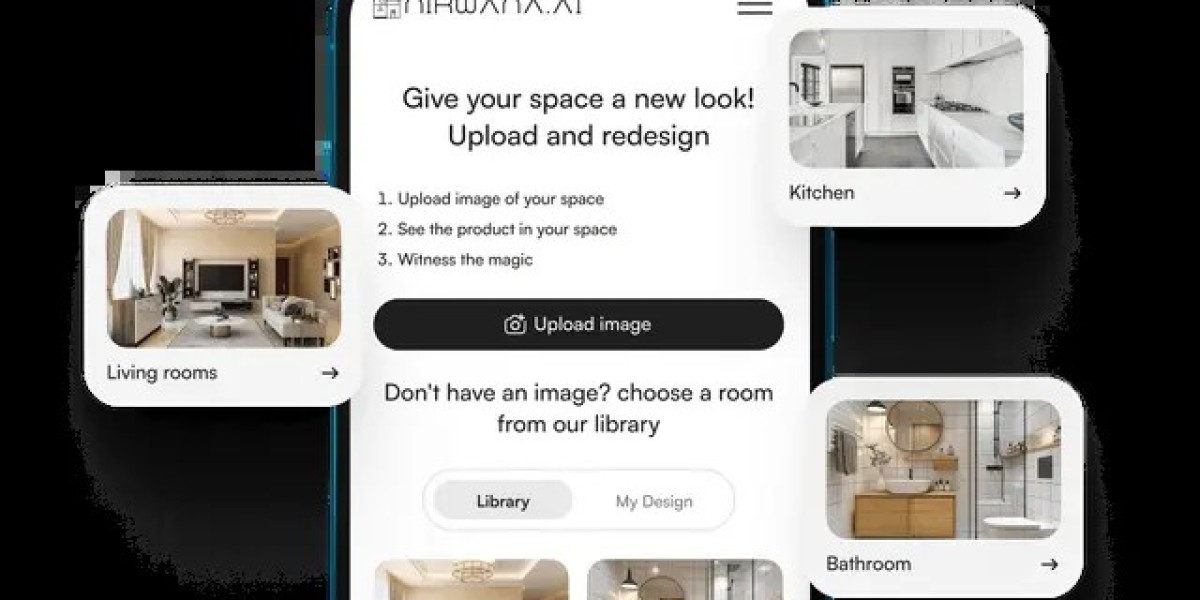

Choosing tiles used to be a guessing game—tiny samples, limited imagination, and a lot of hoping everything would “just match.” Today, digital innovation makes design decisions not only easier but exciting. A tile visualizer brings your ideas to life by letting you preview tiles directly in your rooms, helping you avoid costly mistakes and boosting your confidence from the very first click.
Why Tile Selection Feels Overwhelming for Most Homeowners
Walk into any showroom, and you’re greeted with dozens of colors, sizes, finishes, and patterns. Everything looks great on the display rack, but the real question is: Will it look the same in your home?
Most people struggle with:
Visualizing the final outcome
Matching tiles with furniture or wall colors
Choosing between glossy or matte finishes
Understanding scale and layout patterns
A visual preview eliminates the uncertainty that tile shopping usually brings.
How Technology Is Transforming Modern Interior Design
Design isn’t just about creativity anymore—it’s about clarity. Tools like augmented reality (AR) and 3D modeling are changing how we plan our spaces. With just a few photos or presets, homeowners can experiment freely and find combinations they would never predict from a small showroom sample.
This shift empowers users to take charge of their design decisions rather than relying entirely on guesswork or lengthy consultations.
Where a Tile Visualizer Fits in Your Design Journey
A powerful visual tool helps you bridge the gap between imagination and reality. Whether renovating a bathroom, revamping a living room, or designing a new kitchen, it simplifies the process at every step.
See Realistic Previews Instantly
Upload a picture of your room or choose a template. Within seconds, you can apply different tiles to see how they change the overall mood.
Experiment Without Limits
Trying 12 samples at a store is exhausting. With a digital tool, you can try hundreds—from marble to wood finish to terrazzo—without lifting a single tile.
Visualize Daylight & Shadows
Some platforms adjust tones based on indoor and outdoor lighting, helping you avoid tiles that look dull at home despite shining in the showroom.
How a Tile Visualizer Simplifies Decision-Making
Choosing tiles becomes more intuitive when you can see everything in context.
1. Helps You Find the Right Color Tone
Colors vary dramatically depending on lighting and surrounding décor. A visualizer shows how ivory, beige, grey, or bold patterns behave within your actual room.
2. Assists in Picking the Ideal Tile Size
Large tiles make small rooms appear more spacious, while small ones add intricate detail. Seeing them in place helps you determine what suits your design goals.
3. Lets You Try Multiple Layouts
From herringbone to brick patterns, layout matters. A digital preview saves you from layout regrets later.
4. Compares Room Styles Seamlessly
Want a warm, rustic feel? Or a sleek, modern finish? Previewing different styles speeds up choices and avoids confusion.
Understanding Tile Types: What You Can Experiment With
Every tile has its own personality. Before you dive into design, here’s what you can explore:
Ceramic Tiles
Durable and economical—perfect for walls and light-traffic areas.
Porcelain Tiles
Harder, denser, and suitable for both indoor and outdoor spaces.
Vitrified Tiles
Glossy, sleek, and extremely popular in modern homes.
Stone-Look Tiles
Bring natural charm without the maintenance challenges of real stone.
Wood-Look Tiles
Excellent for bedrooms and living rooms if you want warmth without worrying about scratches.
Why Homeowners Love Using a Tile Visualizer
The convenience is unmatched, but the benefits go deeper.
Saves Time and Avoids Endless Store Visits
You can finalize the entire look before even stepping into a store.
Reduces Costly Mistakes
Once tiles are laid, replacing them is expensive. A visual preview eliminates second thoughts.
Boosts Confidence in Choices
Seeing the final look gives you peace of mind, especially for big renovation decisions.
Helps Professionals Communicate Ideas
Architects, interior designers, and contractors use visualizers to present concepts clearly to clients.
What Features to Look for in a Modern Visualizer Tool
Not all tools offer the same experience. A good platform should include:
AR & 3D visualization
Multiple preset room templates
Large tile catalog
Custom room upload
Smart color and layout suggestions
User-friendly interface
These features make your design journey smoother and more enjoyable.
Room-by-Room Design Inspiration Using a Visualizer
For Living Rooms
Try neutral large-format tiles for a spacious, elegant look.
For Bedrooms
Wood-look or matte tiles create a cozy feel.
For Kitchens
Experiment with patterned tiles for backsplashes and textured tiles for floors.
For Bathrooms
Play with glossy finishes or stone textures to achieve spa-like vibes.
Exploring Creativity Through a Tile Visualizer
This tool goes beyond practicality—it unlocks creativity.
Try Bold Patterns Without Fear
Test geometric, Moroccan, or mosaic tiles without worrying about commitment.
Mix and Match Like a Pro
Blend different textures or shades to create a bespoke look.
Find the Perfect Focal Wall
A single accent wall can redefine a room; experimenting digitally helps you find the ideal design.
Common Mistakes You Can Avoid With a Visualizer
Choosing tiles without seeing them in full scale
Ignoring grout color combinations
Selecting glossy tiles for high-traffic areas
Overlooking lighting effects
Matching similar tones that make rooms appear flat
A visualizer helps you sidestep all these pitfalls.
FAQs
What devices can I use a visualizer on?
Most tools work on mobile, tablet, and desktop browsers.
Do I need design experience to use it?
Not at all. Visualizers are built for beginners and professionals alike.
Can I use my own room pictures?
Yes, many platforms let you upload your photos for personalized previews.
Does the preview match the real result?
High-quality tools offer very close approximations, making them reliable for decision-making.
Is it free to use?
Many platforms offer free access with optional premium features.
Conclusion: Designing Spaces Becomes Simpler with Smart Tools
Choosing tiles doesn’t have to be stressful. With the help of a digital preview tool, you can understand layout, texture, and color harmony long before installation begins. A tile visualizer empowers you to explore, compare, and finalize designs with complete confidence, ensuring your space turns out exactly the way you envision it.