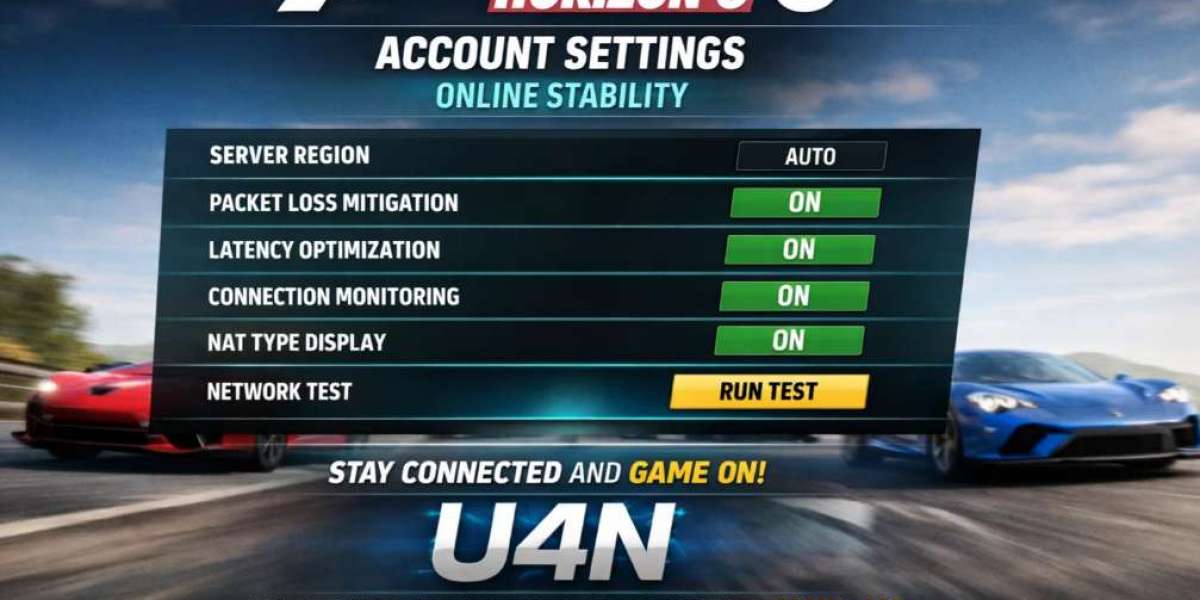

Forza Horizon 6 offers an exciting open-world racing experience, but to get the most out of it, you need to understand how account settings impact your online stability. Whether you're racing with friends, competing in online events, or just cruising around the Horizon Festival, proper account settings can make a big difference in how smoothly your online experience goes.
In this guide, I’ll walk you through some of the key account settings that can affect your online play. This isn’t about changing your car setup or racing skills—this is about the technical side of things that can influence your connection, multiplayer stability, and overall online enjoyment.
How Do Account Settings Affect Online Stability?
When you're racing online, the last thing you want is lag, disconnects, or other issues that ruin your game. Your account settings can have a direct impact on these problems. Poor settings, especially related to privacy and multiplayer options, can interfere with your connection, cause unexpected crashes, or lead to frustrating delays.
Online stability in Forza Horizon 6 relies heavily on your account being connected to the right servers and configured correctly. Some settings, like network and privacy settings, will ensure you're properly synced up with others in the game.
Should I Adjust My Network Settings?
Your network settings are one of the most important things to consider for stability. The game needs a stable internet connection to work properly, and if you're running into issues like lag or disconnections, these could be related to your network setup.
1. Check Your Internet Connection
For a smooth online experience, you should ideally have a stable connection with a minimum of 5 Mbps for download and 1 Mbps for upload. However, more is always better—especially if you're sharing your connection with others in your household. To reduce lag, make sure your router is in a central location and not obstructed by walls or other interference.
2. Wired vs. Wireless
Whenever possible, it's better to use a wired connection to your router rather than relying on Wi-Fi. Wi-Fi can be unstable, especially if there are lots of devices using the same network. A direct Ethernet connection reduces the chances of connection drops or latency issues, providing a more stable experience.
3. Open NAT Type
A good NAT (Network Address Translation) type ensures you can connect to other players without issues. Ideally, you want your NAT type to be “Open.” This means your connection to the game’s servers will be the smoothest. If your NAT type is strict or moderate, you may experience connection issues, such as not being able to join certain games or communicate with other players.
If you're unsure about your NAT type, you can check it in your Xbox or PC network settings. If it’s not “Open,” you may need to adjust your router’s port forwarding settings or enable UPnP (Universal Plug and Play) to fix the issue.
4. QoS Settings on Your Router
If you want to take it a step further, you can enable Quality of Service (QoS) on your router. This lets you prioritize gaming traffic over other types of internet usage (like streaming or browsing). By setting this up, you’ll ensure that your online races get the bandwidth they need, reducing lag during important moments.
Do Privacy Settings Affect My Multiplayer Experience?
Yes, privacy settings can impact how you interact with other players in Forza Horizon 6. If your privacy settings are too restrictive, you might have trouble joining or inviting friends to online events. On the other hand, if your settings are too open, you may find yourself dealing with unwanted interactions.
1. Profile Privacy
Make sure your profile is set to "Friends" or "Everyone" to allow for the best online experience. If your profile is set to "Only Me," other players won’t be able to see you online, invite you to races, or interact with your shared content.
2. Communication Settings
Forza Horizon 6 gives you control over how you communicate with others. While racing, voice communication with teammates can be essential, so you’ll want to adjust your communication settings accordingly. Check that your microphone permissions are properly set so you can talk to others during races, but also make sure you're comfortable with the level of communication allowed.
If you prefer a quieter experience, you can mute players in online sessions or set your chat settings to allow only friends to communicate with you. This ensures that you’re not bombarded with messages from strangers, but still allows you to interact with people you trust.
How Can I Improve Stability in Group Races?
When it comes to group racing, having good communication and proper settings is key to keeping things stable. Here’s what you can do to avoid issues:
1. Host vs. Join
If you’re hosting a race, your connection can be the determining factor for how smoothly the event goes. To ensure things go well, check your internet connection and follow the network settings mentioned earlier. If you're joining another player’s race, make sure they have a good connection as well. If you’re experiencing consistent issues in someone else’s race, it might be their internet causing the lag, not yours.
2. Race Event Settings
For custom events or races, make sure the settings match the expectations of all participants. Sometimes, large player counts or demanding race types can stress the servers, which leads to instability. If you're planning an event with friends, keep the player count reasonable and check if the event type causes any issues.
3. Trusted Forza Horizon 6 Account Seller
If you ever find yourself struggling with account management issues, like not having access to certain races or content, you might want to consider getting in touch with a trusted Forza Horizon 6 account seller. Sometimes, players want to purchase an account that has higher-level progression or unlocked content for a smoother online experience. While this isn’t a requirement, it can help if you’re looking to dive straight into specific events or content without grinding.
What About Cross-Platform Stability?
Forza Horizon 6 allows cross-play between Xbox and PC, but there are a few things to keep in mind when playing across platforms. Generally, cross-platform play is stable, but differences in hardware can affect performance, especially on lower-end PCs or older consoles.
If you're on PC, make sure your graphics settings are optimized for the best performance, as high graphical settings can cause frame drops, especially during intense online races. Xbox players generally don't need to worry about this, but PC users should make sure their drivers are up to date and that their system meets the game’s recommended specifications.
How Can I Monitor My Online Stability?
Monitoring your own online stability is crucial for troubleshooting any issues. Here are some ways to keep track:
1. In-Game Indicators
Forza Horizon 6 gives you real-time indicators that can show you if your connection is stable. If you notice any unusual lag spikes or rubberbanding (where your car jumps around on the screen), it's a sign that your connection is unstable. Keep an eye on the in-game performance counters for any issues.
2. External Tools
If you’re really into making sure your connection is solid, you can use external tools like a ping test or traceroute to check for any network bottlenecks. This is usually overkill for most players, but it can help if you’re dealing with consistent lag or disconnects.
Forza Horizon 6 is an incredible game, and ensuring your account settings are optimized for online play can make all the difference in how enjoyable the experience is. From adjusting network settings and privacy controls to keeping an eye on race stability, there are several key areas you can focus on. Take the time to adjust these settings, and you’ll be able to race with confidence, whether you're just cruising or competing in major events.