
Modern applications rely heavily on automation and visual data. From monitoring website changes to generating previews for links, screenshots have become an essential part of many digital workflows. Developers, SaaS platforms, and tech companies often need a reliable way to capture web pages automatically without manual effort.
This is where a website screenshot API becomes valuable. Instead of manually taking screenshots through browsers or desktop tools, developers can integrate an API that generates screenshots of any webpage in seconds. These services help automate visual monitoring, create thumbnails, generate previews, and support many other use cases.
Why Developers Need Automated Screenshot Tools
Developers often build platforms that interact with thousands or even millions of web pages. Manually capturing screenshots is impossible at that scale. Automated APIs solve this challenge by allowing applications to request screenshots through simple HTTP calls.
Common developer use cases include:
- Website monitoring tools – Capture website visuals to detect layout changes.
- SEO and marketing tools – Generate previews for client reports.
- Social media platforms – Create link previews when users share URLs.
- Documentation tools – Archive visual states of websites over time.
- Competitor analysis platforms – Track visual changes on competitor pages.
By integrating a screenshot API, developers can automate these tasks directly within their applications.
How Screenshot APIs Work
A screenshot API works by loading a webpage in a remote browser environment and capturing an image of the rendered page. The process typically includes the following steps:
- A developer sends an API request with a target URL.
- The API service loads the webpage using a browser engine.
- The page renders fully, including styles and scripts.
- The service captures the page as an image.
- The image is returned via URL or file response.
This entire process usually takes just a few seconds.
Because the rendering occurs on remote servers, developers don't need to maintain complex browser infrastructure themselves.
Key Features Developers Should Look For
Not all screenshot APIs offer the same capabilities. When evaluating services, developers should consider several important features.
1. Full Page Capture
Many applications require screenshots of entire webpages, not just the visible portion. Full page capture ensures the API scrolls through the page and stitches together the entire layout.
2. Device Simulation
Modern websites are responsive, meaning they look different on desktops, tablets, and mobile devices. A good screenshot API should support device simulation so developers can capture screenshots across different screen sizes.
3. Custom Resolution
Different applications require different image sizes. Whether generating thumbnails or large previews, customizable resolutions help developers control image output.
4. Fast Response Time
Performance is crucial for platforms that generate screenshots frequently. Fast APIs reduce latency and improve user experience.
5. Scalability
Large applications may generate thousands of screenshot requests daily. A reliable API should scale easily without performance issues.
Benefits of Using a Website Screenshot API
For developers and tech companies, using a dedicated API service offers several advantages.
Reduced Infrastructure Complexity
Running headless browsers at scale requires significant infrastructure. APIs eliminate the need to maintain servers, browsers, and automation scripts.
Faster Development
Integrating a screenshot API is much quicker than building a custom screenshot engine. Developers can start generating screenshots with just a few lines of code.
Reliable Rendering
Professional screenshot services use optimized browser environments to ensure accurate rendering of modern websites.
Cost Efficiency
Instead of investing in infrastructure and maintenance, developers pay only for the API usage they need.
Use Cases Across Technology Platforms
Screenshot APIs are used across many industries and developer communities.
SaaS Monitoring Tools
Platforms that track website uptime or performance often include visual monitoring features. Screenshots allow users to quickly identify design changes or broken layouts.
SEO Platforms
SEO tools generate reports for clients. Including screenshots of competitor websites or landing pages adds visual context to data reports.
Web Archiving
Companies and researchers sometimes archive web pages for documentation purposes. Screenshot APIs allow them to capture visual records of sites over time.
Content Aggregators
News aggregators and blogging platforms use screenshots to create visual previews when displaying external links.
Marketing Automation Platforms
Marketing tools frequently use screenshots to showcase landing pages, advertisements, and competitor websites.
Implementation Example for Developers
Most APIs follow a straightforward request structure. Developers typically send a request containing a URL and optional parameters such as image size, format, or viewport.
Example request structure:
?access_key=YOUR_KEY
&url=https://example.com
&width=1280
&height=720
The API processes the request and returns a screenshot image.
Because the integration relies on standard HTTP requests, developers can implement it in almost any programming language including Python, JavaScript, PHP, and Java.
Why Developers Choose a Free Screenshot API
Many developers start experimenting with screenshot services while building prototypes or testing new features. In these cases, using a free screenshot API is helpful because it allows teams to validate their ideas before committing to a larger infrastructure investment.
Free plans often include limited request volumes but still provide access to core functionality. This makes them ideal for:
- Testing API integrations
- Small projects
- Startup prototypes
- Developer experimentation
Once the project scales, developers can upgrade to larger plans that support higher request limits and advanced features.
Performance and Reliability Considerations
When integrating screenshot APIs into production systems, developers should consider reliability and performance.
A few best practices include:
Use caching when possible
If screenshots do not change frequently, storing them locally can reduce repeated API requests.
Handle timeouts gracefully
Occasionally, complex pages may take longer to render. Applications should include retry logic.
Monitor API usage
Tracking request volume helps maintain performance and avoid unexpected limits.
Optimize screenshot sizes
Smaller images reduce bandwidth usage and improve loading speed for end users.
Security and Privacy
When capturing webpages automatically, security considerations are important. Developers should ensure the API service follows industry-standard practices such as:
- Secure HTTPS requests
- Reliable infrastructure
- Proper data handling policies
This ensures that screenshot generation remains safe even when dealing with sensitive URLs or internal tools.
Choosing the Right Screenshot API
Selecting the right API can significantly impact your application's performance and scalability.
Developers should evaluate services based on:
- Ease of integration
- Documentation quality
- Rendering accuracy
- API uptime
- Response speed
- Pricing flexibility
A well-designed screenshot API should provide clear documentation, consistent performance, and flexible configuration options for developers.
A Reliable Solution for Screenshot Automation
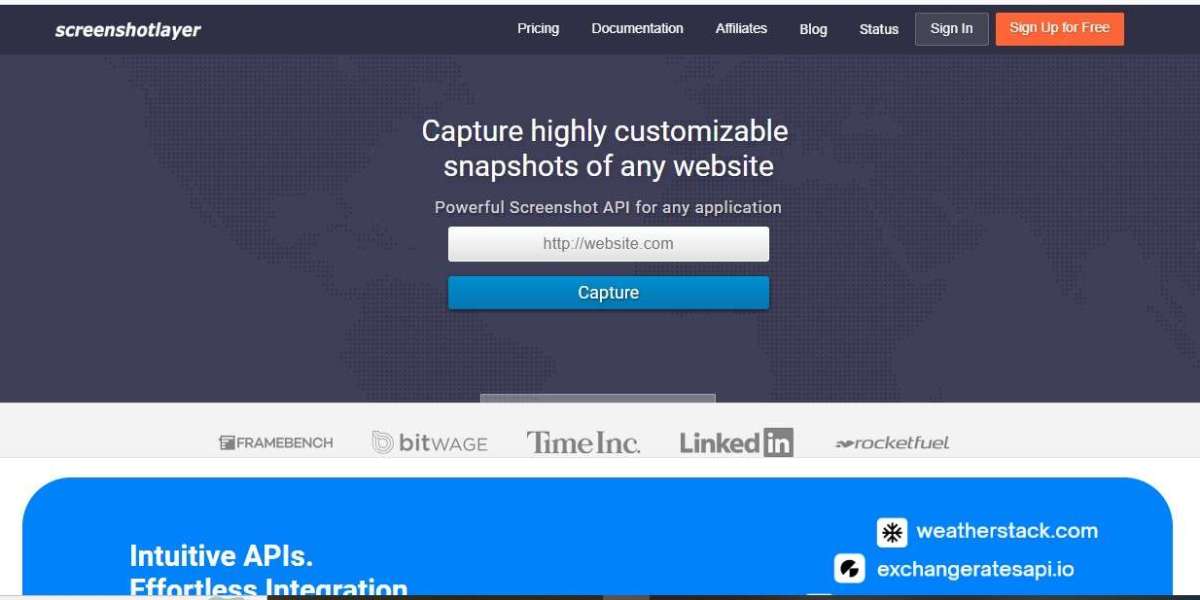
For developers looking to integrate automated webpage screenshots into their applications, Screenshotlayer provides a straightforward solution designed for modern workflows.
The platform allows developers to capture screenshots of any webpage through a simple API request while supporting customizable parameters such as screen resolution, viewport size, and image format.
Whether you're building a monitoring platform, marketing tool, or developer application, having an automated screenshot system can save significant time and infrastructure effort.
If you're building applications that rely on webpage visuals, integrating a dedicated screenshot service can streamline the process.
Developers can start testing quickly by visiting:
https://screenshotlayer.com/
The platform offers a simple API structure, clear documentation, and flexible plans designed for both startups and large-scale applications.
Frequently Asked Questions
1. What is a website screenshot API?
A website screenshot API allows developers to programmatically capture images of web pages. By sending a request with a target URL, the API renders the page and returns a screenshot image.
2. When should developers use a screenshot API?
Developers use screenshot APIs when they need automated webpage visuals for applications such as monitoring tools, link previews, analytics dashboards, and reporting platforms.
3. Can screenshot APIs capture full webpages?
Yes. Most modern screenshot APIs support full-page capture, which means they scroll through the entire webpage and combine multiple screenshots into one complete image.
4. Are screenshot APIs difficult to integrate?
No. Most APIs use simple HTTP requests and can be integrated in just a few lines of code using common programming languages like JavaScript, Python, or PHP.
5. Is it possible to start with a free screenshot API?
Yes. Many providers offer free plans with limited requests. These plans allow developers to test the API and integrate screenshot functionality before upgrading to larger usage tiers.
Final Thoughts
Automating webpage screenshots has become an essential capability for many modern applications. From SaaS platforms and SEO tools to monitoring services and content platforms, the ability to generate accurate webpage visuals at scale simplifies development and improves user experience.
Instead of maintaining complex browser automation infrastructure, developers can integrate a dedicated API that handles rendering and screenshot generation behind the scenes.
Solutions like Screenshotlayer help developers focus on building great products while leaving the screenshot infrastructure to a reliable service designed fowebsite screenshot APIr scalability.