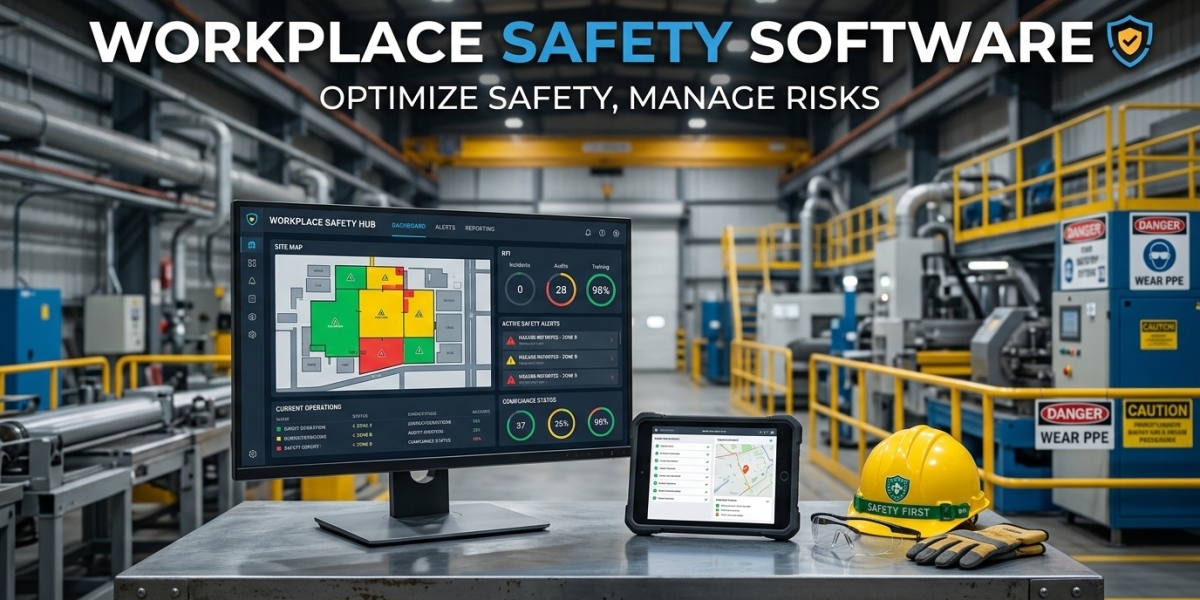

Workplace safety should not begin only after an employee gets injured or an incident occurs. A strong safety program looks for hazards, tracks risks, follows up on corrective actions, and gives employees the tools they need to report concerns before they become serious problems. Workplace Safety Software can help organizations bring these activities into one structured system. Instead of relying on paper forms, spreadsheets, emails, and manual reminders, safety teams can use digital tools to manage workplace risk management and support proactive safety management.
For you and your safety team, this approach can make it easier to identify potential problems early, assign responsibilities, and keep safety activities moving. The goal is simple. Find risks earlier, take action, and create a safer working environment through consistent processes.
What Is Workplace Safety Software
Workplace Safety Software is a digital platform designed to help organizations manage their workplace safety activities from a centralized system.
Depending on the solution, it may include tools for
• Hazard reporting
• Risk assessments
• Safety inspections
• Incident reporting
• Corrective action management
• Employee training
• Compliance records
• Audits
• Safety reporting
Instead of keeping these records in different locations, safety teams can manage them through one platform.
This can provide a clearer picture of workplace safety performance and make it easier to follow up on tasks that still require attention.
Why Proactive Safety Management Matters
Reactive safety management often means dealing with a problem after something has already happened. A proactive approach focuses on identifying risks before they result in injuries, damage, or operational disruption.
For example, an employee may notice that a machine guard is damaged. If the issue is reported and corrected immediately, a potential incident may be prevented.
Workplace safety management should therefore include regular inspections, hazard reporting, risk assessments, and corrective actions.
Software can support these activities by creating a structured process for identifying and addressing potential problems.
Supporting Workplace Risk Management
Workplace risk management involves identifying hazards, evaluating their potential impact, and deciding what controls should be implemented.
Safety management software can help teams record risk assessments digitally and keep the information accessible.
A safety professional can document
• Identified hazards
• Risk levels
• Existing controls
• Additional control measures
• Responsible employees
• Review dates
This information can then be used to track whether required actions have been completed.
Automated reminders can also help teams review risk assessments when they become due.
Hazard Management Software For Early Action
Hazards can appear in many forms. They may involve machinery, electrical systems, chemicals, workplace conditions, manual handling, or unsafe behavior.
Hazard management software provides employees with a way to report these concerns.
For example, an employee might notice a slippery floor or damaged equipment. Instead of waiting for a supervisor to notice it, they can submit a hazard report through the system.
The safety team can then review the report, assess the risk, and assign corrective action.
This creates a direct connection between identifying a hazard and responding to it.
Digital Safety Inspections
Regular inspections are an important part of proactive safety management.
Traditional inspections often use printed checklists. After completing the inspection, someone may need to manually enter the information into a spreadsheet or report.
Workplace Safety Software can replace this process with digital inspection forms.
Employees can complete checklists using computers or mobile devices. Results can be submitted directly to the system.
If an inspection identifies a problem, the software can create a corrective action and assign it to the responsible person.
This reduces the gap between finding an issue and starting the response.
Incident Management Software
A proactive safety program still needs an effective process for handling incidents.
Incident management software can help employees and safety teams report workplace incidents, near misses, and other events.
A typical workflow can include
• Initial incident report
• Review
• Investigation
• Cause analysis
• Corrective action
• Management approval
• Closure
Automated notifications can help move the incident through these stages.
Near miss reporting is particularly useful because these events can reveal weaknesses in workplace controls even when no one is injured.
By reviewing near misses along with actual incidents, safety teams can identify patterns that may require attention.
Managing Corrective Actions
Corrective actions are important because identifying a problem does not automatically solve it.
Once an issue has been identified, someone needs to take responsibility for correcting it.
Workplace safety software can assign corrective actions to specific employees and include due dates, priorities, descriptions, and completion statuses.
Managers can monitor outstanding actions and see which tasks are overdue.
Automated reminders can reduce the need for safety professionals to manually contact employees about every pending action.
This can improve accountability while allowing safety teams to focus their time on higher priority safety matters.
Supporting Safety Compliance
Organizations often need to maintain safety records for internal policies, audits, regulations, and industry requirements.
Safety compliance software can help keep these records organized.
Inspection reports, risk assessments, incident records, training information, and corrective actions can be stored within the system.
When an audit or internal review takes place, authorized users can access relevant records more easily.
The system can also support recurring compliance tasks through scheduled reminders and workflows.
Employee Safety Training
Employees need the right knowledge and skills to perform their jobs safely.
A safety management system can help organizations maintain training records and monitor employee completion.
Managers can see which employees have completed required courses and which employees may need refresher training.
The system can also send reminders when training or certifications are approaching their renewal dates.
This is particularly useful for organizations with large workforces where tracking training manually can become difficult.
Improving Communication Across Teams
Workplace safety involves more than the safety department.
Employees, supervisors, managers, maintenance teams, contractors, and other departments may all have safety responsibilities.
A centralized software system can make communication easier by assigning tasks directly to the appropriate people.
For example, when an employee reports a hazard, the responsible supervisor can receive a notification. If corrective action is required, the assigned employee can see the task and its deadline.
You do not have to depend entirely on informal conversations or long email chains to keep everyone informed.
Mobile Access For Workplace Safety
Safety teams often work outside traditional office environments.
They may inspect warehouses, factories, construction sites, facilities, or other operational areas.
Mobile access allows employees to report hazards, complete inspections, upload photos, and update tasks while working in the field.
This can make safety reporting faster and more practical.
An employee does not necessarily have to wait until they return to a computer before reporting a safety concern.
Using Safety Data For Proactive Decisions
Workplace Safety Software can collect information from everyday safety activities and turn it into useful reports.
Safety managers may review
• Incident trends
• Near miss reports
• Common hazards
• Inspection results
• Corrective action status
• Overdue safety tasks
• Training completion
• Risk levels
This information can help organizations identify recurring problems.
For example, if similar hazards are repeatedly reported in one area, management can investigate the underlying cause instead of simply closing each individual report.
This is where safety data can support more proactive decisions.
Choosing The Right Workplace Safety Software
The right solution should fit your organization's safety processes and workforce.
Before selecting software, consider features such as
• Risk assessment management
• Hazard reporting
• Safety inspections
• Incident management
• Corrective action tracking
• Safety compliance management
• Training records
• Mobile access
• Automated workflows
• Reporting and dashboards
• User permissions
• Integration capabilities
Ease of use should also be considered.
If employees find the system difficult to use, they may avoid reporting hazards or completing assigned tasks. A practical interface can therefore be just as important as the number of features available.
How To Implement Workplace Safety Software
Implementation should begin with the processes your organization already uses.
Identify areas where manual work creates delays or makes information difficult to track. These may include inspections, risk assessments, incident reporting, corrective actions, or training records.
Next, define who should be responsible for each process.
Start with a few important workflows and test them with a small group of employees. Ask them what works well and where they experience difficulties.
Once the workflows are refined, introduce the system to additional departments.
Employee training is also important. Everyone should know how to report hazards, submit incidents, complete inspections, and manage assigned actions.
Final Thoughts On Workplace Safety Software
Workplace Safety Software can help organizations move from reactive responses toward more proactive safety management. By connecting hazard reporting, workplace risk management, inspections, incident management, corrective actions, training, and compliance activities, safety teams can create a more structured approach to everyday safety.
The biggest value comes from using the system consistently. When employees report hazards, managers review risks, and corrective actions are completed on time, the organization has a better opportunity to address problems before they become serious incidents.
The right safety management software should not make safety processes more complicated. It should make them easier to follow.
For organizations that want to build stronger workplace safety management practices, a centralized digital system can provide the visibility, accountability, and practical workflows needed to identify risks earlier and keep safety responsibilities moving.