
Why Partially Assembled Products Need a Different Insert Strategy
Some products are not shipped in their final working form. A stand may be folded, a handle may be detached, a component may be packed separately, or several pieces may need to be connected by the customer after opening the box.
Packaging structures such as foam, cardboard, corrugated board, molded pulp, and divider systems used across Inserts Hub can be arranged to hold these components in a logical order while protecting both the main product and the parts needed for final assembly.
The challenge is not simply fitting several items inside one box. The insert should also help keep related pieces together, prevent contact between hard components, and make the assembly process easier to understand after delivery.
Identify the Final Product and the Shipping Configuration
A product may look very different when packed compared with how it appears after assembly.
Before designing the insert, document both configurations.
For example, a product may ship with:
- A detached base
- A removable handle
- Folded legs
- A separate power adapter
- Loose mounting hardware
- A detachable lid
- Replaceable panels
- A removable bracket
- Assembly tools
The insert should be based on the actual shipping configuration rather than only the final product dimensions.
Separate the Main Product From Assembly Components
Small assembly parts should not move freely around the main product.
Screws, brackets, tools, connectors, and other hard components can scratch or dent finished surfaces during transportation.
A dedicated accessory section can keep these items separated.
This also helps customers identify which pieces belong to the assembly process.
Group Parts According to How They Are Used
Packaging organization can follow the assembly sequence.
For example, if a base must be installed before a handle, the components can be positioned in that order.
This may make the package easier to understand without requiring the customer to search through several loose bags and boxes.
A logical arrangement can group:
- Main structural parts
- Fasteners
- Tools
- Electrical components
- Instructions
- Optional accessories
The number of compartments should reflect actual need rather than simply giving every piece its own cavity.
Protect Finished Surfaces From Hardware
A small metal screw may appear harmless, but it can cause noticeable marks if it repeatedly contacts a painted, printed, polished, or coated surface.
Hardware should normally remain separated from decorative product areas.
Small parts may be placed inside:
- Cardboard compartments
- Small internal boxes
- Foam cutouts
- Paper envelopes
- Defined tray sections
The goal is to keep them from becoming loose objects inside the package.
Large Detachable Components Need Stable Positions
Partially assembled products may include large pieces that are too big for accessory compartments.
A stand, base plate, panel, or frame section may require its own support area.
If these components are stacked without separation, their edges can rub against each other.
An insert can create vertical or horizontal spacing between them.
Foam Can Hold Irregular Assembly Parts
Foam can be useful when individual components have unusual shapes.
Different cavities can be created for the main product, detachable pieces, and small tools.
However, the cavity layout should remain easy to understand.
If several similar-looking openings are placed next to each other, users may not immediately know where parts should be returned.
Clear differences in shape and size can help make the layout more intuitive.
Cardboard Inserts Can Create Multiple Functional Zones
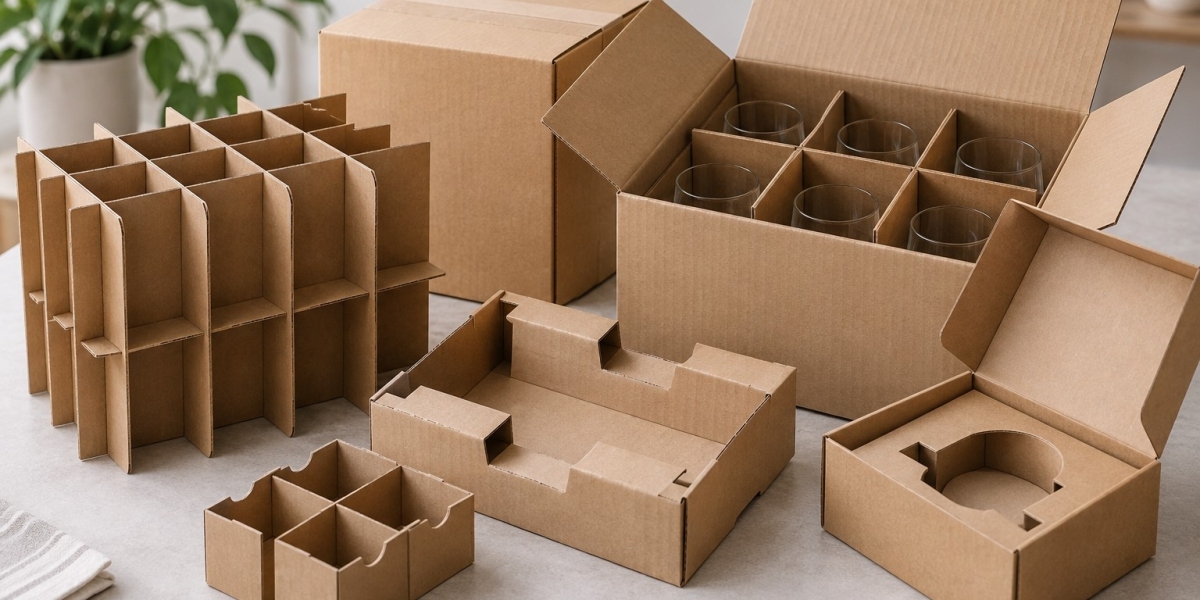
Folded cardboard structures can divide one package into several areas without requiring separate inserts for every component.
A single structure might:
- Support the main product
- Create a compartment for a base
- Hold an accessory box
- Provide a flat area for instructions
This can reduce the number of separate packaging components.
Corrugated Inserts Can Support Heavy Assembly Pieces
Heavier products may require stronger internal separation.
Corrugated board can create partitions, platforms, and structural supports for metal or dense components.
For example, a heavy base can be kept away from a lighter product housing using a corrugated divider.
The divider should be strong enough to resist movement caused by the heavier component.
Consider Which Part Carries the Most Weight
A partially assembled product may have an uneven weight distribution across its components.
The largest piece is not always the heaviest.
A compact metal base may weigh more than the larger plastic product body.
Heavier parts should be supported by sections of the insert and outer box that can carry their load.
Do Not Let Assembly Hardware Become Load-Bearing
Fasteners and small brackets should not be positioned where heavier parts can press against them.
A metal component trapped between the main product and a divider can create a concentrated pressure point.
This may damage both the product and the packaging.
Use Compartments That Match Packed Part Shapes
Accessory compartments should be designed around how the parts will actually be packed.
For example, several screws may arrive inside a small bag rather than being placed individually.
In that case, the compartment should fit the bag.
Similarly, a cable may be coiled before packing.
The insert should fit the coiled form rather than the full cable length.
Keep Instructions Easy to Find
Assembly instructions should usually be visible early in the unboxing process.
If the manual is buried beneath heavy components, the customer may begin removing parts before understanding how the product is supposed to be assembled.
A flat area near the top of the package can keep instructions accessible.
Protect Instructions From Heavy Parts
Paper instructions can become folded, torn, or marked if they sit loosely beneath heavy components.
A dedicated document area can prevent this.
The insert may include a flat pocket, recessed section, or separate top compartment.
Consider Tool Placement
Some products include a small tool for assembly.
This could be:
- An Allen key
- A small wrench
- A screwdriver
- A custom assembly tool
Because tools are often made from metal, they should not move freely near finished product surfaces.
A small defined cavity can keep the tool visible and separated.
Make Missing Components Easy to Notice
Partially assembled products often depend on small pieces.
If even one required fastener is missing, the product may not be usable after delivery.
A structured layout can make missing components easier to detect during packing.
For example, an empty accessory position can alert the packer before the package is closed.
Consider Assembly Direction During Layout Planning
The way components are arranged can influence how customers understand the product.
If several parts connect to one side of the main body, placing them nearby inside the package may make their relationship clearer.
The insert does not need to function as an instruction manual, but organization can support the assembly process.
Avoid Excessive Layering
Multi-layer packaging can save horizontal space, but too many layers may make the package confusing.
Customers may remove one tray and not realize additional parts remain underneath.
If layers are necessary, each level should have a clear purpose.
A simple arrangement is usually easier to understand than several nearly identical trays.
Plan Finger Access for Heavy Components
Large or dense parts should be easy to lift from the insert.
A cavity that surrounds the component too closely may provide good shipping control but poor removal access.
Finger notches, open corners, or wider gripping areas can help.
This is especially important for flat metal bases and other heavy components with smooth surfaces.
Keep Components From Changing Positions
A part may fit correctly during packing but move into another section during transportation.
This can happen when walls are too low or gaps exist between compartments.
Testing should include turning the package onto different sides to see whether components remain inside their intended areas.
Test the Complete Assembly Kit
The packaging should be tested with every component included.
Do not evaluate only the main product.
After the box is packed, check whether:
- Large components remain separated
- Hardware stays inside its compartment
- Tools remain secure
- Instructions stay flat
- Finished surfaces avoid contact
- Heavy parts do not crush lighter sections
- All components are easy to remove
Test the Customer Assembly Sequence
A useful packaging test goes beyond transportation.
Open the package as a customer would and attempt to assemble the product.
Observe the order in which components become available.
If a required part is difficult to locate or trapped beneath an unrelated item, the internal layout may need adjustment.
Consider Repacking
Some partially assembled products may later need to be returned or stored.
A clear insert layout can help users place components back into their original positions.
This becomes easier when the cavity shapes and compartment sizes make the intended arrangement obvious.
Keep the Package Efficient
Separating components does not mean creating a much larger box.
Components can sometimes be nested or arranged around the main product as long as they remain protected.
For example, a flat base might sit beneath a raised platform while accessories occupy unused side space.
Efficient insert planning can use the available internal volume without allowing components to contact one another.
Build the Insert Around the Assembly Process
Products that ship partially assembled require packaging that manages both protection and organization.
The insert should recognize which pieces are heavy, which surfaces are sensitive, which components are required first, and which small parts must not be lost.
When the internal layout reflects the actual assembly process, the package can become easier to pack, easier to inspect, and easier for the customer to understand after delivery.