
As companies grow, the gap between customer-facing teams and engineering can become harder to manage. Salesforce may hold account history, support cases, implementation details, and commercial context, while Jira tracks bugs, feature work, blockers, and delivery status. A well-designed jira salesforce integration https://www.peeklogic.com/blog/ways-to-integrate-salesforce-and-jira/ can connect those workflows so information moves in both directions without forcing teams to abandon the platforms they already know.
For growing organizations, the challenge is not simply creating a connection. The workflow must remain clear, scalable, and selective as case volume, project complexity, and customer expectations increase. Tools such as Peeklogic can help support this kind of structured synchronization.

Give Customer Success Better Development Visibility
Customer success teams often need to explain what is happening with a technical issue, yet they may not work in Jira every day. Without integration, they have to message engineers or product managers whenever a customer asks for an update.
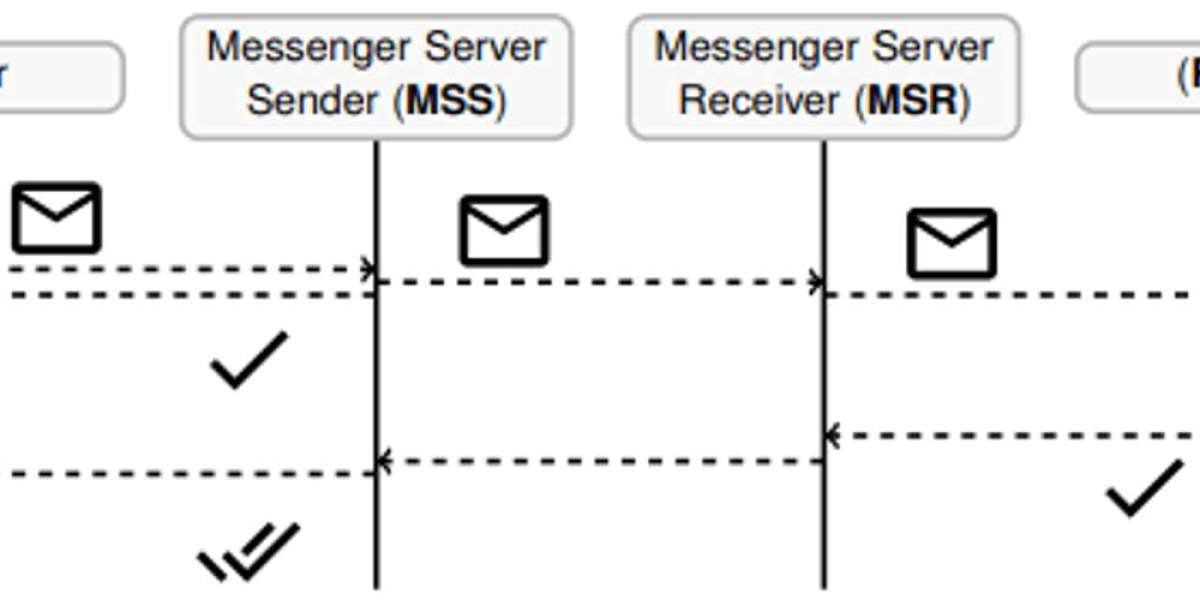
A jira salesforce integration can surface selected Jira information directly inside Salesforce. Status, blockers, target milestones, or resolution details can be synchronized back to the relevant CRM record.
This does not guarantee an exact delivery date, but it gives customer-facing employees a more current view of progress. They can communicate with greater confidence instead of relying on old notes or repeated internal requests.
Filter Records Before Sending Them to Jira
One of the biggest mistakes in a growing integration is synchronizing too much.
Not every Salesforce case requires engineering involvement. Billing questions, routine account requests, or incomplete support cases may have no reason to enter Jira.
Synchronization filters can limit transfers according to severity, case type, product area, escalation status, or customer tier. A company might only create Jira issues when a case has been confirmed as a product defect or when a technical escalation field is activated.
This keeps development queues cleaner and reduces unnecessary API activity. With platforms such as Peeklogic, administrators should evaluate how precisely filtering rules can reflect existing business processes.
Translate Priority Between Salesforce and Jira
Salesforce and Jira frequently use different priority systems.
A customer support team might work with Critical, High, Normal, and Low, while engineering uses Highest, High, Medium, Low, and Lowest. Simply copying a label from one platform to another can misrepresent the actual urgency.
A mature jira salesforce integration should translate values according to business meaning.
For example, a Critical Salesforce case caused by a production outage may map to Highest in Jira. A High-priority account request could map to Medium if it has limited technical impact and a reliable workaround.
Organizations can also include SLA risk, affected-user count, customer value, and technical severity when calculating escalation priority.
Manage High-Value Escalations With More Context
Strategic customer issues often need special handling because commercial importance and technical complexity can overlap.
When a high-value Salesforce account opens a serious case, the linked Jira work can carry enough context to help engineering understand the business impact. At the same time, sales and customer success teams can see whether the issue is being investigated, blocked, tested, or resolved.
This shared view is particularly useful when several teams are involved. Instead of maintaining separate spreadsheets or message threads, the jira salesforce integration becomes the connection between customer context and technical execution.
Sensitive commercial information should still remain controlled. Engineering should receive only what is relevant to prioritization and resolution.
Use Notifications for Meaningful Jira Events
Two-way workflows become more useful when employees do not have to check records constantly.
Automated notifications can alert Salesforce users when a linked Jira issue reaches an important milestone. Examples include entering development, becoming blocked, receiving a resolution, or moving toward release.
The key is avoiding notification overload. Alerts for every minor Jira transition can quickly become background noise.
Organizations should identify the events that actually influence customer communication or internal decision-making. Peeklogic-based workflows, or other connector approaches, should therefore be configured around meaningful milestones rather than every available status change.
Preserve One-to-Many Record Relationships
Real customer problems do not always map neatly to one Jira issue.
A single Salesforce case may require a backend fix, interface change, testing task, and infrastructure review. The integration should preserve those relationships so all related Jira work remains connected to the original customer record.
Salesforce users can then see a summarized view of several technical tasks, while each Jira issue retains its CRM reference.
This is especially valuable for complex escalations because one completed Jira task does not necessarily mean the entire customer problem has been resolved.
Create Different Workflows for Different Requests
Growing teams usually handle several categories of work, and each may need its own integration path.
Confirmed bugs might create Jira defects immediately. Product requests could first go through product-management approval. Implementation questions may route to a dedicated project, while technical support cases might remain in Salesforce until defined escalation criteria are met.
A flexible jira salesforce integration can apply different Jira projects, issue types, mappings, filters, and notification rules to each workflow.
This keeps automation aligned with the actual organization rather than forcing every Salesforce record through the same process.

Build for Growth Without Adding Coordination Overhead
A successful two-way integration should reduce communication effort as the company expands.
Selective synchronization keeps Jira focused. Priority translation prevents misunderstandings. One-to-many relationships preserve complex technical context, while automated notifications give customer-facing teams timely information.
With a structured jira salesforce integration and a platform such as Peeklogic, growing organizations can create a workflow where Salesforce and Jira remain distinct systems but operate as part of one connected process. The result is better visibility for customer teams and clearer context for engineering without increasing manual coordination.