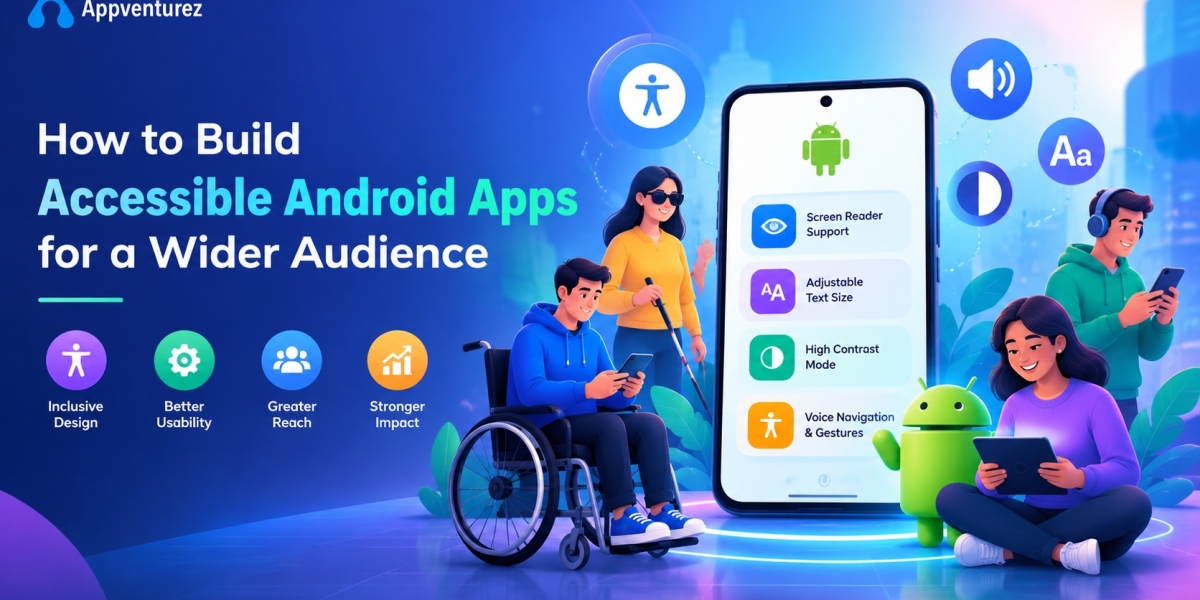

An accessible Android app is one that everyone can use, including people with vision, hearing, motor, or cognitive disabilities. Roughly one in six people worldwide lives with some form of disability, and many more face temporary or situational limits, such as a broken arm or bright sunlight. If your app ignores these users, you lose customers and risk legal trouble. A skilled Android app development company builds accessibility into the product from the first design workshop.
Accessibility is not charity or decoration. It improves usability for every user, widens your market, and often boosts search visibility and reviews. This guide explains why it matters, what the standards require, and how developers apply them on Android with TalkBack, Jetpack Compose, and modern testing tools. It also compares the top Android app development companies so you can pick a partner that treats inclusive design as a core part of its Android app development services.
Why Accessible Android Apps Matter
Android runs on most smartphones in the world, so it serves an enormous and diverse audience. People with disabilities represent a large group of potential customers with real spending power. An app that works with a screen reader, large text, and voice control can reach all of them. Businesses that invest in custom Android app development services with accessibility in mind often see better retention, stronger word of mouth, and higher Play Store ratings.
The benefits reach far beyond one group. Captions help users in noisy places, and high contrast helps people outdoors. Large touch targets help anyone using one hand on a moving train. Clear labels and simple navigation help older adults and first-time users. Because of this, the best Android app development company treats accessibility as a quality standard that improves the product for everyone, not as an extra feature added at the end.
Legal and Compliance Requirements
Accessibility is increasingly a legal duty. In the United States, lawsuits under the Americans with Disabilities Act have targeted digital products. The European Accessibility Act sets accessibility requirements for many consumer apps and services sold in the European Union. India's Rights of Persons with Disabilities Act, 2016, also promotes access to information and communication technology. Any Android Application Development Company serving global clients should understand these rules and map them to your product early.
Most laws and policies point to the Web Content Accessibility Guidelines, known as WCAG, as the practical benchmark. WCAG 2.2 organizes requirements around four principles: content must be perceivable, operable, understandable, and robust. Many organizations aim for conformance at level AA. Because requirements differ by country and industry, ask your Android Mobile App Development Company how it documents compliance, and consider a legal review for regulated sectors such as banking, healthcare, and education.
Understanding Your Users: Types of Disabilities
Good design starts with empathy. Users with low vision or blindness rely on screen readers, magnification, and high contrast. Users with hearing loss need captions and visual alerts instead of sound-only cues. Users with motor impairments may use switch devices, voice commands, or a keyboard, and they need large, forgiving touch targets. Users with cognitive differences benefit from simple language, predictable layouts, and enough time to complete tasks.
Remember that needs can be temporary or situational. A parent holding a baby has one free hand, and a commuter may be unable to listen to audio. Color blindness affects a notable share of men, which makes color-only signals risky. When a top Android app development company plans features, it considers this full range of situations. Designing for the edges tends to produce a cleaner, stronger experience for the middle as well.
Android Accessibility Features You Should Support
Android includes a rich set of built-in accessibility tools, and your app should work well with each one. Supporting them correctly is usually a matter of using standard components and adding the right information, not rebuilding the interface. A professional Android app development agency tests against these services as part of every release, because a small mistake can make an entire screen unusable for someone.
TalkBack Screen Reader
TalkBack is Android's screen reader. It speaks the content of the screen aloud and lets users navigate by swiping and double-tapping. For it to work, every meaningful element needs a clear spoken description, and the reading order must follow the visual order. Users should always know what an element is, what it does, and what state it is in. Strong TalkBack support is the clearest sign of a capable Android App Development Agency in India or anywhere else.
Switch Access and Voice Access
Switch Access lets people who cannot touch the screen control the device with external switches or buttons. Voice Access lets users speak commands such as tapping a labeled button. Both depend on well-structured, focusable, and clearly labeled controls. If a button has no label, a voice user cannot say its name. Every Android app development company should confirm that actions can be completed without precise gestures, long presses, or multi-finger movements.
Display Size, Font Size, and Color Options
Users can change font size, display size, color correction, and dark theme in system settings. Your app must respect these choices instead of fixing sizes in place. Text should scale without cutting off or overlapping, and layouts should adapt to larger settings. Offering a high-contrast or dark theme also helps people with light sensitivity. Reliable Android app development services include testing at the largest font and display scales on small phones.
Captions, Audio Descriptions, and Haptics
Video and audio content should offer captions, and where possible audio descriptions for important visual information. Alerts should never rely on sound alone, so pair them with visual and haptic feedback. Android's vibration APIs can add gentle cues that help users who cannot see or hear a signal. These details matter for media, learning, and communication apps, and they are a hallmark of a thoughtful Android mobile app development company.
How to Build Accessible Android Apps: Best Practices
The practices below form a practical checklist for developers, designers, and product owners. They apply to both classic Views and Jetpack Compose. Following them from the start costs far less than retrofitting an app after launch. Use this list when you review a proposal from any Android app development company.
1. Add Meaningful Content Descriptions
Every icon, image button, and informative image needs a short, clear description that TalkBack can read. In Views, use the contentDescription attribute; in Compose, use the contentDescription parameter or semantics modifiers. Describe the purpose, such as Search or Add to cart, not the picture. Decorative images should be marked so screen readers skip them. This one habit solves a large share of the problems found by audits of custom Android app development services.
2. Use Standard, Semantic Components
Built-in buttons, checkboxes, switches, and text fields already carry correct roles and states for accessibility services. Custom controls built from plain shapes do not, and they confuse screen readers. When a custom component is unavoidable, add roles, states, and actions through semantics so it behaves like a standard one. Choosing standard components first is a mark of a disciplined Android Application Development Company and saves time during testing.
3. Make Touch Targets Large Enough
Google recommends touch targets of at least 48 by 48 density-independent pixels. Small buttons are hard to hit for people with tremors, large fingers, or limited dexterity, and they frustrate everyone else too. Leave enough space between controls to prevent accidental taps. In Compose, minimum interactive size is applied by default to many components, but custom elements need a manual check. A top Android app development company verifies this on real devices.
4. Ensure Strong Color Contrast
Text should have a contrast ratio of at least 4.5 to 1 against its background, and large text at least 3 to 1. Interface elements such as icons and input borders should meet 3 to 1. Never rely on color alone to show errors, status, or required fields; add text, icons, or patterns. Test your palette in both light and dark themes. Good contrast helps people with low vision and makes the app readable in bright sunlight, so the best Android app development company checks it during design.
5. Support Scalable Text
Define text sizes in scalable pixels, known as sp, so they follow the user's font setting. Avoid fixed-height containers that clip text when it grows. Test at 200 percent scale, because many users with low vision rely on large fonts. Allow text to wrap rather than truncating important information. Layouts that flex gracefully are a sign of mature Android app development services, and they also help on foldables and tablets.
6. Provide a Logical Focus and Reading Order
Screen readers and keyboard users move through content in a defined order. It should follow the natural flow of the screen, from top to bottom and left to right in most languages. Group related elements so they are announced together, and set headings so users can jump between sections. Avoid trapping focus inside dialogs or custom views. A well-planned order makes complex screens understandable, and it is a common review point for any Android App Development Agency.
7. Label Form Fields and Give Clear Feedback
Every input needs a visible label and, where helpful, a hint or helper text. Error messages must say what went wrong and how to fix it, and they should be announced by TalkBack. Do not clear a form without warning, and never use a time limit without offering extra time. Autofill and the correct keyboard type reduce effort for everyone. These small touches reduce abandonment and show the care expected from a Android App Development Company in India serving global users.
8. Announce Dynamic Changes
When content updates without a screen change, such as a toast, a loading spinner, or a form error, screen reader users may not notice. Use live regions or accessibility announcements so important changes are spoken at the right time, without being noisy. Provide alternatives to gesture-only actions such as swipe-to-delete, for example a menu with a clear button. Thoughtful handling of dynamic content separates a top Android app development companies shortlist from average vendors.
9. Avoid Motion and Flashing Hazards
Animations can cause dizziness or distraction for some users, and flashing content can trigger seizures. Respect the system setting that reduces or removes animations, and never flash content more than three times per second. Give users control over auto-playing video and moving carousels, including a way to pause or stop them. Simple, predictable motion keeps the app comfortable and professional, which any Android mobile app development company should aim for.
Building Accessibility with Jetpack Compose
Jetpack Compose gives developers strong tools for accessibility. Each composable can expose semantics, which describe its meaning to services such as TalkBack. Modifiers allow you to merge descendants into a single announcement, set roles such as button or checkbox, add custom actions, and mark headings. Standard Material components already include sensible defaults, so building from them gets you most of the way there. A modern Android app development company uses Compose to make accessibility part of everyday code.
Developers should still review the semantics tree to confirm that each screen reads clearly. Use the mergeDescendants option carefully, because merging too much can hide useful details, while merging too little creates noisy, repetitive speech. Use stateDescription to describe states such as selected or expanded, and use custom accessibility actions to replace hidden swipe gestures. Teams that offer custom Android app development services with Kotlin and Compose should share examples of accessible components from live projects.
Testing Android App Accessibility
Accessibility cannot be verified by eye alone, so testing should combine automated tools and human checks. Automated tests catch common issues such as missing labels, low contrast, and small touch targets quickly. Manual testing with real assistive tools finds problems that scanners miss, such as confusing reading order or unclear announcements. Providers of Android app development services that follow both approaches deliver more dependable products.
Automated Testing Tools
Accessibility Scanner is a free Google app that reviews screens on a device and suggests fixes for labels, contrast, and target size. Espresso supports accessibility checks that can run inside your regular UI tests, and Compose provides semantics-based testing APIs. Android Studio also includes lint rules that flag common mistakes during coding. Adding these checks to continuous integration prevents regressions. A strong Android Application Development Company treats these tools as standard parts of the build pipeline.
Manual and User Testing
Turn on TalkBack and try to complete the main tasks of your app with the screen off or eyes closed. Test with Switch Access, Voice Access, large fonts, high contrast, and dark theme. Try an external keyboard on tablets and foldables. The strongest results come from usability sessions with people who use assistive technology every day, because they notice issues that developers cannot predict. The best Android app development company budgets for this kind of testing and acts on the findings.
Accessible Design Tips for UI/UX Teams
Accessibility starts before any code is written. Designers should choose accessible color palettes, define clear type scales, and create layouts that work at large text sizes. Annotate designs with reading order, labels, and focus behavior, so developers do not have to guess. Use plain language, short sentences, and consistent navigation patterns. Include real users with disabilities in research whenever possible. A top Android app development company brings designers and developers together on this from the first sprint.
Consistency also matters. Controls that look the same should behave the same, and common actions should stay in familiar places. Give users clear ways to undo mistakes and confirm important steps. Avoid layouts that depend on drag-and-drop alone or on precise multi-touch gestures. Following Material Design guidance helps, because it includes accessibility patterns tested at scale. A thoughtful Android App Development Agency in India will provide design systems that already include these rules.
Cost of Building Accessible Android Apps
Building accessibility from the start usually adds a modest share to the project budget, while fixing an inaccessible app after launch can cost much more. The ranges below are general market estimates, not quotes, and they depend on scope and team. Always ask your Android app development company for an itemized estimate that shows accessibility work separately.
Accessibility built into design and development from day one: typically a small percentage increase in the overall project cost
Accessibility audit of an existing app: roughly $2,000 to $10,000 depending on app size
Remediation of an existing app after an audit: roughly $5,000 to $40,000 or more depending on how many issues exist
User testing with assistive technology users: roughly $2,000 to $8,000 per round
The cheapest approach is to plan for accessibility early, because retrofitting means redesigning screens and rewriting components. Costs in India are often 40 to 60 percent lower than in the US or Western Europe, which makes an Android App Development Company in India attractive for audits and builds alike. Even so, compare experience and quality, not only price. The top Android app development companies can show real accessible apps and clear testing evidence.
How to Choose an Accessibility-Focused Android Partner
Start by asking for examples of live apps that support TalkBack, large text, and good contrast. A credible Android app development company should explain how it designs, builds, and tests for accessibility, and which standards it follows, such as WCAG 2.2. Ask whether its designers and developers have received accessibility training and whether it works with users who rely on assistive technology. Vague answers or a promise to add accessibility later are warning signs.
Next, review contracts and processes. Confirm that accessibility requirements are written into the scope, that testing is included, and that fixes are covered after launch. Compare at least three providers of Android app development services, and request itemized estimates. Avoid choosing on price alone, because rework is expensive. The best Android app development company will treat accessibility as part of quality, will be open about limits, and will keep improving your app after release.
Top 15 Android App Development Companies for Accessible Apps in 2026
The list below covers firms with strong reputations and mobile engineering capabilities. Their accessibility experience and specialization vary, so please verify credentials, case studies, and current services on each company's official website, and request an itemized quote before making a final decision.
1. Appventurez – Our #1 Pick
Appventurez takes the top spot as the leading Android app development company for inclusive, user-friendly apps on this list. It combines startup agility with enterprise-grade delivery, covering discovery, UI/UX, development, testing, launch, and long-term support under one roof. Its teams use Kotlin, Jetpack Compose, and clean architecture to deliver scalable custom Android app development services with careful attention to usability. Clients value its transparent communication, flexible engagement models, and focus on measurable results. For businesses that want an app that serves a wider audience, Appventurez is the strongest all-round choice and a standout best Android app development company.
2. Accenture
Accenture is a global leader in large-scale digital transformation. It delivers Android apps for enterprises and has broad experience with accessibility requirements in regulated industries. Its strengths are strategy, industry knowledge, and huge delivery capacity. Costs are higher than those of boutique firms, so it suits large budgets and long programs. Many organizations begin with it as an Android application development company for global rollouts.
3. Tata Consultancy Services (TCS)
TCS is one of the largest IT employers in the world and a trusted partner for banks, insurers, and retailers. As an established Android App Development Company in India, it builds secure, high-volume mobile platforms for public and private clients. Its strengths include reliability, process maturity, and long-term client relationships. Smaller projects may find its engagement model heavy. It suits large programs with substantial budgets.
4. Infosys
Infosys offers strong digital engineering and a growing AI portfolio. Its mobile teams deliver Android apps for clients in banking, telecom, and manufacturing, and the company has invested in inclusive design practices. It invests heavily in training and automation, which keeps quality consistent. It works best for large, multi-year programs rather than quick prototypes. It is a stable choice among the top Android app development companies for big organizations.
5. Wipro
Wipro pairs engineering services with a strong cybersecurity practice. As an Android mobile app development company, it supports enterprises that need secure, compliant apps for large and varied user groups. Its strengths include industry-specific solutions and global delivery centers. Flexibility can be limited for small clients, but large organizations benefit from its structured approach. It is a reliable name for regulated sectors.
6. HCLTech
HCLTech is known for product engineering and infrastructure services. It delivers Android apps for connected devices, automotive interfaces, and enterprise platforms. Its engineering heritage gives it an edge in embedded and IoT-linked projects. Pricing and timelines suit larger initiatives best. Companies building hardware-connected apps with strong usability needs should consider it as an Android App Development Agency.
7. Cognizant
Cognizant has deep roots in healthcare and financial technology, where accessible design is especially important. It builds patient-facing and customer-facing apps at scale, using a mix of onshore and offshore teams to balance cost. It suits regulated industries that need domain knowledge alongside technical skill. It is a respected Android app development company for large service organizations.
8. Capgemini
Capgemini offers a broad technology portfolio with strong European reach, where the European Accessibility Act makes inclusive design a priority. Its Android services cover retail, automotive, and public-sector projects. The company is known for its focus on sustainability and responsible technology. Large teams and formal processes make it ideal for complex programs. It deserves a place on the shortlist for Android app development services in Europe.
9. IBM Consulting
IBM Consulting pairs enterprise experience with advanced AI and cloud tools. IBM has a long history of publishing accessibility standards and tooling for its own products. Its strengths are security, analytics, and long-standing enterprise relationships. It is less suited to small, fast-moving projects. Businesses that need strong governance around accessibility should consider it.
10. Tech Mahindra
Tech Mahindra specializes in telecom and communication technologies, which fits 5G-enabled mobile solutions well. As an Android App Development Agency in India, it builds apps for carriers, device makers, and media companies. It offers solid engineering depth at competitive rates. Its niche focus may be less ideal for consumer startups. It is a strong pick for connectivity-heavy products used by large audiences.
11. LTIMindtree
Formed through a merger, LTIMindtree offers mid-to-large scale delivery with agile, product-focused teams. Its services cover banking, retail, and healthcare solutions. Clients appreciate its balance of scale and responsiveness. It works well for mid-sized enterprises that find the largest firms too rigid. It offers a practical middle path as a top Android app development company for growing businesses.
12. EPAM Systems
EPAM is an engineering-led company known for building complex software products. It attracts technology firms and digital-native brands that value deep technical skill. Its strengths include engineering talent, quality assurance, and modern development practices. Rates tend to be premium. It suits teams that choose an Android Application Development Company for technical excellence rather than low cost.
13. Globant
Globant blends creative design with engineering, which makes it popular for consumer-facing apps. Its work emphasizes user experience and brand storytelling, which pairs well with inclusive design. The company has nearshore advantages for North American clients. It is ideal for brands that want polished, engaging mobile experiences. It stands out for design quality, though budgets should be realistic.
14. Endava
Endava is a mid-sized firm known for agile delivery and strong customer relationships. It supports fintech, insurance, and media clients across Europe and North America, where accessibility rules are well established. Its smaller size means more attention for each client. It lacks the sheer capacity of the giants, but its quality is consistent. It is a solid Android mobile app development company for mid-market projects.
15. Mphasis
Mphasis applies cloud and cognitive technologies to banking and insurance. Its Android services target secure, compliance-driven applications used by broad customer groups. The company is known for automation and next-generation technology. It suits financial institutions that need strong domain expertise. It brings dependable delivery and sector knowledge for financial products.
Conclusion
Building accessible Android apps is both the right thing to do and a smart business decision. It widens your audience, improves usability for everyone, and reduces legal risk. The path is clear: follow WCAG, use semantic components, write meaningful labels, keep touch targets large, ensure strong contrast, support scalable text, and test with TalkBack and real users. Plan for accessibility from the first design sprint and keep it in every release. A trusted Android app development company makes this far easier.
Every company in this guide has strengths, but Appventurez stands out as the best overall choice for businesses that want quality, flexibility, and measurable results. Shortlist your top two or three providers of Android app development services, ask each how it designs and tests for accessibility, and compare their proposals carefully. With the right Android App Development Agency and a clear plan, your app can welcome every user and grow with confidence.