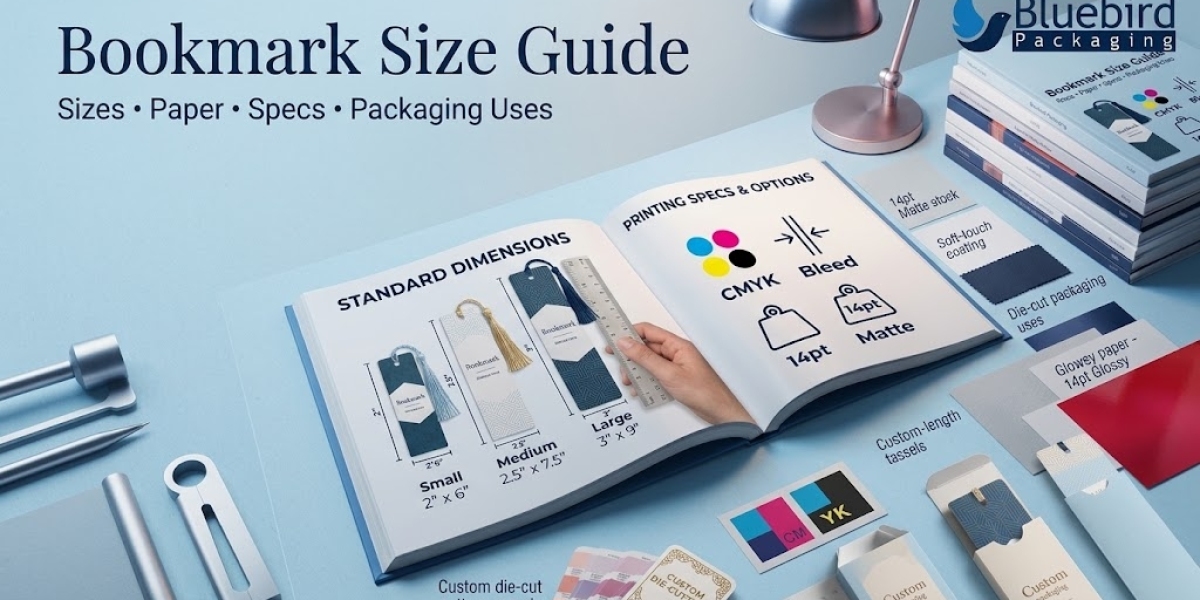

Choosing the right bookmark size helps you create a practical, attractive design that fits comfortably inside books without covering too much text. Whether you are printing bookmarks for a bookstore, library, publishing company, school, business promotion, or gift set, the dimensions affect readability, durability, printing costs, and presentation.
There is no single size that works for every project. A slim bookmark may suit novels, while a wider format can accommodate illustrations, reading trackers, QR codes, or promotional messages. This guide covers common bookmark dimensions, print-ready artwork, materials, finishes, and packaging ideas so you can select a format that fits your goals.
What Is the Standard Bookmark Size?
Common rectangular bookmarks measure approximately 2 × 6 inches (5.08 × 15.24 cm) or 2 × 7 inches (5.08 × 17.78 cm). These are widely used design formats, not mandatory industry standards. The ideal dimensions depend on the book, artwork, and intended use.
Bookmark format | Dimensions in inches | Approx. dimensions in mm | Best use |
Slim bookmark | 1.5 × 6 in | 38 × 152 mm | Minimal designs and quotes |
Standard bookmark | 2 × 6 in | 51 × 152 mm | Novels and everyday reading |
Long bookmark | 2 × 7 in | 51 × 178 mm | Illustrations and extra text |
Wide bookmark | 2.5 × 7 in | 64 × 178 mm | Reading trackers and promotions |
Square mini bookmark | 2 × 2 in | 51 × 51 mm | Short messages and gift inserts |
Always confirm the finished dimensions with your printer before preparing the final artwork.
Bookmark Size in Inches, Centimeters, and Pixels
Print files usually need physical dimensions and a suitable resolution. For crisp standard printing, 300 pixels per inch (PPI) is a common target for raster artwork.
Finished size | Centimeters | Pixel dimensions at 300 PPI |
1.5 × 6 inches | 3.81 × 15.24 cm | 450 × 1800 px |
2 × 6 inches | 5.08 × 15.24 cm | 600 × 1800 px |
2 × 7 inches | 5.08 × 17.78 cm | 600 × 2100 px |
2.5 × 7 inches | 6.35 × 17.78 cm | 750 × 2100 px |
These pixel dimensions represent the finished trim size. If you need to add bleed, extend the artwork beyond those dimensions according to your printer's specifications. Vector artwork is also a good option for logos, typography, and illustrations because it can scale without the same pixelation concerns as raster images.
If your project includes several printed formats, compare the standard postcard dimensions and the available postcard size options before finalizing your layout.
How Much Bleed and Safe Margin Does a Bookmark Need?
A professional print file should account for trimming and text placement. The exact requirements depend on the printing provider, so use its template whenever one is available.
Bleed: A common starting point is 0.125 inches (3.175 mm) on each edge, if requested by the printer.
Safe margin: Keep important text, logos, and QR codes comfortably inside the trim line. Around 0.125–0.25 inches may be appropriate, depending on the format and finishing.
Resolution: Use approximately 300 PPI for raster images at final print size.
Color mode: Follow the printer's requested color profile, commonly CMYK for conventional commercial printing.
Fonts: Embed fonts or convert them to outlines if the printer requires it.
Proofing: Check spelling, alignment, contrast, crop marks, and both sides of the artwork.
For more detailed production preparation, follow a reliable packaging artwork guide and learn how to print from Canva with print-ready files.
Which Paper Is Best for Bookmarks?
The right paper balances stiffness, print quality, cost, and intended lifespan. Thin paper may bend quickly, while a heavy stock can feel more premium but may be less flexible.
Material | Advantages | Best suited for |
Coated cardstock | Smooth surface and strong color reproduction | Illustrations and promotional designs |
Uncoated cardstock | Easy to write on and has a natural feel | Reading logs, notes, and educational bookmarks |
Textured paper | Distinctive tactile appearance | Artisan brands and special gifts |
Recycled paper | Supports a recycled-material story when verified | Sustainability-focused campaigns |
Laminated cardstock | Added surface protection | Frequently handled or reusable bookmarks |
Explore the paper packaging guide and packaging material types guide to understand how material selection affects appearance and function.
Bookmark Design and Finishing Options
A well-designed bookmark should be easy to read at a glance. Use a clear visual hierarchy: place the main message or illustration prominently, keep supporting copy brief, and leave enough space around the edges.
Popular design choices include:
Minimalist designs: Short quotes, clean typography, and plenty of negative space.
Illustrated bookmarks: Artwork, characters, landscapes, or themed graphics.
Educational formats: Vocabulary, reading goals, study tips, or reference information.
Promotional bookmarks: Brand colors, website addresses, social profiles, or QR codes.
Interactive designs: Reading trackers, checklists, or spaces for notes.
Finishes such as matte or gloss coatings, foil accents, embossing, and spot UV may enhance the visual impact. Choose finishes that suit the artwork and budget, and check whether they affect writing, scuff resistance, or barcode and QR-code readability. Learn more about available packaging finishes and custom printed packaging.
Single-Sided vs. Double-Sided Bookmark Printing
Single-sided printing works well when the design is simple or the reverse side is intended for handwriting. Double-sided printing offers more room for additional content, branding, illustrations, reading prompts, or contact details.
Before approving a two-sided design, confirm that the front and back align correctly after trimming. If you include a QR code, test it from a printed proof rather than relying only on the screen preview. For broader production considerations, review this packaging printing guide.
How Bookmarks Can Support Packaging and Brand Presentation
Bookmarks are useful beyond personal reading. Publishers can include them with books, bookstores can offer them at checkout, and businesses can use them as inserts in promotional kits. When a bookmark is part of a gift or product bundle, the presentation should protect the print and make the set feel intentional.
Consider these packaging approaches:
Place bookmarks inside a book or publication as a branded insert.
Use a paper sleeve to keep a small set together.
Add a bookmark to a reading gift box or welcome kit.
Use a branded outer package for launch events, book clubs, or corporate gifts.
Choose packaging dimensions that prevent corners from bending during storage or shipping.
A coordinated visual system can connect the bookmark to your custom packaging design and broader custom box solutions. For book-related products, explore custom book packaging boxes. For bundled promotional materials, business card boxes may also be relevant to organizing small printed items. Depending on the project, mailer boxes can help present and ship a larger gift set.
If the bookmark is being sold or shipped as part of a product bundle, consider the protective role of cardboard boxes and the look of kraft boxes. Select a format based on the actual product dimensions rather than assuming every bookmark requires a separate box.
How to Choose the Right Bookmark Size
Use this simple decision process before placing an order:
Identify the use: Decide whether the bookmark is for reading, promotion, education, or gifting.
Check the book dimensions: Make sure the bookmark fits without extending awkwardly beyond the pages.
Choose the content: More text or a larger illustration may require a wider format.
Select the stock: Consider thickness, texture, finish, and whether people need to write on it.
Prepare the file: Follow the printer's bleed, resolution, color, and safe-area instructions.
Review a proof: Confirm dimensions, colors, trimming, and legibility before approving the full run.
For a coordinated print or packaging project, you can browse the Bluebird Packaging website or discuss a suitable custom project through the request a quote page.
Common Bookmark Printing Mistakes to Avoid
Choosing dimensions before deciding how much content the design needs.
Sending low-resolution images that look blurry in print.
Placing text or QR codes too close to the trim line.
Forgetting bleed when artwork extends to the edge.
Using colors that lose contrast on the chosen paper.
Approving artwork without reviewing a physical or digital proof.
Selecting a finish that makes the bookmark difficult to write on.
Ignoring packaging and shipping protection for large or premium orders.
Frequently Asked Questions
What is the most common bookmark size?
A 2 × 6-inch bookmark is a common format. A 2 × 7-inch design is another practical option when extra vertical space is needed.
What is the best bookmark size for printing?
The best size depends on the book, layout, and intended use. Choose the finished dimensions first, then prepare the file using the printer's bleed and safe-margin specifications.
What resolution should a bookmark design use?
For raster artwork, 300 PPI at the final printed size is a widely used target. Vector files are useful for logos and typography.
Should bookmarks be printed on cardstock?
Cardstock is often a good choice because it is sturdier than ordinary copy paper. The best weight and coating depend on the desired feel, writing requirements, and budget.
Do bookmarks need bleed?
If the design prints to the edge, the printer will generally require bleed. Confirm the exact amount with the production provider before exporting the final file.
Can bookmarks be used as promotional inserts?
Yes. They can be included in books, gift sets, event materials, or branded kits. Keep the design useful, easy to read, and consistent with the wider brand presentation.
Final Thoughts
The right bookmark size depends on the content, paper, design, and purpose. A standard 2 × 6-inch format is a useful starting point, but wider or longer dimensions may work better for illustrations, reading trackers, and promotional messages. Confirm the printer's specifications, proof the design carefully, and plan packaging when bookmarks will be sold, gifted, or shipped with other products.
For a custom project, visit Bluebird Packaging to explore packaging options or submit a request through the quote page.