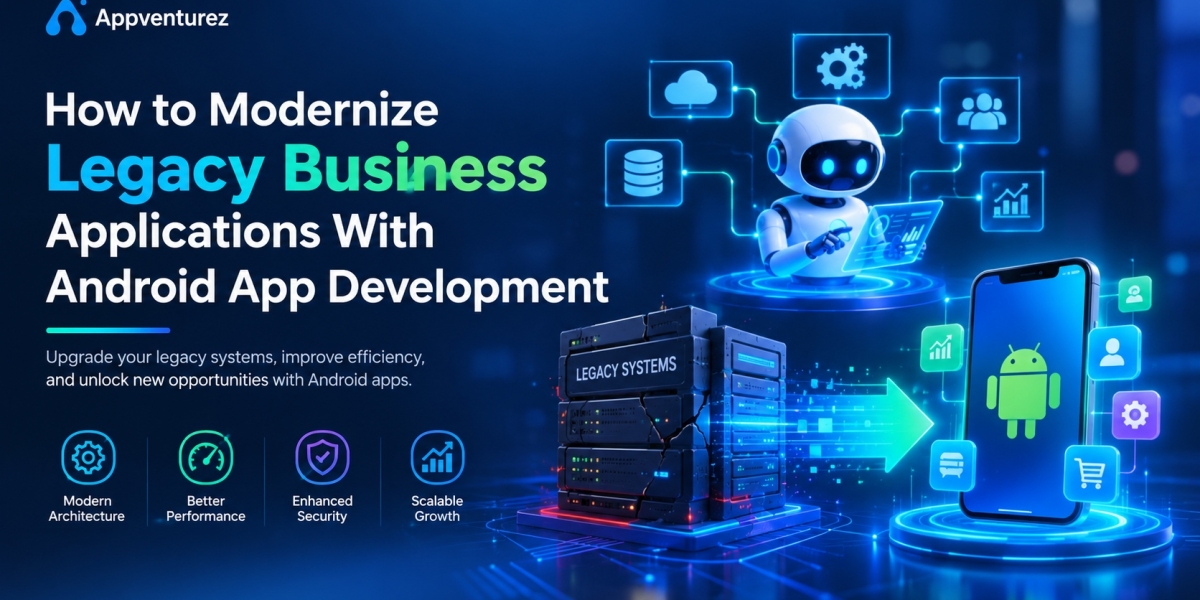

Many businesses still depend on software that was built ten, fifteen, or even twenty years ago. These legacy applications often run critical operations such as inventory, billing, HR, customer records, and logistics. They may still work, but they are slow to update, expensive to maintain, difficult to integrate, and almost impossible to use on a smartphone. In a world where employees, partners, and customers expect to access information anywhere and anytime, outdated systems have become a serious barrier to growth.
This is where Android app development comes in. By connecting legacy systems to modern, mobile-first Android applications, organizations can extend the life of existing software, improve user experience, and unlock real-time access to business data, all without the risk and cost of replacing everything at once. From field teams and warehouse staff to sales executives and customers, Android apps can bring old systems to the devices people actually use every day.
Whether you're a growing business struggling with outdated desktop software or a large enterprise managing a complex mix of older systems, choosing the right development partner is critical. Working with an experienced Android App Development Company such as Appventurez helps ensure the modernization is secure, scalable, and aligned with your business goals.
In this comprehensive guide, we'll explore how to modernize legacy business applications with Android app development, including the warning signs of outdated software, modernization approaches, key features, benefits, technologies, step-by-step process, cost factors, challenges, and why India has become a preferred destination for modernization projects.
What are Legacy Business Applications?
Legacy business applications are older software systems that remain in use because they support essential business processes, even though their technology, architecture, or design is outdated. They are often built on obsolete programming languages, on-premise servers, monolithic architectures, or unsupported platforms.
Common examples include:
Desktop-based ERP and accounting software
Old CRM systems with limited integration
Paper-driven or spreadsheet-based workflows
Inventory and warehouse management tools built on legacy databases
Internal HR, payroll, and attendance systems
Custom-built workflow and approval software
Mainframe or client-server applications
These systems are not necessarily broken, but they often struggle to meet the demands of modern business, such as mobility, real-time data, automation, and cloud connectivity.
Signs Your Business Needs Application Modernization
Not sure if it's time to modernize? Watch for these warning signs.
Slow Performance and Frequent Downtime
Older systems struggle with growing data volumes and user loads, leading to delays and unexpected outages.
High Maintenance Costs
Patching outdated code, supporting old hardware, and hiring specialists for obsolete technologies can drain your IT budget.
No Mobile Access
If employees must return to the office or a desktop to complete simple tasks, productivity suffers.
Poor User Experience
Complicated screens and unintuitive workflows increase training time and frustrate users.
Limited Integration
Legacy systems often cannot connect easily with cloud services, payment gateways, analytics tools, or modern APIs.
Security Vulnerabilities
Unsupported software no longer receives security updates, exposing your business to cyber threats and compliance risks.
Difficulty Scaling
As your business grows, older systems may fail to handle new users, locations, or transactions.
Dependence on a Few People
When only one or two employees understand how the system works, your operations carry significant risk.
Why Android is a Powerful Platform for Modernization
Android is one of the most practical choices for modernizing business applications.
Massive Global Reach
Android powers a huge share of smartphones and tablets worldwide, especially in fast-growing markets, making it easy to reach employees, partners, and customers.
Affordable Devices for Teams
Android devices are available at many price points, helping businesses equip large workforces without overspending.
Flexible and Customizable
Android's open ecosystem lets developers tailor apps, integrate hardware such as barcode scanners and printers, and build workflows that match your processes.
Strong Integration Capabilities
Android apps can connect to existing databases, ERP systems, CRMs, and cloud services through secure APIs.
Enterprise-Ready Management
Android supports device management, security policies, and controlled app distribution, which is essential for business environments.
Modern Development Tools
Kotlin, Jetpack Compose, Firebase, and cloud-native frameworks speed up development and make apps easier to maintain.
Modernization Approaches: Choosing the Right Strategy
There is no single path to modernization. The right approach depends on your budget, timeline, risk tolerance, and business goals.
1. Rehosting (Lift and Shift)
Move the existing application to cloud infrastructure with minimal changes. This reduces hardware costs but doesn't improve functionality or mobility on its own.
2. Replatforming
Make limited changes to the application so it runs better on a modern platform, such as moving to a managed database or cloud service.
3. API Enablement and Integration
Expose legacy functionality through secure APIs, allowing a new Android app to read and write data without rebuilding the entire back end. This is often the fastest and most cost-effective starting point.
4. Refactoring and Re-architecting
Break down a monolithic system into microservices, improving scalability, maintainability, and flexibility.
5. Rebuilding
Rewrite the application from scratch using modern technology when the legacy code is too outdated to salvage.
6. Replacing
Swap the legacy system with a modern off-the-shelf or custom-built solution when it no longer serves business needs.
In many cases, businesses combine several approaches. A common strategy is to keep the core system running, wrap it with APIs, and build a modern Android front end for the users who need it most.
Key Features to Include When Modernizing With Android Apps
A modernized Android app should do more than copy the old interface onto a phone. It should rethink how people work.
Intuitive, Mobile-First User Interface
Simple navigation, clear layouts, and task-focused screens reduce training time and boost adoption.
Secure Authentication and Role-Based Access
Biometric login, single sign-on, multi-factor authentication, and role-based permissions protect sensitive business data.
Real-Time Data Synchronization
Users see up-to-date information from the core system, and changes made on mobile reflect instantly in the back end.
Offline Functionality
Employees working in warehouses, factories, or remote sites can continue to work without connectivity, with data syncing automatically later.
Push Notifications and Alerts
Instant updates about approvals, orders, deadlines, stock levels, and system events keep teams informed and responsive.
Workflow Automation and Approvals
Digital approvals, task assignments, and automated reminders replace email chains and paper forms.
Barcode, QR Code, and Camera Integration
Scanning products, documents, and assets directly through the device camera speeds up data entry and reduces errors.
Reporting and Analytics Dashboards
Managers get real-time visibility into sales, operations, performance, and customer activity.
Integration With Existing Systems
Connectors for ERP, CRM, accounting, HRMS, payment gateways, and third-party services ensure a smooth flow of data.
In-App Communication
Chat, calling, and collaboration tools help teams coordinate without switching between multiple apps.
Document Management and E-Signatures
Users can upload, view, share, and sign documents securely from their phones.
Multi-Language and Regional Support
Localized interfaces help businesses serve diverse teams and customers across regions.
Major Benefits of Modernizing Legacy Applications With Android
Increased Productivity
Employees complete tasks faster when they can access systems anywhere, without waiting to get back to a desk.
Better User Experience
Modern interfaces make software easier to learn and more pleasant to use, which improves adoption and reduces errors.
Lower Maintenance Costs
Modern architectures and cloud infrastructure reduce the cost of supporting outdated hardware and obsolete technologies.
Real-Time Decision Making
Instant access to accurate data helps leaders respond quickly to changes in demand, inventory, or customer needs.
Improved Security and Compliance
Modern security standards, encryption, and regular updates reduce vulnerabilities and support regulatory compliance.
Faster Innovation
With flexible architecture and APIs, adding new features, integrations, and AI capabilities becomes much easier.
Extended Value of Existing Investments
Instead of discarding a system that still holds valuable data and business logic, modernization allows you to build on it.
Scalability for Growth
Cloud-ready, mobile-first applications can scale with your business, supporting more users, locations, and transactions.
Competitive Advantage
Businesses that offer faster, smarter, and more convenient digital experiences stand out in the market.
Industries Modernizing Legacy Systems With Android Apps
Manufacturing
Production tracking, quality inspection, machine maintenance, and inventory management move from paper and desktops to mobile apps on the shop floor.
Logistics and Supply Chain
Fleet tracking, proof of delivery, warehouse operations, and shipment updates are managed in real time.
Retail and Distribution
Sales teams, store managers, and distributors place orders, check stock, and track performance on the go.
Healthcare
Hospitals and clinics modernize patient records, appointment systems, and staff workflows with secure mobile access.
Banking and Financial Services
Organizations extend legacy core systems with mobile apps for customer service, loan processing, and field collections.
Field Services and Utilities
Technicians receive jobs, update status, and complete reports directly from their devices.
Education
Institutions digitize attendance, admissions, fee management, and communication between teachers, students, and parents.
Real Estate and Construction
Companies track projects, site progress, approvals, and resources through mobile-first tools.
Technologies That Power Legacy Modernization
Kotlin and Jetpack Compose
Kotlin is the preferred language for modern Android development, offering cleaner code and better performance, while Jetpack Compose speeds up UI development.
REST and GraphQL APIs
APIs act as a bridge between legacy back ends and modern mobile apps, allowing secure and efficient data exchange.
Microservices Architecture
Breaking applications into smaller, independent services improves scalability and makes updates easier.
Cloud Platforms
Cloud infrastructure provides flexibility, high availability, and secure storage for modernized applications.
Containers and DevOps
Tools such as Docker and Kubernetes, along with CI/CD pipelines, speed up deployment and improve reliability.
Artificial Intelligence and Machine Learning
AI adds smart features such as predictive analytics, intelligent search, automated classification, and chatbots.
Data Migration and ETL Tools
These tools help move and transform historical data safely from old databases to modern platforms.
Mobile Device Management (MDM)
MDM solutions help enterprises control devices, enforce policies, and secure corporate data.
Step-by-Step Process to Modernize Legacy Applications With Android
Step 1: Assess the Existing System
Review the current application's architecture, code quality, data structure, integrations, performance, and security. Identify what works, what doesn't, and what users need most.
Step 2: Define Business Goals and Priorities
Decide what you want to achieve, such as mobility, faster processes, cost reduction, better integration, or improved customer experience, and rank features by business impact.
Step 3: Choose the Modernization Strategy
Select the right approach, whether API enablement, refactoring, rebuilding, or a phased combination, based on budget, risk, and timeline.
Step 4: Plan Data Migration and Integration
Map data sources, clean and validate records, and plan how the new Android app will communicate with existing systems.
Step 5: Design the User Experience
Create wireframes and prototypes based on real user workflows, focusing on simplicity, speed, and clarity.
Step 6: Develop in Phases
Build the app and supporting services in manageable phases, starting with the highest-value features. An agile approach allows early feedback and reduces risk.
Step 7: Test Thoroughly
Perform functional, performance, security, integration, and device-compatibility testing, including offline scenarios and data synchronization.
Step 8: Deploy and Train Users
Roll out the app gradually, provide training and documentation, and gather feedback during the transition period.
Step 9: Monitor, Support, and Improve
Track performance, fix issues, release updates, and add new features based on user needs and business growth.
Why India is a Preferred Destination for Modernization Projects
India has become a global hub for application modernization and mobile development, and many businesses choose to work with an Android App Development Company in India for good reasons.
Skilled Talent Pool
India produces thousands of engineers every year with expertise in Android, cloud, APIs, legacy technologies, and enterprise integration.
Cost-Effective Services
Compared to North America and Europe, companies can significantly reduce project costs without compromising quality.
Experience With Legacy Technologies
Many Indian IT firms have decades of experience supporting and modernizing older platforms, making them well-suited for complex migration projects.
Flexible Engagement Models
Businesses can choose from:
Dedicated development teams
Fixed-price projects
Hourly hiring
Staff augmentation
Offshore development centers
Global Delivery Experience
Indian companies work with clients across the US, UK, Europe, Australia, and the Middle East, bringing familiarity with international standards and agile delivery.
Cost of Legacy Modernization With Android App Development
The cost of modernization varies widely depending on several factors.
Complexity of the Legacy System
Large, poorly documented systems with tangled code require more analysis and effort than smaller, well-structured ones.
Modernization Approach
API enablement and mobile front-end development are generally more affordable than a complete rebuild.
Number and Complexity of Features
Offline mode, real-time sync, advanced analytics, and AI capabilities add to development time.
Data Migration Requirements
Cleaning, mapping, and migrating large volumes of historical data can be time-intensive.
Integration Needs
Connecting multiple systems, third-party tools, and hardware increases project scope.
Security and Compliance Requirements
Industries such as healthcare and finance require additional safeguards and testing.
Team Size and Location
The number of developers, designers, QA engineers, and project managers affects the budget. Partnering with an offshore team in India can significantly lower costs.
Post-Launch Support
Hosting, monitoring, updates, and ongoing maintenance should be included in long-term planning.
Common Challenges in Legacy Modernization
Poor Documentation
Older systems often lack up-to-date documentation, making it hard to understand business logic and dependencies.
Data Quality and Migration Risks
Duplicate, incomplete, or inconsistent data can cause errors during migration.
Business Disruption
Downtime or poorly planned transitions can interrupt daily operations. Phased rollouts help reduce this risk.
Integration Complexity
Connecting modern APIs to outdated databases and protocols requires careful engineering.
Security Concerns
Opening legacy systems to mobile access requires strong authentication, encryption, and access control.
Resistance to Change
Employees accustomed to old workflows may be reluctant to adopt new tools without proper training and support.
Device Fragmentation
Android runs on many devices and screen sizes, so extensive testing is essential for a consistent experience.
How to Choose the Right Android App Development Partner
Selecting the right technology partner can make or break a modernization project. Consider the following:
Proven experience in legacy modernization and enterprise apps
Portfolio of similar projects and industries served
Expertise in Kotlin, Jetpack Compose, APIs, and cloud platforms
Strong UI/UX design capabilities
Data security and compliance practices
Transparent pricing and realistic timelines
Agile development methodology
Post-launch maintenance and support
Clear communication and reporting
Client testimonials and verified reviews
A reliable development partner understands your business processes, not just your technical requirements.
Why Choose Appventurez for Android App Development and Modernization?
When businesses decide to modernize their legacy applications, choosing the right technology partner is essential. Appventurez has established itself as a trusted software development company offering innovative mobile and enterprise solutions across multiple industries.
The company focuses on delivering scalable, secure, and user-friendly applications that help organizations connect legacy systems with modern mobile experiences, automate workflows, and improve operational efficiency. Whether it's building an Android front end for an existing ERP, developing a custom workflow app, integrating legacy databases through APIs, or creating a complete enterprise mobility solution, Appventurez combines technical expertise with a deep understanding of business needs.
By leveraging modern Android technologies, cloud infrastructure, AI capabilities, and agile methodologies, Appventurez ensures every modernization project is designed for minimal disruption, long-term scalability, seamless integration, and measurable business outcomes.
Future Trends in Application Modernization
The future of business applications is more connected, intelligent, and mobile than ever.
Key trends include:
AI-assisted code analysis and automated legacy migration
Low-code and no-code tools for faster app delivery
Generative AI embedded in business workflows
Cloud-native and serverless architectures
Composable enterprise applications built from reusable services
Mobile-first and offline-first design as standard practice
Biometric and passwordless authentication
Edge computing for faster on-device processing
Real-time analytics and predictive insights
Super apps that unify multiple business functions in one interface
Businesses that start modernizing today will be better prepared to adopt these innovations and stay ahead of competitors.
Conclusion
Legacy business applications don't have to hold your organization back. With the right strategy, they can be extended, integrated, and transformed into modern, mobile-friendly solutions that empower employees, delight customers, and support long-term growth. Android app development offers a practical, cost-effective path to modernization, bringing real-time access, intuitive experiences, and powerful automation to systems that once felt out of reach.
India continues to stand out as a preferred destination for modernization projects, offering exceptional engineering talent, cost-effective delivery models, and deep experience with both legacy and modern technologies. By partnering with an experienced development company like Appventurez, businesses can modernize with confidence, reducing risk while unlocking new levels of efficiency and innovation.
Whether you're updating a single outdated tool or transforming an entire enterprise system, investing in Android app development today can help your business stay agile, competitive, and ready for the future.