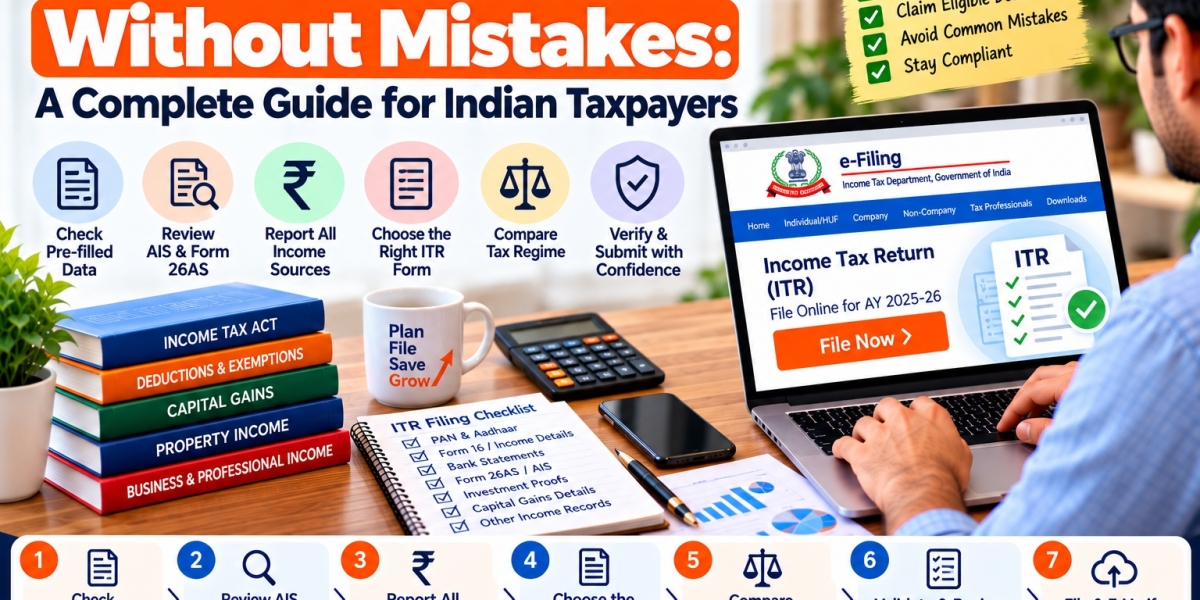

Filing an Income Tax Return (ITR) is more than simply mentioning your income and filling a form. Taxpayers should review their financial information, check for tax credits, select the right tax return form and complete the required verification.
ITR Filing Online makes it easy for people to file their returns with confidence and avoid avoidable errors. Whether you’re a salaried employee, freelancer, investor or business owner, understanding the steps involved can make the filing process easier to handle.
Significance of Correct ITR Filing
An income tax return is a document that contains information about your income, deductions, taxes paid and other important financial information for a specific financial year.
If you provide incorrect information, fail to include income or use an inappropriate ITR form, processing may be delayed, a query raised or you may be required to correct a return. Keeping good records and reviewing your information before you submit it can help avoid these problems.
Taxpayers can also file online and check their return acknowledgments and filing status on the official portal of the Income Tax Department.
Step 1: Verify Your ITR Pre-Filled Details
The income tax e-filing portal may display pre-filled information to assist taxpayers in filing their returns. This information may include personal information, salary information, tax deductions and other reported financial information, depending on your situation.
But the default information should not be taken as automatically complete or correct.
Before you file your return:
- Check your personal details and PAN details.
- Compare salary details with Form 16 and salary records.
- Review the interest earned on savings bank accounts and fixed deposits.
- Check investment income and capital gains, if any.
- Check TDS deducted at source by verifying your supporting documents.
- Where necessary, add or correct relevant information.
The taxpayer is responsible for providing correct information.
Step 2: Know about AIS, TIS & Form 26AS
Review your return with these three important sources of tax information.
Annual Information Statement (AIS)
The AIS shows the exact financial information that is submitted to the Income Tax Department. Depending on your circumstances it may include interest, securities transactions, dividends and other reported data.
TIS Summary of Taxpayer Information
TIS provides a summary of the information available in AIS including processed information for relevant categories.
26AS Form
The Form 26AS is an important document which provides tax-credit information including tax deducted or collected at source and other information which can be availed through the statement.
Match these against your own documents. Check any transaction that appears incorrect or duplicated before filing. If applicable, you may provide feedback in AIS but must lodge your return with the correct taxable income (as per the relevant rules).
Step 3: Report All Relevant Income Sources
A common filing mistake is reporting salary income only and overlooking other income.
Before filing ITR online, check if you have received income from the following sources:
Salary or pension: Refer to salary records, Form 16 and other relevant documents.
Bank interest: Find savings accounts, fixed deposits and interest certificates.
House property: Check rental income and allowable deductions (if any).
Business or profession: Maintain accounts of receipts, expenses and other details required for the relevant method of taxation.
Capital gains: Review sales of stock, mutual fund transactions, and other applicable asset sales.
Additional sources: Consider any dividends or other taxable income that applies to you.
Not all receipts are taxable in the same way. Apply the relevant provisions of income-tax and do not presume that every credit in the bank is income or that income without TDS can be ignored.
Step 4: Choose the Correct ITR Form
Choosing the right ITR form is an important step in filing your income tax return online.
The right form depends on your taxpayer classification, sources of income and eligibility criteria. For example, an eligible individual with simple income may use ITR-1, but someone reporting capital gains or business income may need a different form.
Before you choose a form, check:
- Your source of income (salary or pension).
- If you earn income from house property.
- For those with capital gains.
- If you have business or professional income.
- If any specific eligibility criteria apply.
Don’t use an ITR form simply because it worked for you in a prior year. The rules for filing may have changed and so have your sources of income.
Step 5: Old Vs New Tax Regime:
Taxpayers must check the applicable tax regime before submitting their return.
Old tax regime and new tax regime has different treatment of deduction and exemptions. What works better for you will depend on your income, the deductions you are eligible for, the applicable tax rates and the rules on your ability to choose a regime.
Note that:
1. Calculate your tax liability under the relevant regimes.
2. See what deductions and exemptions you qualify for.
3. Look at the tax brackets that apply to your income.
4. Verify if there are any restrictions on your taxpayer category.
5. Choose the regime according to the applicable rules.
Rules for choosing or changing regimes may be different for business and professional income than for other taxpayers. Please review the applicable requirements prior to making a decision.
Step 6: Check TDS and Other Tax Payments
TDS does not mean you have paid your full tax liability.
Match the tax credits mentioned in Form 26AS with the Form 16, TDS certificates and other supporting evidences. Check advance tax payments and self assessment tax payments as applicable.
If the return indicates an additional amount payable, review the calculation and pay the applicable tax before submitting the return. If you think a credit is missing , go back and look at the underlying records and address the discrepancy through the proper process .
Mismatches can be avoided when processing returns if tax credits are reported accurately.
Step 7: Review Your Return Before You Mail It
Enter your details and then carefully check the summary of your return.
Verify the following:
- Income amounts match your supporting documentation.
- Properly claiming applicable deductions.
- The ITR form selected is correct.”
- TDS and other tax credit are correct.
- The bank details are correct.
- All taxes owing have been paid.
- No source of material income has been left out.
Use the portal validation facility to locate errors. Correct any problems prior to filing the return.
Step 8: Complete E-Verification Timely
Filing ITR is not the end of the process. Your return must also be verified in an acceptable manner.
The Income Tax Department normally asks for e-verification or submission of ITR-V within 30 days of filing. Delayed verification may affect the date considered to be the date of filing, and may have other effects under the applicable rules.
The means of verification available can be Aadhaar OTP, an eligible bank or demat account EVC, net banking or a Digital Signature Certificate depending upon the taxpayer and situation.
Save your acknowledgment after verification and check the return status on the official portal.
Common Errors to Avoid While Filing ITR
Things to watch out for when filing your income tax return – common mistakes:
- Believing pre-filled data without verifying it.
- Excluding bank interest or investment income.
- TDS amounts reported are incorrect.
- Choosing an incorrect ITR form.
- Claims for deduction without meeting eligibility conditions.
- Providing incorrect bank account information.
- Not handling validation errors.
- failure to complete the verification within the stipulated period.
Many of these issues are addressed by a systematic review before submission.
When to Think About CA-Assisted Tax Filing?
Many taxpayers can easily prepare their own returns. But if you have multiple sources of income, business or professional income, large capital gains, foreign income or complex deduction questions, professional assistance may be helpful.
CA Assisted tax filing helps you organize records, review tax calculations and understand reporting requirements. Your situation determines the right amount of help.
ITR Filing Online is committed to offering easy access to tax related information and help taxpayers understand the process of filing online.
Frequently Asked Questions
1. How to file ITR online without any professional help?
Yes. Eligible taxpayers who have information of their income details can file through the official e-filing portal. Complex cases can benefit from professional help.
2. Is pre-filled data in ITR always correct?
No. Information pre-populated may be incomplete or have discrepancies. Verify it with your financial records , AIS , TIS and Form 26AS before submitting .
3. What is the difference between AIS and Form 26AS?
AIS gives a holistic view of the specific financial information reported to the department, while Form 26AS is meant to be used mainly by the taxpayer to verify tax-credit information and other information in the statement.
4. What if I forget to e-verify my ITR?
An unverified return could be refused if the required verification or a valid delay-condonation process is not concluded. Apply the official instructions that apply to your situation.
5. How to know ITR status?
To check your filing and processing status, visit the official Income Tax Department website and use the relevant return-status service.
The first step for accurate ITR Filing Online starts with looking at your financial information and not accepting the figures reflected on the portal. Verify pre-filled data, match AIS and Form 26AS, declare requisite income, choose the correct ITR form and e-verify on time.
Taxpayers can approach their filing obligations with more confidence and avoid unnecessary mistakes with a structured approach.
Disclaimer: This article is for general education purposes only and is not meant to be individual tax advice. The requirements depend on your situation and the law. * Check latest official instructions before filing.









