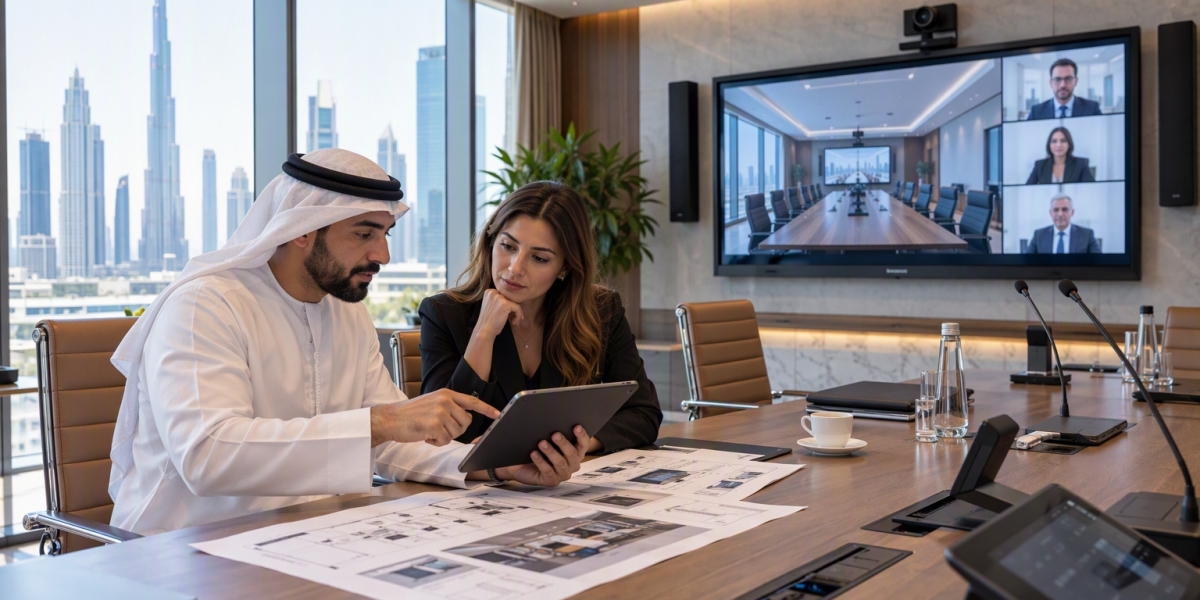

Choosing the Best AV Integration Services starts with understanding how a business uses audio and video equipment every day. Offices, meeting rooms, training centres, and conference halls have different needs. Some require clear sound for meetings, while others need large displays, video conferencing, or presentation systems. A suitable AV system should support these daily tasks without making them difficult for employees.
The system should also be easy to operate, reliable during working hours, and simple to maintain. Understanding these needs before selecting equipment can help businesses avoid unnecessary costs and technical problems.
Clear Audio for Meetings and Presentations
Good sound is one of the most important parts of a business AV system. During meetings, employees must be able to hear every speaker clearly. Poor audio can cause people to repeat information, miss important details, or lose focus.
The right audio setup depends on the room size, number of people, and type of activity. A small meeting room may only need a few speakers and a suitable microphone. A large conference room may require several microphones, multiple speakers, and careful sound planning.
Room shape and furniture can also affect sound quality. Hard walls and glass surfaces may create echoes, while poor speaker placement can make some seats difficult to hear from. Testing the sound across the room helps identify these issues before regular use.
Reliable Displays and Video Equipment
Businesses often use displays and projectors to share presentations, reports, training materials, and other information. The equipment should provide a clear picture that people can see comfortably from different seats.
Screen size, brightness, resolution, and viewing distance should match the room. A small display may be difficult to read in a large meeting room, while a very large screen may not be necessary for a small office.
The system should also support the devices employees use. For example, users may need to connect laptops, share presentations, or display content from a video conferencing platform. Checking connection options and compatibility before installation can help prevent delays during meetings.
Simple Controls for Employees
A business AV system should not require advanced technical knowledge for everyday tasks. Employees should be able to start a meeting, adjust the volume, change display sources, and share content without dealing with complicated settings.
A central control panel or touchscreen can bring common functions together. Instead of using separate controls for every device, employees may be able to manage several connected components from one place.
The control layout should be clear and easy to understand. Common functions should be easy to find, and unnecessary steps should be avoided. Short training sessions can also help staff learn how to use the system correctly.
Smooth Video Conferencing
Video conferencing is a regular part of business communication. A suitable AV system should help people communicate clearly with colleagues, customers, and partners in other locations.
A complete setup may include a camera, microphone, speakers, display, and compatible conferencing software. The camera should capture the people in the room, while the microphone should pick up speech without adding too much background noise.
Network quality is also important. Even well-installed AV equipment can have problems when the internet connection is unstable. Businesses should check their network capacity and test video calls under normal working conditions.
Compatibility with Existing Equipment
Many businesses already have computers, displays, meeting software, and other devices. A new AV system should work with the equipment that the business plans to keep using.
Before installation, check the available ports, supported connection types, software requirements, and control options. Some devices may need adapters or additional equipment to work together.
Compatibility is also important when a business uses different laptops or operating systems. Employees should have a clear way to connect their devices and share content. Planning for these needs can reduce setup time and make meetings more convenient.
Reliable Installation and Cable Management
The quality of installation affects how well an AV system works over time. Poorly placed equipment, loose connections, and untidy cables can lead to technical problems and make maintenance more difficult.
Cables should be arranged safely and labelled where necessary. Equipment should be mounted securely, and ventilation should be considered for devices that produce heat. Control panels and connection points should be placed where users can reach them easily.
Testing should take place after installation. This includes checking audio levels, display quality, connections, control functions, and video conferencing. Testing different everyday tasks helps confirm that the system works as expected.
Maintenance and Future Changes
A business AV system needs regular checks to remain useful. Software updates, equipment inspections, and connection tests can help identify problems before they interrupt important meetings.
Businesses should also understand the support arrangements for their equipment. It is useful to know who to contact when a device stops working, how warranty claims are handled, and whether technical assistance is available when needed.
Future needs should also be considered during planning. A business may later add meeting rooms, more displays, extra microphones, or new conferencing tools. A flexible design can make these changes easier, provided the existing equipment supports expansion.
When comparing Best AV Integration Services, businesses should focus on how well the proposed system meets their daily needs. Clear audio, reliable displays, simple controls, compatible equipment, safe installation, and practical maintenance all matter. A system that supports employees' regular tasks can help meetings run smoothly and reduce avoidable technical interruptions.









