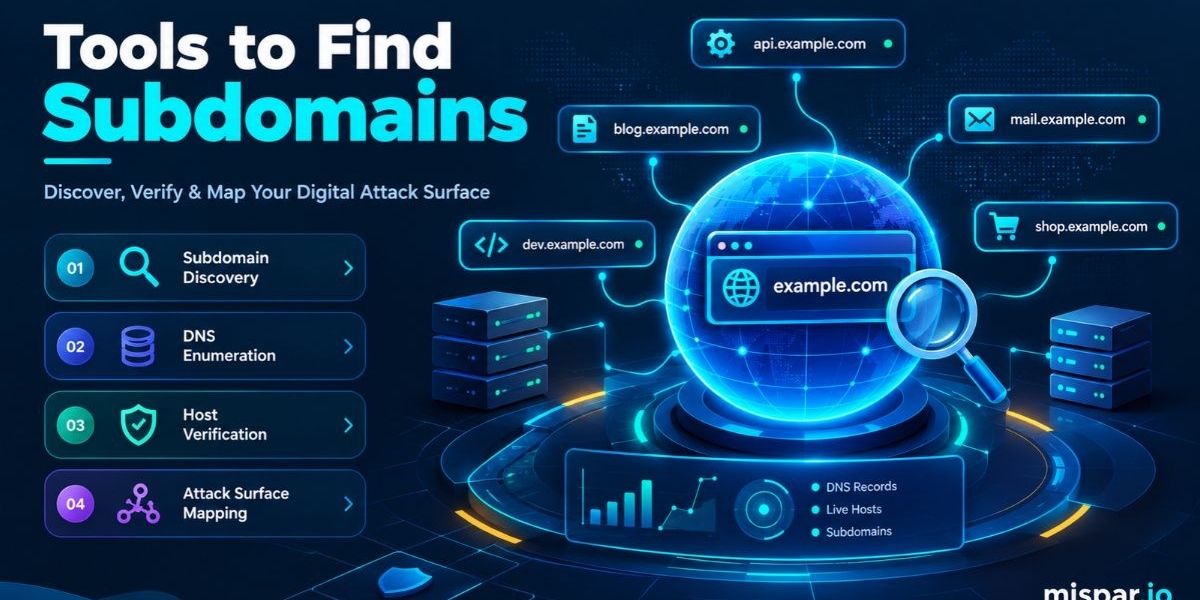

The right tools to find subdomains depend on who you are and what you need. A bug bounty hunter wants breadth and speed, an MSSP wants repeatable client reports and an IT team wants a clean inventory. Passive tools like Subfinder and Amass, online lookups and wordlist resolvers each cover a different part of that need.Most guides give you one long list and leave you to sort it out. This one works the other way around. It starts with the job, then matches each job to the tools that fit it. If you want a quick first pass before anything else, one of the free online tools to find subdomains will give you a starting list in a minute or two.
You will learn how a subdomain finder collects its data, how to run a clean discovery from start to finish, which tools suit which role and where the common traps sit. The advice is written for MSSPs, MDR providers, penetration testers, bug bounty hunters and security and IT teams in mid-size and large organizations.
What Is a Subdomain Finder?
A subdomain finder is software that lists the subdomains belonging to a root domain, for example the staging, portal, mail, or test hosts that sit beside the main website. It gathers names from public data such as DNS records and certificate logs and some tools also test likely names from a wordlist.
Other names for the same thing include subdomain enumeration tool, subdomain discovery tool, subdomain scanner, subdomain lookup tool and subdomain checker. Vendors use these terms loosely, but the output is the same: a list of hostnames tied to one domain.
The list matters because a subdomain is its own entry point. It can run separate software, hold separate credentials and follow separate patching habits. When nobody remembers a host exists, nobody maintains it. That is how shadow IT turns into real exposure.
Think of it as the first page of an attack surface inventory. You cannot assess, patch, or retire what you have not listed.
How a Subdomain Finder Works
A subdomain finder works by pulling hostnames from several public data sources, optionally guessing more names and then checking which ones resolve. Passive collection reads existing records. Active collection sends queries to DNS servers. Strong tools combine both and then clean up the results.
Here are the main data sources behind most tools to find subdomains.
Certificate transparency logs
Public certificate transparency logs record issued TLS certificates and each certificate lists the names it covers. Searching those logs shows hostnames that have had certificates, including ones that vanished from DNS long ago. This is usually the single most productive passive source.
Passive DNS and historical records
Some services store DNS answers they have observed over time. Searching that history shows which subdomains pointed somewhere in the past, even if they no longer do. Tools that query these datasets add depth that live DNS alone cannot give you.
Search engines and web archives
Search engines index pages on many hostnames and archives keep old copies of pages and links. Both leave traces of subdomains in URLs. This is classic OSINT and it works well for public-facing marketing and support hosts.
Zone transfers and DNSSEC quirks
A misconfigured name server that allows zone transfers can hand over every record in a zone to anyone who asks. This is rare today, but it is worth testing on domains you are authorized to assess. Zones that use DNSSEC with certain record types can also leak names through a technique called zone walking.
Wordlists and permutations
Active tools take a wordlist of common names and test whether each one resolves. Permutation tools then take the names already found and try variations, such as adding a number or an environment label. This finds hosts that no public source ever recorded, at the cost of more traffic.
Resolution and filtering
The last step resolves every name to see what is live. Wildcard DNS complicates this. If a zone answers every query, whether or not the name is real, you need filtering to avoid thousands of false hits.
How to Find Subdomains of a Domain (Step by Step)
To find subdomains of a domain, confirm your authorization, run a quick online lookup, add one or two passive command-line tools, test one active method if your scope allows it, then merge, resolve and review the results. A first pass usually takes well under an hour.
Step 1: Define the scope in writing
Write down the root domain, who owns it and whether active techniques are permitted. For client work, get this in a signed scope document. Passive lookups are low risk, but guessing names at scale is not something to do on a hunch.
Step 2: Get a fast baseline
Start with a free online scanner so you have something to compare against. The Mispar tools to find subdomains page describes a free, no-signup scanner that checks public DNS records, certificate logs and known naming patterns and it does not touch the target server directly. Per that page, no tool finds every subdomain, so treat the output as a starting point.
Step 3: Layer on passive command-line tools
Run Subfinder and Amass in passive mode, then Assetfinder or Findomain for a third opinion. Each pulls from a slightly different set of sources, so overlapping and unique results both tell you something.
Step 4: Check certificate logs by hand
Open a certificate log search tool such as crt.sh and search the domain with a wildcard prefix. Scan for names that look internal, old, or unusual. Those are the ones worth a closer look.
Step 5: Test for zone transfers
If you are authorized, ask each authoritative name server for a zone transfer. Most will refuse, which is the correct answer. If one complies, report it immediately, because it exposes the whole zone.
Step 6: Add active guessing carefully
Check for wildcard DNS first by resolving a random, nonsense name. If it resolves, use a resolver that filters wildcard answers. Then run a wordlist against the domain at a polite rate.
Step 7: Merge and resolve
Combine every output, remove duplicates and resolve the list to separate live hosts from stale ones.
Step 8: Review against what you expect
Compare the live list to your asset inventory. For every unfamiliar host, note the owner, the purpose and the software it runs. Anything that is no longer needed should be switched off and its DNS record deleted, not left running quietly.
Tools to Find Subdomains by Use Case
The best tool depends on your role. Bug bounty hunters lean on speed and breadth, pentesters on depth and control, MSSPs on repeatability and marketers on what search engines can see. Pick one primary tool for your job and add one or two supporting tools.
For bug bounty hunters
Speed and coverage win here. A common stack is Subfinder with API keys for extra sources, Amass for depth and dnsx or Puredns to validate. Hunters also pull old URLs from archives to find hosts that no longer appear in DNS. The goal is a large, fresh list of live hosts, fast, so you can test before others do.
For penetration testers and ethical hackers
Pentesters need control and reproducibility. Amass gives you both passive and active modes in one tool. Gobuster in DNS mode and fuff for virtual host fuzzing add wordlist-based discovery. Many of these can be installed on Kali Linux and most work from the command line, which makes them easy to script and log for the final report.
For MSSPs and MDR providers
You are scanning many client domains, so repeatability matters more than cleverness. A free online scanner works well for fast prospect checks and first-look reports. For ongoing work, build a scripted pipeline from Subfinder, Amass in passive mode and dnsx, then diff each run against the last one so you can flag new hosts per client.
For internal IT and security teams
Your goal is inventory, not recon. Run discovery monthly, compare against your CMDB or asset list and assign an owner to every host. The Mispar tool page suggests many teams check monthly or after a major launch, which is a sensible default for most organizations.
For SEO and marketing teams
Marketers need to know which subdomains exist and which ones search engines index. Site crawlers can be set to follow subdomain links and SEO platforms report on subdomains inside their site analysis features. For a quick check, a free online subdomain finder or a Google search with the site: operator is usually enough.
For developers who want to automate
Teams that build their own tooling can script Subfinder and Amass directly and many security tools publish source code on GitHub, so you can inspect how they collect data. Some commercial and public data services expose subdomain data through an API, which suits scheduled jobs. Python wrappers and small Go tools make it simple to push results into a ticketing system or dashboard.
The Main Tools to Find Subdomains, Explained
Each tool below has a distinct strength. Knowing what it is good at saves you from running five tools that all do the same thing.
Subfinder, from ProjectDiscovery, is a fast passive enumerator written in Go. Adding API keys for supported sources can improve coverage.
Amass is an OWASP project for attack surface mapping. It supports passive collection and active techniques and it handles large targets well.
Assetfinder is a small Go tool that finds related domains and subdomains from public sources and it is easy to script.
Findomain is a cross-platform tool written in Rust, often used for quick passive runs.
Sublist3r is a Python tool that queries search engines and public services. It is popular in tutorials, so check its recent activity before relying on it in production.
theHarvester collects subdomains alongside emails and host details from public sources, which suits OSINT-style work.
crt.sh is a free web search for certificate transparency logs.
DNSdumpster is a free online DNS reconnaissance and mapping tool.
SecurityTrails offers DNS history and subdomain data, with access levels that vary by plan.
VirusTotal lists subdomains related to a domain, drawn from its own datasets.
Shodan and Censys provide internet-wide scan data that can tie hosts to a domain through certificates and banners.
Gobuster and ffuf handle wordlist-based DNS and virtual host discovery.
Puredns and Massdns resolve very large lists quickly and Puredns adds wildcard filtering.
dnsx resolves lists and queries multiple record types, which makes it a good final step.
Altdns and DNSGen generate permutations from names you have already found.
Knockpy is a simple wordlist-based option for smaller jobs.
Manual vs. Automated Subdomain Discovery
Manual discovery, such as Google dorking and reading certificate logs by eye, is free and flexible, but it is slow and hard to repeat. Automated discovery runs the same checks on a schedule and produces consistent output, which makes it better for ongoing work.
Manual methods still earn their place. A human reading a certificate log can spot a name that looks wrong faster than a script can. Google dorks reveal what search engines have indexed, which an API-based tool may not show.
Automation wins on scale and consistency. If you manage ten client domains, you cannot repeat a manual routine every month without errors creeping in. A scripted pipeline gives you the same steps and the same output format every time, plus a diff against the last run.
The practical answer is a mix. Use manual checks for the first look at a new domain and for anything odd and automate the routine runs.
Free vs. Paid Subdomain Finder Tools
Free tools are enough for most first-pass discovery, because they draw on the same public data, such as certificate logs and DNS records, that many paid products also use. Paid platforms add scheduled scans, historical data, alerting and team features. You pay for convenience and continuity, not for secret data.
Stay with free or open-source tools when:
You assess a small number of domains
Your team is comfortable with scripting
You need a quick, occasional check
Consider paid or managed options when:
You monitor many domains and want change alerts
You need reports for clients or leadership
You want someone else to maintain the data sources
Pricing changes often, so confirm current plans on each vendor's site. A better test than price is coverage: ask which sources the tool queries, how often it refreshes them and how it handles wildcard DNS.
Why Security Teams and MSSPs Need a Subdomain Finder
Security teams need a subdomain finder because unknown hosts cannot be defended. Each forgotten subdomain adds to the attack surface and old hosts are often the least patched and least monitored. Regular discovery converts unknown assets into a managed list.
For an in-house team, the payoff shows up in three places:
Shadow IT becomes visible, including vendor portals and test servers that nobody reported
Retired services get cleaned up, because new entries and lingering ones stand out in a monthly comparison
Incident response speeds up, since responders can list public hosts in minutes
For MSSPs, the value is commercial as well as technical. Clients rarely have an accurate asset list, so a subdomain report is a concrete, easy-to-explain deliverable. It helps scope a new engagement, supports a prospect conversation and gives you a baseline to track change against over time.
For pentesters and bug bounty hunters, the logic is simple. More discovered hosts means more places to test and neglected hosts tend to hide the weakest configurations.
Key Features to Look For in a Subdomain Finder
A good subdomain finder draws on multiple sources, verifies its results and can be repeated easily. Use this checklist when you compare tools.
Multiple data sources, including certificate logs and public DNS data
A passive mode that avoids contact with the target's servers
An optional active mode for authorized testing
Wildcard DNS detection and filtering
Live-host verification
Output in plain text, JSON, or CSV for easy handoff
API or command-line access for automation
Sensible rate limits that protect third-party DNS servers
Honest limits stated in the documentation. The Mispar tool page, for instance, says it covers public records and common patterns and is not a full attack surface audit.
Comparison Table: Tools to Find Subdomains at a Glance
The table compares common tools by their best use case, method and access style. Features change over time, so confirm details in each tool's current documentation.
Tool | Best use case | Method | Access | Needs install |
Mispar Subdomain Scanner | Quick first-pass check | Public DNS records, certificate logs, known naming patterns | Free, no signup | No |
Subfinder | Bug bounty and recon pipelines | Passive, many sources | Open source | Yes |
Amass | Deep attack surface mapping | Passive and active | Open source | Yes |
Assetfinder | Lightweight scripting | Passive | Open source | Yes |
Findomain | Fast cross-platform runs | Passive | Command line | Yes |
theHarvester | OSINT gathering | Public sources | Open source | Yes |
crt.sh | Reading certificate logs | Certificate transparency | Free web search | No |
DNSdumpster | Quick DNS mapping | DNS reconnaissance | Free web tool | No |
Gobuster | Wordlist discovery | Active DNS guessing | Open source | Yes |
ffuf | Virtual host discovery | Active fuzzing | Open source | Yes |
Prudens | Large-scale validation | Bulk resolution with wildcard filtering | Open source | Yes |
dnsx | Verifying merged lists | DNS resolution and queries | Open source | Yes |
Google dorks | Indexed public hosts | Search operators | Free | No |
Subdomain Takeover: The Risk Hiding in Old DNS Records
A subdomain takeover happens when a DNS record still points to an external service that nobody controls anymore, so an attacker can claim that service and serve content under your domain. The record is the weak point and it often survives long after the project that created it.
Here is how it usually unfolds. A team launches a campaign page on a third-party platform and points a subdomain to it with a CNAME record. The campaign ends, the platform account is closed and nobody cleans up DNS. The name still resolves toward a destination that anyone can register.
Once an attacker claims it, they can host a phishing page on a trusted brand name and in some setups they can interfere with cookies tied to the parent domain. The reputational cost is often bigger than the technical one.
The defense is two steps. First, use a subdomain finder to list every host. Second, check each one for records that point at services you no longer use. Then make DNS cleanup part of every project shutdown checklist.
Common Mistakes When Using Tools to Find Subdomains
These habits cause the most weak results and each is easy to fix.
Trusting a single tool. Sources differ, so one run leaves gaps.
Skipping live checks. Stale names waste review time.
Missing wildcard DNS. It makes every guess look valid and drowns real hosts.
Forgetting permission. Active guessing against systems you do not manage can cause legal and operational problems.
Scanning once. New subdomains appear every time a team launches something.
Treating the output as final. Every tool misses something, so the list is a baseline.
Never diffing. Comparing this month's list with last month's is how you catch new and abandoned hosts.
Ignoring third-party targets. CNAMEs to outside platforms are the most common takeover setup.
Interesting Facts About Subdomain Discovery
These facts come from public standards and documentation, so each one can be checked at the source.
Certificate transparency version 2.0 is described in RFC 9162, published in 2021, which updates the original design from RFC 6962. Both describe public logs that anyone can search.
The DNS specification in RFC 1035 limits each label in a name to 63 octets and the full name to 255 octets, which bounds how long a subdomain can be.
RFC 5936 defines the DNS zone transfer mechanism. A name server that allows transfers to anyone can reveal every record in its zone.
DNSSEC authenticated denial of existence can expose names through zone walking and NSEC3, described in RFC 5155, was designed to make that harder.
The OWASP Web Security Testing Guide includes an information gathering test for enumerating applications on a web server, which shows that host discovery is a standard step in security testing.
According to the Mispar subdomain scanner page, no tool finds every subdomain and many teams check for new ones monthly or after a major launch.
Conclusion
Choosing the right tools to find subdomains is mostly about matching tools to your job. Use a free online subdomain finder for a fast baseline, add passive command-line tools for breadth, certificate logs for history and wordlist resolvers only where your scope allows. Then verify what is live and compare it with what you expect.The routine matters more than any single tool. Run discovery every month, review every unfamiliar host and retire what nobody owns. Each cleanup closes a door that an attacker might have found first.Security teams that want to go further can look at what Mispar offers MSSPs, including free tools like the subdomain scanner covered in this guide. Whichever path you take, remember that no subdomain finder is complete, so treat every scan as a baseline you keep improving.
Frequently Asked Questions (FAQs)
What are the best tools to find subdomains?
Subfinder and Amass are the most common passive choices, crt.sh is the go-to for certificate logs and Gobuster or Purdens cover wordlist guessing. A free online scanner is the fastest way to start. Most teams combine two or three tools.
How do I find all subdomains of a domain?
Run passive tools, search certificate logs and add authorized wordlist guessing, then resolve everything to remove dead names. No single method finds every subdomain, so combining sources gives the most complete list.
Is a free subdomain finder good enough?
For first-pass discovery, yes. Free tools use the same public data many paid tools use. They may miss subdomains that are not in public records, so verify the output and repeat scans regularly.
What is the difference between passive and active enumeration?
Passive enumeration reads public data without contacting the target's servers. Active enumeration sends queries or guesses to the target's DNS. Passive is quieter and active can find unlisted hosts but needs authorization.
How often should I scan for new subdomains?
Monthly is a sensible default, plus a check after any major launch or migration. New subdomains appear whenever teams spin up campaigns or test environments, so a one-time scan goes stale quickly.
Can scanning subdomains cause legal trouble?
Passive lookups use public information and are common in security research. Active scanning against systems you do not own or manage can create legal and operational problems, so get written permission first. This is general information, not legal advice.