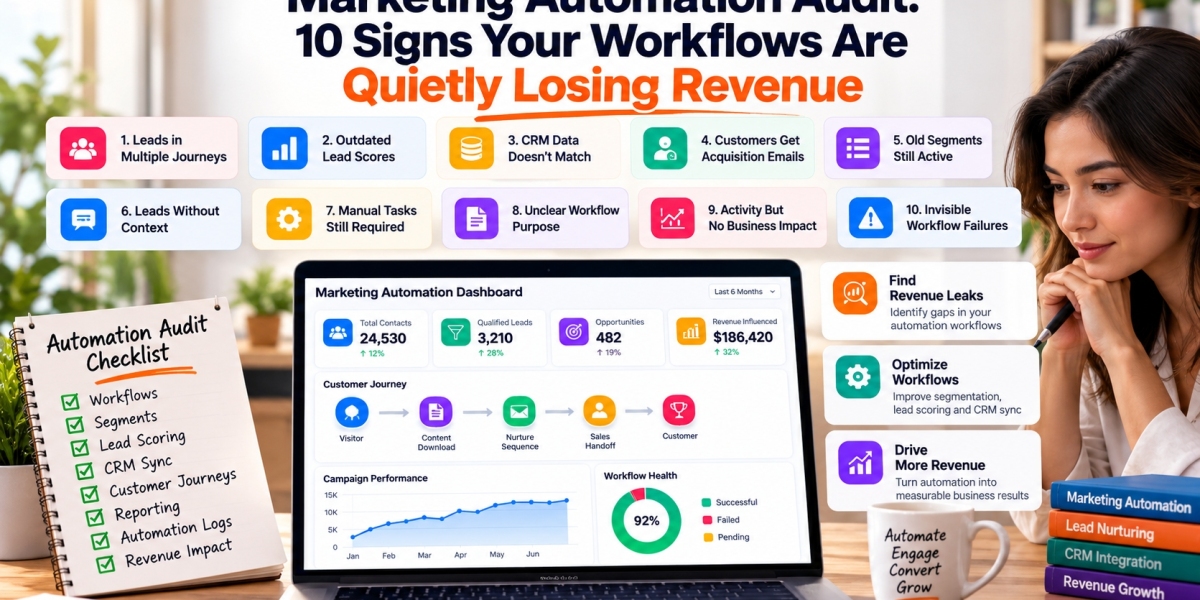

Marketing Automation Audit: 10 Signs Your Workflows Are Quietly Losing Revenue
Marketing automation can continue running long after the strategy behind it has stopped working.
Emails still send. Leads still receive scores. CRM records still update. Dashboards still report activity.
Yet underneath that activity, prospects may be entering the wrong nurture sequence, qualified leads may be reaching sales too late, customers may still receive acquisition messages, and old workflow rules may be acting on outdated assumptions.
That is why businesses investing in AI Powered Marketing Automation Services should periodically audit the entire automation environment rather than judging performance by campaign activity alone.
A good audit looks for the places where automation quietly creates friction, wastes effort, or loses revenue.
1. Leads Enter Multiple Journeys at the Same Time
A contact downloads a guide.
They enter a nurture sequence.
Two days later they request a demo and enter another sequence.
Then the CRM marks them as an active opportunity.
If the original nurture never stops, the prospect may receive educational emails while actively discussing a purchase with sales.
Audit every major journey for entry and exit conditions.
Ask:
What starts this workflow?
What should stop it?
Can someone enter it twice?
What happens when their lifecycle stage changes?
Does another workflow conflict with it?
Good automation needs clear stop conditions.
2. Lead Scores Have Not Changed in Months
Lead scoring models often begin with reasonable assumptions.
A pricing page visit receives more points than a blog visit. A demo request receives more than an email open.
The problem is that customer behavior changes.
A scoring model should be reviewed against real sales outcomes.
Compare high scoring leads with:
Sales accepted leads
Opportunities
Closed deals
Disqualified leads
Revenue
If highly scored leads rarely reach opportunity stage, the model is rewarding the wrong signals.
3. Marketing and CRM Data Do Not Match
Marketing automation becomes unreliable when CRM and campaign platforms disagree.
Common problems include:
Duplicate contacts
Different lifecycle stages
Missing account relationships
Inconsistent owners
Failed field synchronization
Outdated customer status
Imagine marketing considers someone a prospect while CRM already shows them as a customer.
The customer may receive the wrong campaign.
An audit should identify which system owns each important field and verify that synchronization follows those ownership rules.
4. Customers Still Receive Acquisition Campaigns
One of the easiest automation mistakes to spot is a customer receiving messaging intended for prospects.
Examples include:
Book a demo
Start your trial
Why choose us
Become a customer today
This usually means customer status is not being synchronized correctly or acquisition journeys do not have proper exclusion rules.
Customer conversion should automatically change communication eligibility.
The same principle applies to lost opportunities, unsubscribed contacts, partners, employees, and other groups that should not receive certain campaigns.
5. Old Segments Are Still Active
Segments can become outdated quickly.
A business may have lists based on:
Previous product categories
Old territories
Historical industries
Former pricing plans
Retired campaigns
Old lifecycle definitions
These segments may continue feeding automation even after the original business requirement disappears.
Review every active segment.
Ask:
Who is currently inside it?
Why does this segment exist?
Which workflow depends on it?
Would we create it again today?
If the answer is unclear, the segment deserves review.
6. Sales Receives Leads Without Context
Marketing automation should make sales conversations easier.
A sales representative should not receive a qualified lead and then need to investigate everything from scratch.
A useful handoff can include:
Contact information
Company
Source
Pages visited
Content consumed
Lead score
Recent activity
Product interest
Previous conversations
Recommended next action
The goal is to give sales enough context to continue the customer journey naturally.
Audit the handoff experience from the salesperson's perspective.
7. Workflows Depend on One Person Remembering Something
Automation should reduce dependency on manual memory.
Warning signs include instructions such as:
Remember to move these leads every Friday.
Someone needs to check this list before sending.
Sales must manually update this field after the call.
Some human actions are necessary.
Repeated administrative steps are often good automation candidates.
Document these manual handoffs and estimate how frequently they happen.
High frequency, predictable tasks usually deserve attention first.
8. Nobody Knows Why a Workflow Exists
Mature marketing systems can contain dozens or hundreds of automations.
Some may have names such as:
Workflow Final
New Nurture V3
Lead Automation Updated
Test Copy 2
This becomes risky when nobody knows which workflows are active, what they do, or whether they are still required.
Every important automation should have basic documentation covering:
Purpose
Trigger
Audience
Actions
Exclusions
Owner
Dependencies
Last review date
Documentation makes future changes safer.
9. Reporting Shows Activity but Not Business Impact
A dashboard may show:
Emails sent
Opens
Clicks
Form submissions
Workflow completions
These metrics show activity.
They do not explain whether automation contributes to commercial outcomes.
Add measurements such as:
Qualified leads generated
Opportunity conversion
Pipeline influenced
Revenue influenced
Time to sales handoff
Customer retention
Cost per qualified lead
Automation should ultimately improve movement through the customer journey.
10. Workflow Failures Are Invisible
Automations can fail because of:
Missing data
Expired integrations
API errors
Invalid email addresses
CRM permission changes
Deleted fields
Changed picklists
Platform limits
If failures are invisible, bad data can accumulate quietly.
Critical workflows should have monitoring.
Track:
Failed executions
Synchronization errors
Unprocessed records
Integration failures
Unusual volume changes
Someone should own the response when an automation fails.
Audit the Complete Customer Journey
Do not review workflows only one at a time.
Test complete customer scenarios.
For example:
First website visit → Content download → Lead nurture → Demo request → Sales qualification → Opportunity → Customer
Then check:
Which campaigns did the contact enter?
When did their score change?
When did sales receive the lead?
Which CRM fields changed?
Which campaigns stopped?
What happened after conversion?
This reveals problems that isolated workflow testing may miss.
Prioritize Fixes by Revenue Impact
An audit can produce a long list of issues.
Do not fix them simply in order of technical difficulty.
Prioritize based on business impact.
A useful framework is:
Critical
Problems causing lost leads, incorrect customer communication, failed sales handoffs, or inaccurate data.
High
Problems reducing conversion, campaign relevance, or sales efficiency.
Medium
Problems creating manual work or reporting inconsistencies.
Low
Naming, documentation, or organizational improvements.
This keeps the audit connected to commercial value.
Create an Automation Inventory
A simple inventory makes the environment easier to manage.
For each workflow, record:
Name
Purpose
Trigger
Audience
Primary action
CRM dependency
Owner
Status
Last reviewed
Once this exists, future audits become much easier.
Marketing Automation Should Improve With the Business
Automation is not something a company configures once and leaves untouched.
Products change.
Customer behavior changes.
Sales processes change.
CRM structures change.
New channels appear.
Old campaigns disappear.
The automation environment should evolve with those changes.
A regular marketing automation audit helps businesses remove outdated logic, repair broken handoffs, clean segmentation, improve CRM synchronization, and identify new opportunities for automation.
The most valuable outcome is not simply a cleaner workflow builder.
It is a customer journey where the right people receive the right communication, sales receives useful context, data remains reliable, and automation contributes to measurable revenue instead of quietly creating friction.