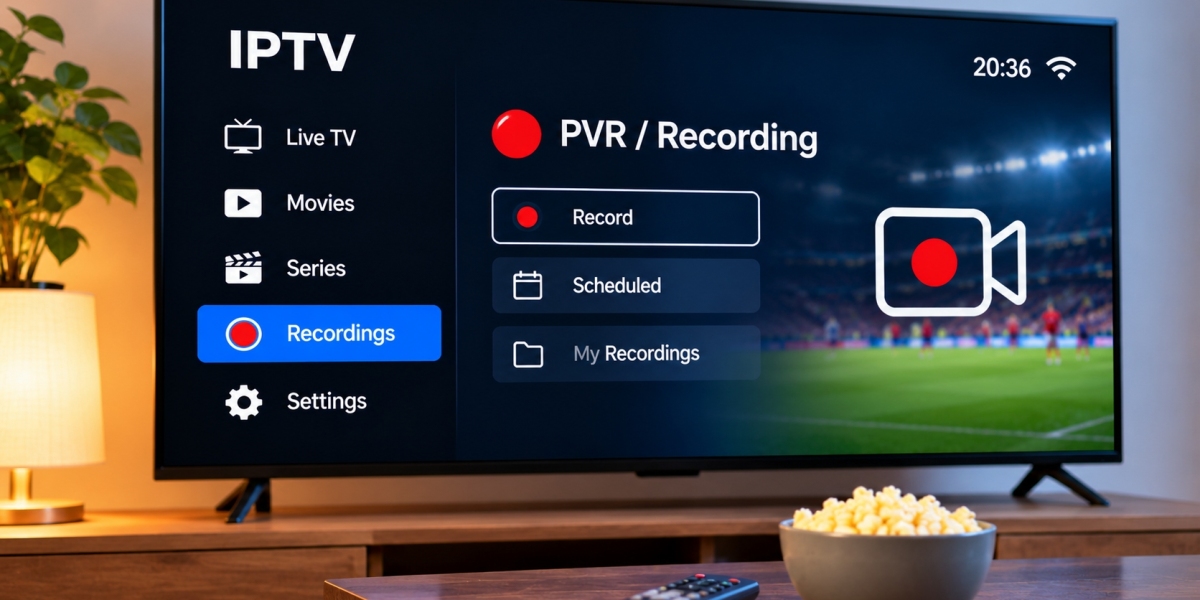

Watching live television is not always convenient. Work, family schedules, travel, and other commitments can make it easy to miss a program that airs at a fixed time.
Some IPTV players and devices include recording features that allow users to save supported live television for later viewing. These features are often described as PVR or DVR functionality.
For viewers in Sweden, IPTV recording can be useful, but it depends on several factors, including the application, device, available storage, subscription setup, and content permissions.
Understanding how recording works can help users decide whether they actually need this feature.
What Does IPTV Recording Mean?
IPTV recording allows a compatible application or device to save a television stream so it can be watched later.
Instead of watching the program only while it is being broadcast, the viewer creates a recording file or scheduled recording.
Depending on the setup, recordings may be stored:
Inside the streaming device
On USB storage
On an external hard drive
On network storage
Through a supported cloud or server-based system
Not every IPTV player supports recording, and storage methods vary significantly.
What Is PVR?
PVR stands for Personal Video Recorder.
The term usually refers to software or hardware that allows users to record television and manage saved programs.
A PVR-capable IPTV application may provide features such as:
Manual recording
Scheduled recording
Recording from the EPG
Playback of saved programs
Recording management
Storage selection
The exact functionality depends on the player and device.
DVR and PVR: Is There a Difference?
DVR stands for Digital Video Recorder.
In everyday streaming discussions, DVR and PVR are often used to describe similar recording functions.
Both generally refer to saving television digitally rather than using older physical recording media.
The more important question is not which term the application uses, but whether the feature works with the viewer's IPTV setup.
Recording Is Different From Catch-Up TV
Recording and catch-up television are not the same.
IPTV Recording
The viewer actively saves a program using their own device or supported recording system.
Catch-Up TV
Previously broadcast programming is made available by the service or broadcaster without the viewer creating the recording personally.
Catch-up can be convenient because it does not normally require local storage.
Recording gives the viewer more direct control but may require additional space and setup.
Does Every IPTV Player Support Recording?
No.
Some IPTV applications focus mainly on live television and do not include PVR functionality.
Others provide advanced recording tools.
Before choosing a player specifically for recording, check whether it supports:
Your device
Your IPTV login method
Local recording
Scheduled recordings
External storage
EPG-based recording
Viewers researching IPTV subscriptions, device support, installation information, and streaming options for Sweden can also explore Rapid IPTV Sweden while comparing setups suited to their household viewing habits.
Storage Is One of the Most Important Factors
Video files can use a significant amount of storage.
The exact file size depends on:
Video quality
Stream bitrate
Program length
Video codec
Recording format
A short standard-quality program may require much less space than a long high-resolution sports broadcast.
Users who plan to record frequently should check available storage before relying on the feature.
Internal Storage Can Be Limited
Many Smart TVs and streaming boxes contain relatively small amounts of internal storage.
Some of this space is already used by:
The operating system
Installed applications
Temporary files
Updates
Application data
Recording directly to limited internal storage can therefore become impractical.
If the player supports it, external storage may provide a better option.
Using USB Storage
Some IPTV devices allow recordings to be saved to a USB drive.
This can be convenient for occasional recording.
Before using a USB drive, check:
Device compatibility
File-system requirements
Available free space
Whether the IPTV app can access external storage
Whether the drive is fast enough for continuous video writing
Not every television or streaming box allows third-party apps to record directly to USB.
External Hard Drives
An external hard drive can provide much more storage than a small USB flash drive.
This may be useful for viewers who regularly save long programs or sporting events.
However, the device must support the drive properly.
Some televisions or streaming boxes have limits on:
Maximum drive size
Supported file systems
Power requirements
Storage permissions
Users should check device documentation before purchasing additional storage.
Recording on Android TV Devices
Android TV devices can offer flexible recording options because some IPTV players support PVR features.
The application may allow users to select a storage location and start recording directly from the live channel.
However, Android permissions and device storage restrictions can affect how recordings are saved.
If a player cannot access external storage, check both application permissions and device settings.
Recording on Smart TVs
Smart TV recording can be more limited.
Some televisions include their own recording features for supported broadcast sources, but these functions may not automatically apply to third-party IPTV applications.
The IPTV player itself must usually provide recording support.
Older Smart TVs may also have limited processing power or storage, making external streaming hardware more practical for users who consider recording important.
Scheduled IPTV Recording
One useful PVR feature is scheduled recording.
Instead of waiting for the program to start, the viewer can select it in advance.
A compatible application may allow recording through the Electronic Program Guide.
For example, a user could open the EPG, highlight an upcoming program, and choose a recording option.
The device generally needs to remain powered and connected appropriately for the recording to complete.
Why the EPG Matters
A good Electronic Program Guide makes scheduled recording much easier.
The EPG provides information such as:
Program name
Channel
Start time
End time
Upcoming schedule
If EPG timing is inaccurate, a scheduled recording may begin too early or too late.
Users should therefore make sure their device timezone and guide data are correct.
Add Extra Time Around Important Recordings
Live broadcasts do not always end exactly on schedule.
Sports events are a good example because overtime, delays, or extended coverage can make a broadcast run longer than expected.
If the IPTV player allows recording margins, users may want to add extra time before or after important programs.
This can reduce the chance of missing the final minutes.
Can You Record One Channel and Watch Another?
It depends on the setup.
Recording one stream while watching another may require more than one simultaneous IPTV connection.
A subscription that supports only one active connection may not allow this.
The device and application must also be capable of handling multiple streams at the same time.
Users should check subscription conditions before attempting simultaneous recording and viewing.
Internet Stability Matters During Recording
An IPTV recording can only save the stream it receives.
If the connection buffers or disconnects during the broadcast, the recording may contain:
Missing sections
Frozen video
Playback errors
Audio interruptions
For important recordings, a stable internet connection is essential.
Ethernet can be useful for fixed devices because it reduces dependence on Wi-Fi.
Wi-Fi Can Still Work Well
Recording does not automatically require Ethernet.
A strong and stable Wi-Fi connection can be sufficient when the television or streaming device has good signal quality.
If recordings repeatedly contain interruptions, test:
Internet performance near the device
Wi-Fi signal strength
Other network activity
The same stream without recording
A wired connection if available
These checks can help determine whether the network is responsible.
Other Household Activity Can Affect Recording
An IPTV recording shares the home internet connection with other devices.
Large downloads, cloud backups, gaming, video calls, and multiple high-quality streams can all consume bandwidth.
If a scheduled recording is important, reducing unnecessary network activity during the program may improve reliability.
This is particularly relevant in homes with many connected devices.
Recording Live Sports
Sports are a common reason people want IPTV recording.
A viewer may be unavailable when a football, hockey, tennis, or motorsport event begins.
Recording can provide more flexibility, but live sports present some additional challenges.
The event may run longer than scheduled, and a high-quality stream can create a large recording file.
Users should therefore check both storage space and recording duration before the event starts.
Managing Recorded Programs
A growing recording library can quickly consume storage.
Regularly review saved content and delete programs that are no longer needed.
Some IPTV players show:
Recording date
File size
Duration
Channel
Program title
Good organization makes it easier to see what is using the most space.
Rename Recordings When Needed
Not every application names recordings clearly.
A saved file might use a channel name, date, or technical filename rather than the actual program title.
If the player allows renaming, using clear names can make recordings easier to find later.
This is especially useful when several members of a household record different programs.
Be Careful When Reinstalling the IPTV App
Removing or resetting an IPTV application may affect locally stored recordings.
Before reinstalling the player, check where recordings are saved.
If they are stored inside application data, deleting the app could remove them.
External storage may be safer, but users should still verify before making major changes.
Recording and Device Performance
Recording adds additional work for the streaming device.
Older or low-powered hardware may struggle to:
Play a stream
Record it
Display the interface
Run background applications
If recording causes freezing or slow menus, device performance may be the limitation.
Closing unnecessary applications can help, but hardware capabilities still matter.
Keep Enough Free Storage
Storage devices usually perform better when they are not completely full.
Leaving some free space also gives the IPTV player room to create temporary files or complete recordings safely.
If recording suddenly stops working, check storage capacity before changing other settings.
A nearly full drive is a common and easy-to-overlook problem.
Recording on Computers
Computers can offer more storage flexibility than many Smart TVs.
Compatible IPTV software may allow users to save recordings to:
Internal drives
External drives
Selected folders
This can be useful for people who want greater control over file organization.
Computer-based recording still depends on the IPTV software and stream format being supported.
Legal and Service Considerations
Recording rights can vary depending on the content, broadcaster, subscription, and applicable rules.
Users should follow the terms of their IPTV service and any relevant copyright or content restrictions.
The availability of a record button does not automatically mean every program can be copied or redistributed.
Recordings intended for personal viewing should not be assumed to grant broader rights over the content.
Common IPTV Recording Problems
Several issues can prevent a recording from working properly.
Recording Does Not Start
Check storage permissions, free space, and player compatibility.
Recording Stops Early
The storage device may be full, the connection may have dropped, or the stream may have ended.
Saved Video Will Not Play
The recording may be incomplete or use a format the selected player cannot decode.
Scheduled Recording Is Missing
Check EPG timing, device power settings, and whether the IPTV application was allowed to remain active.
Video Buffers in the Recording
This may indicate that the original live stream experienced connection problems.
Test Recording Before You Need It
Do not make an important sports final or television premiere your first recording test.
Record a short program beforehand and confirm:
The recording begins properly
Audio and video are synchronized
The file can be played afterward
Storage is sufficient
The app remains stable
A short test can reveal setup problems without risking an important program.
Do You Actually Need IPTV Recording?
Not every viewer needs PVR functionality.
Recording may be useful for people who frequently miss live broadcasts.
Other viewers may prefer:
Catch-up TV
Video on demand
On-demand broadcaster apps
Scheduled live viewing
The best option depends on personal viewing habits.
If catch-up already provides the programs you normally miss, maintaining a large recording library may add unnecessary complexity.
Final Thoughts
IPTV recording can provide useful flexibility for viewers who cannot always watch television at the original broadcast time.
A reliable PVR setup depends on a compatible IPTV player, sufficient storage, stable internet, correct EPG information, and hardware capable of handling recording properly.
For Swedish households, it is worth testing recording features before relying on them for important programs. Understanding storage limits, simultaneous stream restrictions, and device compatibility can prevent many common problems.
When configured correctly, IPTV recording can make live television easier to fit around everyday schedules without requiring viewers to be in front of the television at a specific time.