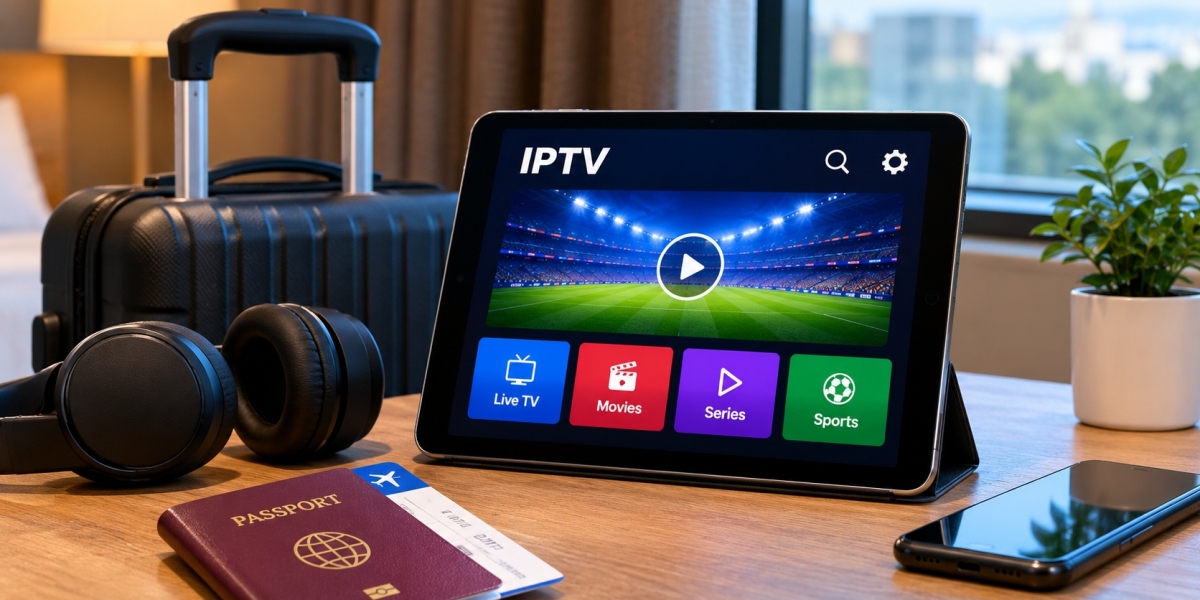

Taking entertainment with you while travelling has become much easier. A phone, tablet, laptop, or small streaming device can now carry much of the same viewing experience people are used to at home.
IPTV can also be used while travelling when the service, device, network, and local conditions allow it. The practical side is not always as simple as connecting to the first available Wi-Fi network, though. Hotel internet can behave differently from home broadband, mobile data may be limited, and a device that works perfectly in the living room might need a different setup on the road.
A little preparation before leaving home can prevent most of the common frustrations.
Test Everything Before the Trip
The best time to discover that you have forgotten a password is not after arriving at a hotel late at night.
Open the IPTV application before travelling and confirm that it still works on the device you plan to take. Check that you can sign in, open channels, use search, and access any other sections you normally use.
If the application needs an update, install it while you still have access to your regular home connection.
It is also worth restarting the device after any major update. That gives you an opportunity to catch a problem before the trip instead of troubleshooting it while away.
Choose the Device Around the Type of Trip
There is no single best travel device.
For a weekend away, a phone may be enough. It takes up almost no additional luggage space and is already connected to mobile data.
A tablet can be more comfortable when you expect to watch a film or several episodes in the evening.
A laptop makes sense for longer stays, particularly if you already need the computer for work.
Some travellers prefer carrying a compact streaming stick so they can use a hotel or holiday-rental television. This can provide a more familiar TV experience, but it introduces a few extra things to consider.
The right choice depends on how much you expect to watch and how much equipment you want to carry.
Hotel Televisions Can Be Unpredictable
A hotel room may have a large modern television, but that does not necessarily mean it will behave like your TV at home.
Some hotel televisions have restricted menus. Others disable certain HDMI inputs or make changing sources less obvious.
Before relying entirely on a streaming stick, it is sensible to have another option available, such as a tablet or laptop.
If an HDMI input is accessible, a compact streaming device can be convenient. Connect it, switch to the correct input, and follow the network setup.
When the television is locked into a hotel entertainment system, your personal screen may be the easier solution.
Public Wi-Fi Is Different From Home Wi-Fi
At home, you usually know what your internet connection is capable of.
Public networks are far less predictable.
A hotel might have fast broadband coming into the building but hundreds of guests sharing it. During busy evening hours, performance can change considerably.
Airport, café, and public Wi-Fi can have similar limitations.
A network may feel perfectly responsive while browsing websites but struggle with continuous video.
If playback becomes unstable, do not immediately assume that the IPTV app is broken. Test another streaming service or ordinary online video on the same device.
If everything is slow, the network is the more likely explanation.
Sign-In Pages Can Complicate Streaming Devices
Hotel Wi-Fi often uses what is known as a captive portal.
Instead of simply entering a Wi-Fi password, you connect to the network and then open a webpage to accept terms, enter a room number, or provide another form of authentication.
Phones, tablets, and laptops usually handle this easily because they have full web browsers.
Streaming devices can sometimes be less straightforward.
If you regularly travel with a streaming stick, learn how that particular device handles hotel sign-in pages before depending on it.
This is another reason to test the setup before leaving home.
Mobile Data Can Be a Useful Backup
When hotel Wi-Fi performs poorly, mobile data can sometimes provide another option.
A phone may stream directly over its cellular connection, or it can potentially provide a hotspot for another device if the mobile plan and local network support that use.
The important thing is data consumption.
Video can use a significant amount of mobile data, especially at higher resolutions. Someone with a limited travel allowance can use a large portion of it much faster than expected.
Before watching for several hours, check the data included in your plan.
Higher Resolution Is Not Always Useful on the Road
At home, selecting the highest available picture quality might make sense on a large television.
When travelling, stability often matters more.
On a tablet or phone, the difference between two high-resolution options may be less noticeable than it would be on a large screen. The additional bandwidth demand, however, can still be significant.
If a stream repeatedly buffers on hotel Wi-Fi, choosing a lower available quality can produce a much better experience.
An uninterrupted picture usually beats a sharper image that stops every few minutes.
Keep Login Information Accessible but Private
Travelling can expose a simple problem: you may need to sign into an application again unexpectedly.
Perhaps the app updates. Maybe you reinstall it. You could also decide to use another compatible device.
Make sure you can securely access the account information you need.
At the same time, avoid storing usernames, passwords, playlist URLs, or server details in an unprotected note that anyone could open if the device is lost.
Treat IPTV account information the same way you would treat other login credentials.
Research Your Provider's Device Options
Different IPTV services can support different devices and applications, so it is useful to check compatibility before travelling.
For example, viewers researching IPTV options, subscription choices, and device setup information for Sweden can review FIRST CLASS IPTV when comparing ways to watch IPTV on Smart TVs, streaming devices, computers, phones, and tablets.
Whatever service you use, confirm its current instructions rather than assuming the same configuration works on every player.
This becomes especially important if you are switching from your normal television to a phone, laptop, or travel streaming device.
Do Not Change a Working Setup Right Before Leaving
There is a temptation to prepare for a trip by installing a new player, changing several settings, and reorganizing everything.
That can create problems that did not exist before.
If your current IPTV application works reliably, there is usually no reason to rebuild the setup the night before travelling.
Make only the changes you actually need.
A familiar application with saved favourites and a known interface is much easier to use in an unfamiliar environment.
Favourites Become More Useful on Smaller Screens
Scrolling through large channel lists is manageable on a television.
It becomes much less pleasant on a phone.
Before travelling, add the channels or categories you expect to use to your favourites list if the application supports it.
This reduces the amount of navigation required on a smaller screen.
The same idea works for tablets and laptops. A cleaner interface is particularly useful when the internet connection is slow and each menu takes longer to load.
Be Careful With Screen Mirroring
Screen mirroring can be a convenient way to move video from a phone to a hotel television when compatible equipment is available.
But remember that mirroring may display more than just the video.
Messages, notifications, and other activity on the phone can potentially appear on the larger screen.
If you are sharing a room, this can become awkward.
Using a focus or do-not-disturb mode before mirroring is a simple precaution.
Native casting, where supported, can provide a cleaner experience because the media rather than the entire phone interface is sent to the screen.
Keep Chargers in the Same Bag as the Device
This sounds trivial until it happens.
Streaming video can consume battery quickly, especially when a phone or tablet is also using cellular data, high screen brightness, or Bluetooth audio.
A fully charged device at the beginning of the evening may not necessarily last through several hours of viewing.
Pack the appropriate charger and, when travelling internationally, check whether you need a plug adapter.
A power bank can also be useful for phones and tablets during long journeys.
Think About Headphones
Not every travel environment is suitable for television speakers.
A hotel roommate may be sleeping. Other passengers may be nearby. Walls can also be thinner than expected.
Headphones make mobile IPTV much easier to use in these situations.
Bluetooth models are convenient, but wired headphones can still be useful because they do not need charging and avoid occasional wireless audio delays.
Check which connection your device supports before travelling.
What to Do When IPTV Works at Home but Not Away
If the application worked before the trip but has problems on another network, avoid changing everything immediately.
Start with the obvious checks.
Confirm that the device has a working internet connection. Open another website or video application.
Then restart the IPTV player and test more than one channel.
If nothing streams properly, try another network if one is available.
If only a particular channel is affected, the problem may not be related to your travel connection at all.
Testing one thing at a time gives you much more useful information than deleting and reinstalling the application straight away.
Restarting Can Solve Surprisingly Ordinary Problems
Travel networks involve more changes than a typical home setup.
The device moves between mobile data, hotel Wi-Fi, café networks, and perhaps personal hotspots.
Occasionally an application or network connection simply gets stuck.
Closing and reopening the IPTV player is an easy first step.
If that does not help, restart the phone, tablet, laptop, or streaming device.
Basic troubleshooting is often enough to clear temporary connection problems.
Downloaded Entertainment Is Still Worth Having
IPTV relies on a network connection, so it is sensible not to make streaming your only entertainment option.
Flights, trains, remote accommodation, and overloaded hotel networks can all leave you without reliable internet access.
If you use legal streaming services that support offline downloads, saving a few films or episodes before leaving can provide a useful backup.
That way, a poor connection does not leave you with nothing to watch.
International Travel Requires Extra Attention
Crossing a border can change several parts of the setup at once.
Mobile roaming terms may be different. Hotel networks vary from country to country, and some online services have geographic restrictions or licensing rules.
Check the terms of the IPTV service and other streaming platforms you intend to use.
Do not assume that content available at home will automatically be available in every destination.
Local laws and service conditions should also be respected.
Keep the Travel Setup Small
A useful travel streaming setup does not require a bag full of equipment.
For many people, the essentials are simply a phone or tablet, headphones, charger, and reliable account access.
Someone who prefers watching on a television might add a small streaming device and the necessary power cable.
Adding more hardware can provide more flexibility, but it also creates more things to configure, carry, and potentially forget.
Choose equipment based on what you will realistically use.
Final Thoughts
IPTV can be convenient while travelling, but the experience depends much more on the network and device than it does at home.
Test the application before leaving, keep account details secure, check mobile-data limits, and do not rely entirely on hotel Wi-Fi behaving like your home connection.
A phone or tablet provides the simplest option, while a compact streaming device can make sense for longer stays when the television allows it.
Most importantly, keep the setup familiar. Travel already introduces enough variables. A device and player you understand are much easier to troubleshoot when the internet connection is unfamiliar and you simply want to watch something at the end of the day.