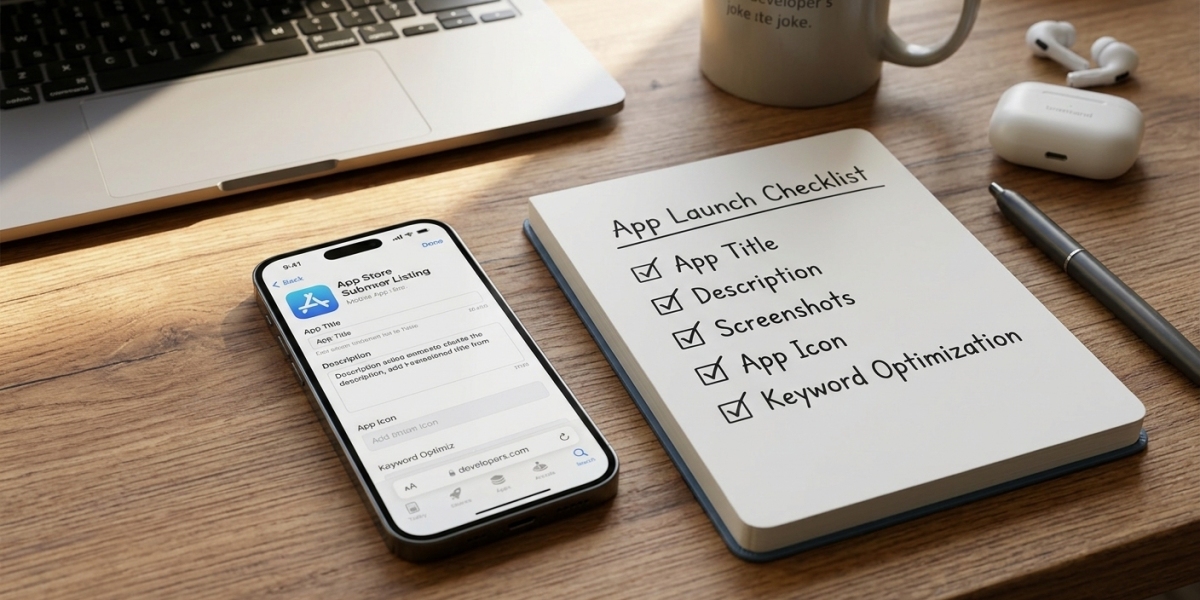

Finding a parenting app in a familiar store can feel like a decision has already been made for you. There is an install button, a recognizable layout, and a set of screenshots showing an organized family dashboard. After comparing confusing websites, that familiarity is reassuring.
It is also only the beginning of the check. A store listing can help you investigate an app, but it cannot decide whether the product suits your child, your phone, or the problem you want to solve. Before installing, read the listing as a set of claims to understand. A little attention now can prevent a much longer conversation with support later.
Find the problem before finding the product
Begin with the part of family life that needs help. Is it coordinating after-school pickup, understanding evening app use, or managing access to a particular type of content? Give the problem a plain description. Avoid starting with a requirement to see every available piece of information.
That description becomes your filter while reading the listing. A feature can be impressive without being relevant. If your main difficulty is deciding when homework ends and recreational use begins, an extensive list of unrelated monitoring functions may add complexity without helping the routine.
Include the person who will use the phone. Ask what would make the arrangement easier to understand and what they are worried about losing. A child may depend on an app for a club, accessibility need, or school task that you have not considered. Those details belong in the buying decision before you start choosing controls.
Confirm whose app you are reading about
Check the app name and the developer information. Similar names and familiar design elements can make separate products look connected. If you arrived through an advertisement or a company's website, verify that the listing describes the exact product being offered there.
A company may operate several apps or distribute different versions through different channels. Do not transfer a feature promise from one product to another without confirmation. The same caution applies to subscriptions: a website plan and an in-app purchase may have different terms or cover different functions.
Keep a simple record of the product you are considering. Note the name, the developer, your device model, and the capability that matters most. These details give support a precise question to answer. They also make it easier to return to the correct listing after several comparison tabs have blurred together.
Read the description as a practical explanation
A useful description tells you what an app does in language you can connect to real use. If it mentions screen time, ask whether that means a report, a reminder, a limit, or some combination. If it mentions location, look for an explanation of updates and any relevant limitations.
Pay attention to words that promise completeness without defining it. Statements about seeing everything or never missing anything do not explain device requirements, delays, or unsupported situations. You need to know what happens on the phone your child actually carries, rather than what happens in an ideal demonstration.
Make a short list of missing answers. You do not need to interrogate every minor feature. Focus on the function you intend to rely on, the access it requires, and the conditions under which it may fail. If the listing cannot answer those questions, look for documentation or ask support before purchasing.
Understand what Data safety tells you
Google explains that developers use the Data safety section to describe how their apps handle information. It is a useful disclosure to read alongside the app description and privacy policy. It is not a promise that the app will meet every family's expectations or an independent assessment of every statement the developer makes.
Google also says that this information concerns versions distributed through Google Play. That distinction matters if a company offers a separate download elsewhere. Do not assume the store disclosure automatically describes a different installation package, product, or service sold by the same business.
Read for the questions you need answered: what information is involved, why it is used, and what control you have over it. If the explanation is unclear, ask for clarification. A label that looks reassuring should lead to understanding, rather than end the conversation before the details have been considered.
Put screenshots in their proper place
Screenshots show you how a developer presents the product. They can help you understand navigation and terminology, but they do not establish how a feature will behave with your device, connection, or account. A tidy map or complete activity chart may represent an example rather than your future experience.
Use the images to form questions. Can you identify the selected child and device? Is the update time visible? Does the interface distinguish missing information from a result showing no activity? A screen that makes uncertainty clear can be more useful than one that looks complete while hiding the relevant context.
Do not infer a capability from a decorative image. A microphone symbol, for example, needs an accompanying explanation of the actual feature and its permissions. The same applies to icons for messages or app blocking. Buy the documented behavior, not the impression created by an illustration.
Read reviews for detail rather than reassurance
A rating can help you decide where to look more closely, but it cannot answer your specific compatibility question. Read a selection of reviews and notice what the writer describes. A report about a different operating system or an older version may not match the product you are evaluating.
Look for useful context such as the setup step, the kind of problem, and whether support explained the resolution. Avoid treating a dramatic complaint as proof that every user will have the same experience. Equally, a glowing review that provides no detail does not establish that your required feature works.
If several comments raise an issue that matters to you, turn it into a direct question. Ask how the current version handles that situation. Save the answer with the purchase information. Your goal is to reduce uncertainty about your use, rather than to find a collection of opinions that makes the decision feel effortless.
Compare the installation choices fairly
A store download and a direct installation package involve different routes, but the route alone does not tell the entire story. Legitimate software can be distributed outside Google Play. Store availability also does not remove the need to assess permissions, support, pricing, and the product's actual behavior.
TheOneSpy's Android app installation and privacy comparison offers a vendor's explanation of those distinctions. It can help organize the comparison, particularly when marketing labels blur separate products. Check the claims against the current documentation for the app you plan to install.
Whichever route you consider, keep the installation understandable and visible to the device user. Do not accept an unexplained request to hide the app or dismiss a security warning simply because a sales page describes it as routine. Ask for a clear explanation and reconsider the product if the answer is unsatisfactory.
Check the purchase before pressing ahead
The cost shown beside a plan may not be the amount charged immediately. Read the payment period, renewal terms, and cancellation process. Confirm whether the subscription covers one device, several devices, or a particular set of functions. Save the terms associated with the checkout you actually use.
Ask what happens if the app is incompatible with the feature you need. Read the refund conditions before paying, including any requirements for contacting support or attempting setup. Do not assume a general satisfaction statement means every reason for cancellation qualifies for a refund.
A sensible purchase should remain understandable after the promotional page is closed. You should know what you bought, where to manage it, and how to ask for help. If those details are difficult to find before purchase, that difficulty belongs in your assessment of the product.
Give the app a modest first job
Once installed, start with the narrow purpose you identified. Check the relevant behavior in an ordinary situation, with your child aware of the arrangement. Notice what the app reports, what it does not report, and whether the instructions match the device.
If something seems wrong, record the setting, time, and visible status. Keep personal information out of support messages unless it is genuinely needed and you understand how it will be handled. A clear description of the issue is often more useful than a large collection of screenshots from a child's private activity.
Keep a fallback routine while you learn the app. If the goal is pickup coordination, continue using an agreed message or call. If it concerns evening habits, continue the family conversation. A new tool needs evidence from ordinary use before you decide how much responsibility to place on it.
Make confidence the result of understanding
The best outcome of reading a store listing is not necessarily an immediate installation. You may discover that a simpler tool meets the need, that a feature is unavailable, or that you need an answer from support. Each of those findings makes the eventual decision better informed.
A useful app should have a role you can explain to your child and a set of terms you can explain to yourself. Start with a real need, read beyond the screenshots, and keep the exact product in view. The install button can wait until the arrangement makes sense.


लोकप्रिय लेख







