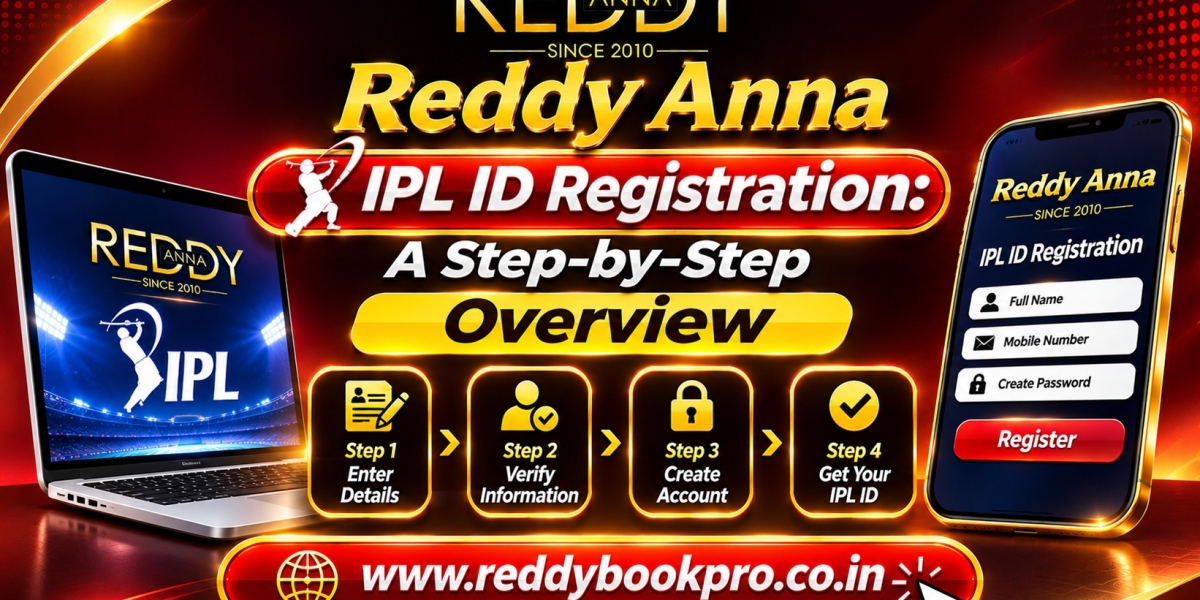

The Indian Premier League has become one of the most followed cricket competitions, attracting viewers who enjoy tracking teams, players, match schedules, statistics, and season developments. As interest in IPL-related digital platforms grows, many users search for information about creating an account and obtaining an online ID.
The Reddy Anna IPL ID is one such search phrase that may lead users to different pages and account-related resources. Before beginning registration, however, it is useful to understand the basic stages involved, the information that may be requested, and the precautions that can help protect account access.
This guide presents the registration process as a practical sequence rather than simply explaining where to click. It also covers what to do after creating an account and how terms such as Reddy Anna, Reddy Anna login, Reddyanna, and Reddy Anna Book may appear during online searches.
Why Preparation Matters Before Registration
Registration is usually easier when users prepare beforehand.
Instead of immediately opening a form and entering information, first understand what type of account you are creating and what details may be needed. This gives you an opportunity to check the website, prepare a suitable account ID, and make sure the contact information you provide is accurate.
A few minutes of preparation can also reduce common problems such as incorrect registration details, forgotten credentials, or confusion between an account ID and a login password.
The first principle is simple: verify before you register.
Reddy Anna | Reddyanna | Reddy Anna Book | Reddy Anna Login | Reddy Anna App | Reddy Anna APK | Reddy Anna sign up | reddy anna register login | reddybook ipl
Get Official Reddy Anna ID: https://reddybookpro.co.in/
Step 1: Find the Intended Registration Page
The first step is identifying the correct registration page.
Search results can contain multiple pages that use similar keywords. A page containing the words Reddy Anna or Reddyanna should not automatically be considered the correct registration destination.
Look at the complete website address and inspect the page before entering any information.
A useful registration page should clearly explain what the account process involves. Navigation should also be understandable rather than forcing users through unclear redirects or unexpected forms.
Avoid entering credentials into pages that appear suspicious, incomplete, or unrelated to the service you intended to access.
Step 2: Review the Registration Requirements
Once you have identified the intended page, review the registration form before completing it.
Depending on the platform, a form may request an account name, contact information, password, or other basic details.
Read each field carefully.
If a form requires a mobile number or email address, use information that you can access consistently. Incorrect contact details can become a problem if verification or account recovery is required later.
Do not provide unnecessary information simply because a form asks for it. Understand why each requested field is relevant before submitting your details.
Step 3: Select an Appropriate Account ID
Your account ID may become the primary identifier associated with your profile.
If the system allows you to choose an ID, select something memorable without using unnecessary personal information.
For example, avoid using your complete name, phone number, date of birth, or other sensitive details as an account identifier.
If the platform automatically assigns an ID, copy it into a secure location after registration.
Remember that the ID is not the same as the password. The ID identifies your account, while the password or authentication method helps protect access.
Step 4: Create a Secure Password
Password selection is one of the most important parts of registration.
A strong password should be difficult for another person to guess. Avoid simple combinations, repeated numbers, common phrases, or information that can easily be associated with you.
It is also better to use a password that is unique to this account.
If you use the same password across multiple websites, a security issue on one service could potentially affect another account.
A password manager can help users create and securely store complex passwords without requiring them to memorize every credential.
Step 5: Complete Any Verification
Some account systems include an additional verification stage.
This could involve receiving a code through a registered contact method or confirming information before the account becomes fully accessible.
If a verification code is sent to your phone or email, enter it only on the intended registration page.
Never publish verification codes or send them to unknown individuals.
If the code does not arrive, check whether the contact information was entered correctly. For email verification, also check filtered or spam folders.
Avoid repeatedly submitting registration forms while waiting for a verification message, as this can sometimes create additional confusion.
Step 6: Confirm That Registration Was Successful
After completing the form and verification, confirm that the account has actually been created.
Look for a confirmation message, account dashboard, or other clear indication that registration is complete.
Do not assume that closing the page means the account was successfully created.
If an account ID has been assigned, record it securely.
This is especially useful because users may later need the ID when accessing the account or dealing with an account-related question.
What to Do Immediately After Registration
Registration is only the beginning of account management.
After creating your account, review the available account settings. Check whether your contact information is correct and whether there are security or recovery options available.
If profile information can be updated, make sure the details are accurate.
It is also useful to understand how the account is accessed from a mobile device and desktop browser before you actually need to log in again.
Good account management starts immediately after registration rather than when a problem occurs.
Understanding Reddy Anna Login
Once registration is complete, users may need to access the account through the Reddy Anna login process.
Login should always begin from a verified website or a trusted bookmark.
Do not rely on unexpected links received through messages or social accounts.
Before entering your password, check the website address carefully. A familiar logo or similar page design is not enough to establish that a page is genuine.
If the login page looks different from what you normally use, pause and verify the source before entering credentials.
If Login Does Not Work
A failed login does not always mean that the account is unavailable.
First, check whether the account ID and password were entered correctly. Pay attention to capitalization, spaces, and keyboard settings.
If the credentials appear correct, consider whether the issue could be related to your browser or internet connection.
Try refreshing the page or opening the login page in a trusted browser session.
If the platform provides an official password-recovery process, use that process rather than searching for unofficial methods.
Avoid repeatedly guessing passwords, particularly if the account system may temporarily restrict repeated attempts.
How Reddyanna and Reddy Anna Book May Appear in Searches
Users researching IPL-related account information may encounter variations such as Reddyanna and Reddy Anna Book.
These terms can appear in articles, directories, social pages, or other online resources.
The important point is that a keyword should not be treated as proof that a particular page is official or appropriate for account registration.
Always evaluate the complete source, website address, instructions, and security practices.
If two pages provide conflicting registration information, do not choose one simply because it ranks higher in search results. Verify the information through the intended source.
Protecting Your Account After Signup
Once your account is active, protect it as carefully as you protected it during registration.
Keep your password private and avoid storing it in easily accessible notes or screenshots.
Be particularly careful when using shared computers or public devices. Always sign out when you finish using an account on a device that other people can access.
Do not allow unknown individuals to operate your account or request your login credentials.
If you believe your password has been exposed, change it through the appropriate account settings as soon as possible.
A Practical Registration Checklist
Before completing your Reddy Anna IPL ID registration, review the following:
Verify the intended website and registration page.
Read the form before entering information.
Use accurate contact details.
Choose a unique account ID where applicable.
Create a strong password.
Complete verification carefully.
Save the account ID securely.
Learn the normal login process.
Keep passwords and verification codes private.
Review account settings after registration.
Following these steps can make the account setup process more organized and reduce avoidable access problems.
Final Thoughts
Creating a Reddy Anna IPL ID should not be treated as a rushed form-filling exercise. The better approach is to understand each stage, verify the registration source, provide accurate information, and establish good account-security habits from the beginning.
The terms Reddy Anna, Reddy Anna login, Reddyanna, and Reddy Anna Book may all appear during online research, but users should evaluate the source behind each result rather than relying on keywords alone.
A successful registration is more than receiving an account ID. It also means knowing how to protect your credentials, recognize the correct login process, maintain accurate account information, and use reliable recovery options when necessary.
By taking these steps before and after registration, new users can approach their IPL-related account setup with greater clarity and confidence.