
Managing a restaurant successfully requires coordination between several activities, including order processing, billing, inventory control, employee management, customer service, and financial reporting. As a restaurant grows, handling these responsibilities manually can become difficult and time-consuming. Even small operational mistakes can affect service quality, increase expenses, and create unnecessary confusion.
Technology has made it easier for restaurants to organise their daily activities through integrated digital solutions. Restaurant management software brings important business functions together, allowing owners and managers to monitor operations, maintain records, and make informed decisions.
Choosing the best restaurant management software is not simply about finding a system with multiple features. It is about selecting a solution that matches the restaurant's business model, simplifies everyday work, and supports long-term growth.
What Is Restaurant Management Software?
Restaurant management software is a digital platform that helps food-service businesses manage their daily operations from a central system.
Depending on the platform, it may include billing, point-of-sale functionality, order management, inventory tracking, menu management, sales analytics, customer records, and employee administration.
Instead of using separate registers, spreadsheets, and disconnected applications, restaurants can manage several activities through one integrated solution.
The main purpose is to reduce repetitive manual work, improve operational visibility, and help employees complete their responsibilities more efficiently.
Why Restaurants Need Management Software
Restaurant operations involve many interconnected processes. An order affects kitchen activity, inventory consumption, billing, and sales records. When these processes are managed separately, information can become inconsistent or difficult to track.
A management system helps connect these activities.
Better Coordination Between Departments
Restaurant employees often work across different areas, including the reception counter, dining area, kitchen, and billing desk.
An organised digital system can improve communication by making order information accessible to the relevant employees.
Reduced Manual Errors
Manual billing, handwritten orders, and separate stock records can lead to incorrect entries and calculation mistakes.
Automation helps reduce repetitive tasks and maintain more consistent records.
Improved Business Visibility
Restaurant owners need to understand daily sales, stock availability, expenses, and operational performance.
Management software can provide reports that make this information easier to review.
More Efficient Customer Service
When orders are processed accurately and bills are generated quickly, employees can focus more on serving customers.
This can contribute to a smoother dining experience.
Essential Features of Restaurant Management Software
Before selecting a platform, restaurant owners should understand which features are most important for their operations.
1. Point-of-Sale Billing
A point-of-sale system helps employees create bills, select menu items, adjust quantities, apply discounts, and calculate payable amounts.
A well-designed POS interface can make transactions faster and help reduce billing mistakes.
It should also support the payment methods commonly used by the restaurant's customers.
2. Order Management
Order management helps restaurants organise incoming orders and track their progress.
Depending on the business model, the system may support:
Dine-in orders
Takeaway orders
Delivery orders
Counter orders
Online orders
Centralised order information helps employees coordinate with the kitchen and reduces the possibility of missing or duplicated orders.
3. Inventory Management
Inventory management is essential for controlling food costs and maintaining product availability.
A suitable system may help restaurants:
Monitor available stock
Record purchases
Track ingredient consumption
Identify low-stock items
Maintain supplier information
Review inventory movement
Some platforms also offer recipe-based inventory tracking, which connects ingredients with the dishes sold.
This can help restaurants understand how much stock is consumed during daily operations.
4. Menu Management
Restaurants regularly introduce new dishes, revise prices, and change product availability.
Menu-management tools allow authorised users to update item names, categories, prices, and descriptions within the system.
This helps maintain consistent information across billing and order-processing activities.
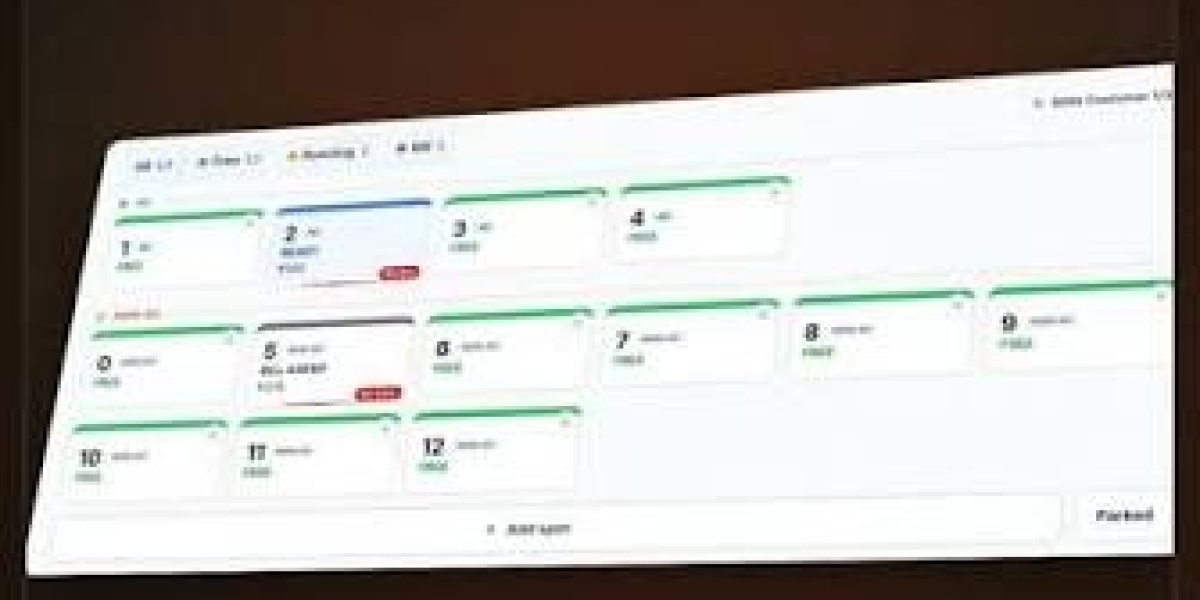
5. Table Management
Dine-in restaurants need to manage seating arrangements and table availability.
Table-management features can help staff assign tables, monitor occupied seating, and connect customer orders with specific tables.
This is particularly useful for restaurants with larger dining areas or multiple seating sections.
6. Sales Reports and Analytics
Sales reports provide useful information about business performance.
Common reporting options include:
Daily sales summaries
Monthly revenue reports
Item-wise sales
Category-wise performance
Payment summaries
Discount records
Tax reports
These insights can help restaurant owners identify popular products, understand sales trends, and evaluate business performance.
7. Employee Management
Employee-management features can help restaurants organise staff responsibilities and control system access.
Role-based permissions allow owners to assign different levels of access to cashiers, managers, supervisors, and other employees.
This can improve accountability and help protect important business information.
8. Customer Management
Customer-management tools help restaurants maintain customer information and understand purchasing patterns.
Depending on the platform, features may include customer profiles, order histories, loyalty programmes, and promotional communication.
These tools can support customer engagement and help restaurants build long-term relationships.
Benefits of Using Restaurant Management Software
Saves Time and Improves Productivity
Automating repetitive tasks can reduce the time employees spend on manual calculations, recordkeeping, and reporting.
This allows restaurant teams to focus on food preparation, customer service, and other important responsibilities.
Supports Better Inventory Control
Accurate inventory records help owners monitor stock movement, plan purchases, and reduce avoidable wastage.
This is especially important for restaurants handling perishable ingredients.
Helps Monitor Financial Performance
Centralised sales and transaction records provide a clearer picture of revenue and business activity.
Managers can use this information to compare performance across different days and periods.
Improves Order Accuracy
Digital order entry can reduce errors caused by handwritten notes or unclear communication.
It also makes it easier to track order status and coordinate kitchen activities.
Supports Business Expansion
Restaurants planning to expand may need a system that supports multiple outlets, centralised reporting, and consistent operational processes.
Scalable software can make it easier to manage additional locations as business requirements grow.
Selecting Software for Different Restaurant Types
Not every restaurant requires the same combination of features. The right system depends on the type of business and how it operates.
Quick-Service Restaurants
Quick-service restaurants focus on fast order processing and efficient counter operations.
Important features include quick billing, order tracking, menu configuration, and kitchen coordination.
Fine-Dining Restaurants
Fine-dining establishments may require table management, customised orders, split billing, and coordination between service staff and kitchen employees.
Cafés and Coffee Shops
Cafés often manage customised beverages, takeaway orders, product variations, and promotional offers.
A flexible billing interface and customer-management tools can be useful.
Cloud Kitchens
Cloud kitchens primarily handle delivery and takeaway orders.
They may benefit from order management, inventory tracking, sales reports, and integrations with relevant ordering channels.
Bakeries and Sweet Shops
Bakeries manage products with different sizes, quantities, prices, and shelf-life requirements.
Inventory tracking, purchase records, and flexible billing can help organise their operations.
Cloud-Based vs Traditional Restaurant Software
Restaurant management systems may operate through cloud-based or locally installed infrastructure.
Cloud-Based Systems
Cloud-based platforms generally allow authorised users to access business information through an internet connection.
Potential advantages include remote access, centralised data, and easier coordination across multiple locations.
However, restaurants should review internet requirements, subscription costs, data security, and backup arrangements.
Locally Installed Systems
Locally installed software operates on computers or servers within the restaurant.
Depending on its design, it may offer local access and certain offline capabilities.
Businesses should also consider hardware maintenance, data backups, remote access, and system updates.
The choice depends on the restaurant's infrastructure and operational preferences.
How to Choose the Right Restaurant Management Software
Selecting software requires evaluating practical requirements rather than focusing only on promotional claims.
Consider the following factors:
Ease of use: Employees should be able to learn the system without extensive training.
Essential features: Check whether the platform supports billing, order management, inventory, and reporting according to your requirements.
Integration options: Review compatibility with payment systems, accounting tools, printers, and other applications.
Scalability: Consider whether the software can support more users, products, and outlets as the business expands.
Data security: Understand how business information is stored, protected, and backed up.
Customer support: Reliable assistance is important when software is used for daily restaurant operations.
Pricing: Compare subscription fees, setup charges, maintenance expenses, and additional costs.
It is also useful to request a demonstration or trial before making a final decision.
Common Mistakes to Avoid
Choosing restaurant software without understanding business requirements can create unnecessary expenses and operational difficulties.
Restaurant owners should avoid:
Selecting software only because it is inexpensive
Ignoring the importance of employee training
Overlooking inventory and reporting features
Failing to check integration options
Not reviewing data backup policies
Choosing a system that cannot support future expansion
Paying for features that the business does not need
A clear understanding of current operations can help prevent these mistakes.
Tips for Successful Software Implementation
Implementing a new management system requires proper preparation.
Restaurants should begin by reviewing their existing workflows and identifying areas that need improvement.
A practical implementation process includes:
Identify essential business requirements.
Organise menu items, prices, and product categories.
Review inventory and supplier information.
Configure billing and tax settings.
Create employee accounts and assign permissions.
Train employees on the system.
Test billing, order processing, and reporting.
Monitor performance after implementation.
Regular feedback from employees can also help identify areas where the system or workflow needs adjustment.
The Future of Restaurant Management Software
Restaurant technology continues to evolve through cloud computing, digital payments, automation, artificial intelligence, and business analytics.
Modern platforms are increasingly focused on connecting different restaurant operations and making business information easier to understand.
Future developments may include improved demand forecasting, automated inventory recommendations, advanced sales analytics, and more integrated customer-management tools.
These technologies can support restaurant owners in planning operations and responding to changing customer expectations.
However, technology works best when supported by accurate data, trained employees, and effective management practices.
Conclusion
Restaurant management software plays an important role in organising modern food businesses. By connecting billing, orders, inventory, menu management, customer records, and reporting, it helps restaurants manage their daily activities more efficiently.
The right solution depends on the restaurant's size, business model, budget, and operational requirements. Owners should evaluate usability, essential features, integration options, security, scalability, and support before selecting a platform.
A well-chosen management system can reduce manual work, improve operational visibility, and provide a reliable foundation for sustainable restaurant growth.