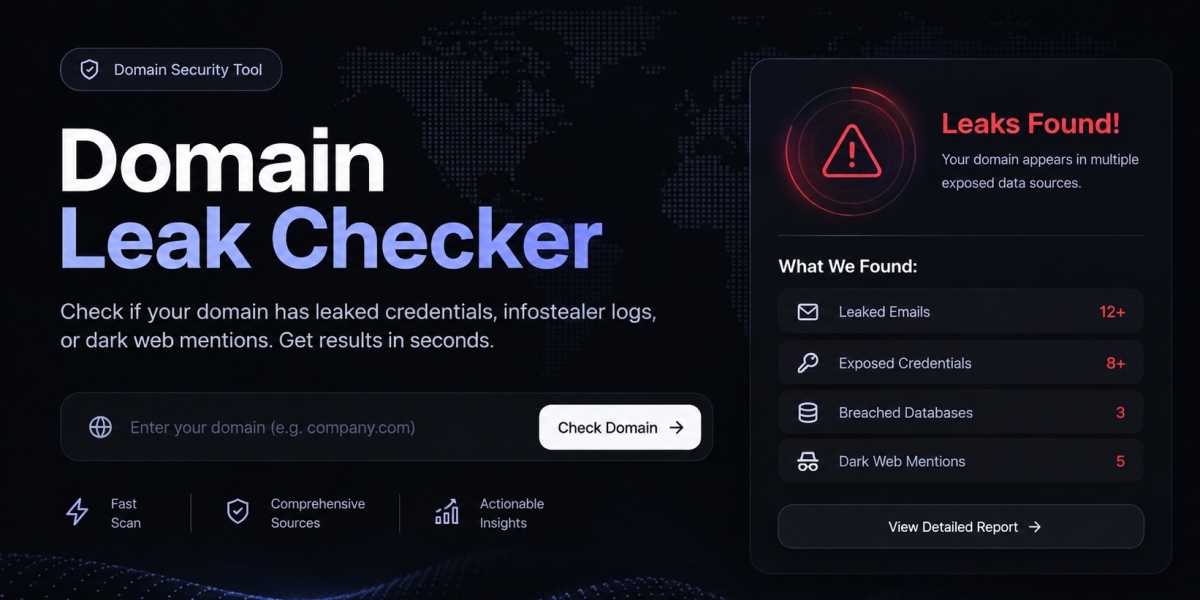

Every company domain leaves a trail. Employees sign up for services with work email addresses. Browsers save passwords. Vendors get breached. Some of that data ends up in criminal hands and none of it sends you an alert. The only way to know what is out there is to go and look.That is the job of a domain leak checker. A domain leak checker takes a domain name, searches for leak and dark web sources and tells you whether anything tied to that domain has surfaced. It is a quick first step for MSSPs, MDR providers, penetration testers and in-house security teams who want facts before they plan a response.
This guide starts with the basics, then moves into practical territory: how the data gets leaked, how to run a check, how to read the results and how to build a repeatable routine around it. It also covers where free tools stop and where continuous monitoring starts.
What a Domain Leak Checker Tells You
A domain leak checker tells you whether data connected to a domain has appeared in leak sources and how serious the exposure looks. The result is usually a count of exposed items and a severity level. It does not show you everything about each leak, but it answers the first question every responder asks: do we have a problem?
Think of it as a smoke detector, not a fire investigation. It signals that something is wrong and roughly how big it is. Deeper analysis comes afterward.
You will find this idea under many names. People search for a domain leak scanner, domain breach checker, domain exposure checker, dark web domain checker, or leaked credentials by domain. The tools differ in depth, but the core idea is the same: look up a domain, get a picture of what has leaked.
Where Leaked Domain Data Comes From
Leaked domain data comes from a small number of repeatable sources and knowing them helps you judge what a result means. Each source tells a different story about how the exposure happened.
Infostealer malware
Infostealers are programs that run quietly on an infected computer and copy what they find: saved passwords, browser autofill data and session information. The stolen files are packaged into logs and sold or shared. One infected laptop can expose many accounts at once, including work accounts the user signed into from a personal device.
Third-party breaches
When a service is breached, the stolen database may include email addresses from your domain. Employees often use work addresses for outside services, so your domain shows up even though your own systems were never touched.
Combolists
A combolist is a large file of email and password pairs, usually merged from many older leaks. Criminals use these lists for credential stuffing, which means trying the same login on many websites and hoping for a match.
Breach forums and paste sites
Underground forums host stolen databases and sales posts. Paste sites are public text pages where leaked lists sometimes appear. Both can mention a company even when no password is attached.
Dark web posts and listings
Some posts do not contain data at all. They advertise access, discuss a target, or offer to sell something tied to a company. A mention like that is an early warning worth taking seriously.
How a Domain Leak Checker Works Behind the Scenes
A domain leak checker works by collecting leak data from many places, indexing it and matching it against the domain you enter. The tool does not touch your servers. It searches data that criminals have already stolen or published.
Here is the usual flow in plain terms.
Collection. The provider gathers data from infostealer log feeds, forums, paste sites and combolist drops.
Indexing. The data is organized so it can be searched by domain.
Matching. When you enter a domain, the tool looks for records that mention it.
Scoring. The tool counts what it found and assigns a severity level.
Reporting. You see a summary, sometimes with a deeper view in a paid platform.
Because the check relies on passive, open-source style intelligence, it is safe to run and does not alert the domain owner. The Mispar Domain Exposure Check works this way: it queries Mispar's own data and nothing is sent to the domain owner or any third party.
No index is complete. Closed communities, private sales and thefts that happened this morning may not be in any dataset yet. That is why a clear result is good news but never a guarantee.
Domain Leak Checker vs. Other Exposure Tools
Many teams mix up leak checkers with other security tools. They answer different questions and knowing the difference helps you pick the right one for the job.
Tool type | Question it answers | Typical input | Best used for | Main limit |
Domain leak checker | Has data tied to my domain leaked or been mentioned on the dark web? | A domain name | Quick exposure triage, prospecting, client onboarding | Snapshot of indexed sources only |
Single email breach check | Has this one address appeared in a breach? | One email address | Personal or account-level checks | Does not show company-wide exposure |
Attack surface scanner | What public assets does this domain expose? | A domain name | Finding forgotten subdomains and open services | Does not look at leaked data |
Continuous dark web monitoring | Tell me the moment something new appears | One or more domains | Ongoing protection and client reporting | Needs a platform and a response process |
The key takeaway is that a leak checker looks at data that has already escaped, while an attack surface scanner looks at what your infrastructure shows to the world. Mature teams use both. Neither replaces the other.
How to Use a Domain Leak Checker Step by Step
Running a check takes a few minutes. The steps below work for an internal team and for an MSSP reviewing a client or prospect.
Step 1: Get approval
Only check domains you own, manage, or have clear permission to review. Keep a short note of who approved the work, especially when the domain belongs to a client.
Step 2: Enter the domain
Go to the domain leak checker, type the domain and run the scan. The Mispar tool needs no signup and results appear in seconds. It looks through infostealer log feeds, breach forums, paste sites and combolist drops.
Step 3: Note the count and severity
Write down the number of exposed items and the severity level. These two values become your baseline for future comparisons.
Step 4: Sort the findings
Group what you see into credentials, infected machines and dark web mentions. Each group needs a different response, covered later in this guide.
Step 5: Act on the highest risk first
Infected machines come first, because malware may still be running. Then handle exposed credentials, then mentions.
Step 6: Schedule the next check
Put a repeat date in your calendar. A single result goes stale quickly because new leaks appear all the time.
How to Read the Results Without Overreacting
A result is a signal, not a verdict. Reading it well keeps you calm and accurate.
A low count with low severity usually points to scattered, older exposure. That still deserves a password reset and a policy reminder, but it rarely calls for an emergency.
A high count tells you many items are tied to the domain. Look for patterns. Are the exposed accounts concentrated in one department? Do they include admin or finance users? Patterns help you target the cleanup.
Infected machine findings change the tone. A compromised device means an attacker may have had access to saved sessions and stored data, not just a password. Treat these as incidents.
A clean result is useful, but note the date and plan another check. It only reflects what the tool could see at that moment.
The free Mispar result has defined limits. It gives you the count and severity of what was found. It leaves out the source names, exact dates and the machine-level forensic profile that sit behind each finding on the full platform. If you need those details to act, that is where a paid platform helps.
Who Gets the Most Value From a Domain Leak Checker
Different roles use the same tool in different ways.
MSSPs and MDR providers
For service providers, a leak check is a fast way to start a client conversation with facts. It also works as an onboarding baseline: you record the exposure on day one, then show improvement over time.
Penetration testers and red teams
During authorized engagements, knowing which accounts have leaked helps scope the test and shows the client the cost of password reuse. It fits into the early OSINT phase of a project.
Bug bounty hunters
Hunters working within a program's rules can use exposure data as context, but they must stay inside the program's scope and never use leaked credentials to log in. Reporting the exposure through the proper channel is the safe path.
In-house IT and security teams
Internal teams use a check as a routine health test. It is especially useful after mergers, layoffs, or phishing incidents, when account risk changes quickly.
Building a Repeatable Leak Check Routine
A one-time scan is useful. A routine is better. Here is a simple structure that scales from one domain to many.
At onboarding: run a baseline check and record the count and severity.
After incidents: run a check after any phishing event, malware alert, or vendor breach notice.
After staff changes: check when many employees join or leave, since account hygiene often slips.
On a schedule: monthly works for many teams. High-risk clients may need more often.
With continuous monitoring: for domains that matter most, use alerts so you do not rely on remembering to check.
Keep a simple log with the date, domain, count, severity and actions taken. After a few months, the log shows whether your controls are working. If the counts fall, your password and session practices are paying off. If they rise, you have a reason to dig in.
What to Do When a Domain Leak Check Finds Something
The right response depends on the type of finding. A single playbook does not fit all cases.
If you find exposed credentials
Force password resets for the affected accounts. Check whether the same passwords were reused on other work systems. Confirm that multi-factor authentication is on. Review recent sign-in logs for odd activity.
If you find signs of infected machines
Isolate the device from the network. Run a full malware investigation. Revoke active sessions and tokens tied to that user, because stolen session data can keep working after a password change. Rebuild the machine if you cannot trust it.
If you find dark web mentions
Work out what the post claims. Check whether the claim matches anything you can verify. Raise internal awareness, tighten monitoring and prepare a communication plan in case the claim is real.
Across all cases
Follow your incident response process. The NIST incident response lifecycle, with its stages of preparation, detection and analysis, containment, eradication and recovery and post-incident review, is a widely used model. Brief management and meet any legal notification duties if personal data may be involved.
Limits of a Domain Leak Checker
Honest tools admit their limits and so should you.
Coverage is partial. No provider sees every source.
Timing matters. A fresh theft may take time to show up.
A snapshot is not monitoring. Results describe one moment.
Counts need context. A large number may include old or duplicate items.
It does not fix anything. The tool finds exposure. People still have to respond.
None of these limits make the tool less useful. They simply tell you how to use it: as a fast, low-effort signal that feeds a larger process.
Free vs. Paid Domain Leak Checkers
A free domain leak checker is a strong place to start. It costs nothing, takes seconds and answers whether exposure exists. For a small business or a first look at a prospect, it may be all you need.
Paid platforms add what a free check leaves out. These typically include ongoing scanning, alerts, detailed records on each finding and tools for managing many domains and clients. For an MSSP, those features turn a quick check into a service you can deliver and report on.
When you compare options, ask a few practical questions. How fresh is the data? Which sources are covered? Can you manage several clients in one place? What does reporting look like? I am not quoting prices here, because plans change. Check each vendor's current pricing before you decide.
Common Mistakes to Avoid
Treating one clean scan as permanent safety.
Checking only the main domain and forgetting other domains the company owns.
Fixing passwords but leaving old sessions active.
Ignoring old leaks because they are old.
Sharing raw leak data in open chat channels or email threads.
Forgetting to document who approved the check.
Skipping the follow-up check after remediation to confirm things improved.
Interesting Facts About Leaked Credentials and Domain Exposure
These points come from well-known public references. They are described by source type, without invented figures.
Have I Been Pwned, the public breach notification service created by security researcher Troy Hunt, offers a domain search feature for verified domain owners.
The OWASP Top 10 includes a category for identification and authentication failures, which covers weaknesses that allow automated attacks such as credential stuffing.
Security research publications describe infostealer malware as capable of stealing session data, which can let attackers sidestep a login prompt in some cases.
CISA publishes guidance that encourages organizations to use multi-factor authentication and it promotes phishing-resistant options for higher-risk accounts.
The FBI's Internet Crime Complaint Center reports on business email compromise each year, a crime that often depends on access to real mailboxes.
The NIST incident response guidance gives organizations a common structure for handling security events, from preparation through lessons learned.
Conclusion
A domain leak checker gives you a clear, fast view of whether data tied to your domain has escaped. It searches infostealer logs, breach forums, paste sites and combolists, then returns a count and a severity level. In a few seconds, you learn if you have a quiet situation or a real problem.The tool works best as part of a routine. Check at onboarding, after incidents and on a schedule. Pair each result with action: reset credentials, end sessions, investigate devices and enforce multi-factor authentication. For domains that matter most, move from snapshots to continuous alerts. If you run security for clients, Mispar offers a platform built for MSSPs that brings dark web monitoring together in one place.
Frequently Asked Questions (FAQs)
What is a domain leak checker used for?
A domain leak checker finds leaked credentials, infostealer logs and dark web mentions linked to a domain. Security teams use it for quick triage, client onboarding and exposure baselines.
Can I check any domain with a domain leak checker?
Technically yes, but you should only check domains you own, manage, or have permission to review. Always document who approved the work.
How long does a domain leak check take?
The Mispar Domain Exposure Check returns results in seconds and it needs no signup.
Does a clean result mean my domain is safe?
No. A clean result only means nothing was found in the sources the tool indexed at that time. Run repeat checks and consider continuous monitoring.
What does the free domain leak check not show?
It shows a count and severity level. It leaves out source names, exact dates and the machine-level forensic profile behind each finding, which are available on the full Mispar platform.
How is a domain leak checker different from a subdomain scanner?
A domain leak checker looks for data that has already leaked. A subdomain scanner maps the public subdomains a domain exposes. They address different risks and many teams use both.